Cafe Chalkboard vs. Digital Menu: Which Drives More Sales and When to Use Both
Updated:
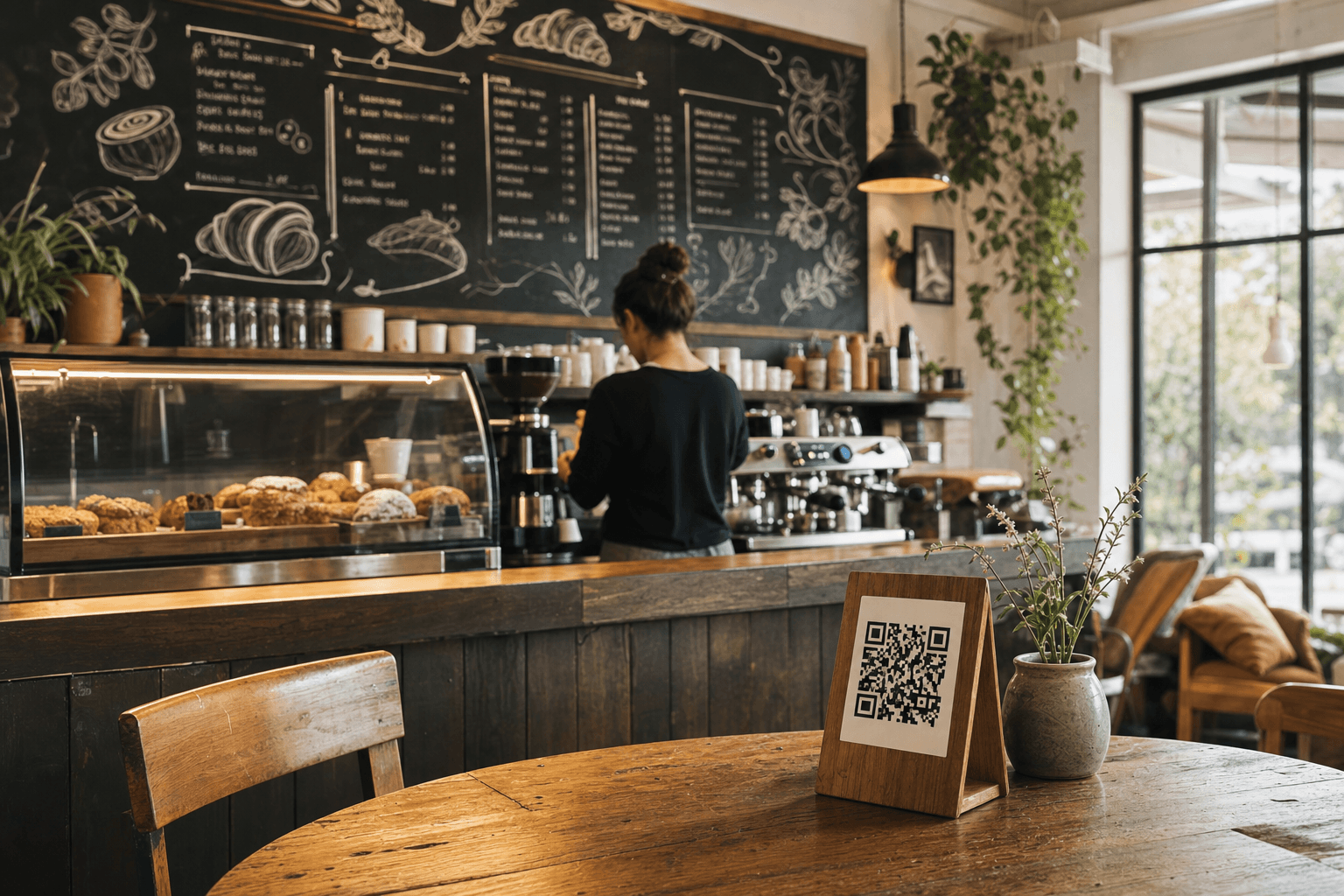
Walk into any independent cafe worth its espresso and you'll probably see a chalkboard. It's almost a genre signifier at this point — the looping handwriting, the hand-drawn latte art doodle next to the cortado, the seasonal special squeezed into the corner. Chalkboards feel authentic. They feel human. They say, a real person made this.
But feelings don't pay rent. The real question for a cafe owner competing against a Starbucks with a $12 million loyalty app is: which menu format actually drives more sales? And is there a smarter way to use both together?
This article breaks down the honest trade-offs — not the Instagram aesthetics — so you can make a deliberate decision about your menu strategy instead of just defaulting to what looks good.
What a Chalkboard Actually Does Well
Let's give the chalkboard its due. It's not just nostalgia. There are concrete things a well-executed chalkboard does better than almost any other format.
It signals craft and locality
Customers who choose independent cafes over chains are often making a values-based decision. They want to support a local business. They want something that feels made with care. A chalkboard is a visual shorthand for all of that. It says: we change things up, we pay attention, this isn't a corporate template. That perception has real dollar value in customer acquisition and loyalty.
It creates urgency around specials
When a daily special is written on a chalkboard, it feels genuinely temporary. Customers believe it might be gone tomorrow — because it probably will be. That scarcity nudges decisions. A customer who was going to order their usual oat latte might add a slice of the cardamom banana bread because it's right there on the board and it won't be there next week.
It requires zero technology from the customer
No phone out, no scanning, no loading. For older customers or anyone who just wants to look up and order, a chalkboard on the wall is frictionless. This matters more than digital-first cafe owners sometimes admit.
It's a photo backdrop
A beautiful chalkboard gets photographed constantly. Those photos end up on Instagram, in Google reviews, in local blog posts. That's earned media you didn't have to pay for. A well-designed chalkboard is marketing infrastructure, not just a menu.
Where Chalkboards Fall Short
The limitations are real, and if you're not honest about them, they'll quietly cost you money.
You can't control what people read first
Menu engineering — the science of placing high-margin items where eyes naturally land — is nearly impossible on a chalkboard. Customers scan in unpredictable patterns. The espresso drinks might be in the top-left corner, but a customer's eye goes straight to the pastry case illustration in the middle. You have very limited control over the customer's decision journey.
Prices are painful to update
Every time your milk supplier raises prices, changing the board means erasing, redrawing, and hoping your handwriting stays consistent. In practice, many cafe owners delay price increases because changing the board is a hassle. That delay compounds over months and quietly erodes margins.
It doesn't exist outside your four walls
A customer at home deciding where to get coffee tomorrow can't see your chalkboard. A tourist searching "best flat white near me" on Google can't see your chalkboard. Your menu — one of the most important pieces of information a potential customer wants — is completely invisible to anyone who isn't already standing in your cafe.
No data, no insight
You have no idea which items customers look at longest, which specials get the most questions, or whether that new matcha latte is being noticed at all. You're operating on gut feel and anecdote.
What a Digital Menu Does Better
A digital menu isn't just a chalkboard on a screen. Used well, it's a different tool entirely — one that works for you around the clock.
It's findable before the customer arrives
When your menu lives at a real URL, it can show up in Google searches. A customer looking for a cafe with oat milk options, a vegan pastry, or a specific pour-over can find you before they ever leave their house. That's a customer acquisition channel that a chalkboard physically cannot provide.
You can engineer it for profit
Digital menus let you apply real menu engineering principles — featuring high-margin items prominently, using strategic descriptions, grouping items to guide decisions. You control exactly what a customer sees first and how items are framed. That control translates directly to average ticket size.
Updates take minutes, not an hour with chalk
Sold out of the almond croissants at 10am? Update the digital menu in 30 seconds. Raising latte prices by 50 cents? Done across every surface — your QR menu, your online ordering page, your website — instantly. No more outdated prices causing awkward moments at the register.
It enables online ordering and pre-ordering
A digital menu connected to online ordering captures revenue from customers who want to skip the line, order ahead for pickup, or place a catering order. That's an entire revenue stream that a chalkboard cannot unlock.
It works with a QR code anywhere you put one
Table tents, window stickers, packaging, receipts, your Instagram bio — a QR code menu travels with your brand. Every touchpoint becomes a menu access point, which means more customers browsing more items more often.
The Sales Impact: What the Evidence Suggests
There isn't a single controlled study comparing chalkboards to digital menus in independent cafes — the variables are too messy. But the directional evidence from menu engineering research and operator experience points clearly in one direction: digital menus tend to increase average order value, primarily because of three mechanisms.
- Better item visibility: Items buried at the bottom of a chalkboard get ordered far less than items featured prominently in a digital menu with a photo and a description.
- Upsell prompts: Digital menus can suggest add-ons ("add a shot," "pair with a pastry") at the moment of decision. Chalkboards cannot.
- Reduced decision fatigue: A well-organized digital menu with clear categories helps customers decide faster and more confidently — which often means they order more, not less.
That said, chalkboards drive real value in brand perception and in-store impulse purchases — particularly for daily specials. The mistake is treating this as an either/or choice.
The Case for Using Both Strategically
The smartest independent cafes don't choose between chalkboard and digital. They assign each format the job it does best.
Use your chalkboard for: specials, seasonal items, and brand storytelling
Your chalkboard is a broadcast medium for things that change. Today's soup. The new seasonal latte. The local farm you're sourcing from this month. These are short-lived, emotionally resonant, and benefit from the handwritten aesthetic. Keep your chalkboard focused — three to five items maximum — so it reads clearly and creates genuine urgency rather than visual noise.
Use your digital menu for: your full menu, pricing, and online visibility
Your digital menu is your permanent, authoritative source of truth. It's what Google indexes. It's what customers check before visiting. It's what handles your online orders. It should contain everything — every drink, every food item, every modifier — organized and described clearly. This is where you do your menu engineering work.
Connect the two with a QR code
A simple approach that works well: put a small QR code at the bottom of your chalkboard that links to your full digital menu. The chalkboard draws the eye and creates excitement. The QR code lets curious customers go deeper — see the full drink list, check allergen info, or place an order to skip the line. You get the brand warmth of handwriting and the commercial functionality of a digital system.
Keep them consistent
Nothing erodes trust faster than a price on the chalkboard that doesn't match the digital menu. Assign one person to own both updates. When you change a price or add an item, it goes on both surfaces at the same time. This sounds obvious but it breaks down in practice at busy cafes — build the habit before it becomes a problem.
Practical Setup for Independent Cafes
Here's a concrete approach you can implement this week:
- Audit your current chalkboard. Count the items. If you have more than 20 items on a chalkboard, it's not a chalkboard anymore — it's a wall of text. Move your full menu to a digital format and use the chalkboard for five items or fewer.
- Set up a digital menu with a real URL. Use a platform like MenuHoster that gives your menu a permanent, shareable link. This is what you'll link from Google Business Profile, Instagram, and your website. Browse cafe menu templates to find a starting point that matches your brand.
- Generate a QR code and place it at the counter and on tables. The QR code should link directly to your digital menu — not your homepage, not a PDF, but a mobile-optimized menu page that loads fast.
- Update your chalkboard to specials only. Redraw it with a clear hierarchy: the special item name large, a one-line description, and the price. Resist the urge to cram in more.
- Link your digital menu everywhere. Google Business Profile, Instagram bio, Facebook page, your website's navigation. Every place a customer might look for your menu should point to the same digital source.
When to Weight More Toward Chalkboard
There are real scenarios where leaning harder into the chalkboard makes sense:
- Your customer base skews older and has low smartphone adoption. Forcing QR codes on a 70-year-old who comes in every morning for a drip coffee is friction you don't need.
- Your concept is intentionally analog. Some cafes build their entire brand around a no-screens, slow-down aesthetic. In that case, the chalkboard is a core brand element and a digital menu should be accessible but not pushed.
- You have a very short, stable menu. A cafe that serves three coffee drinks and two pastries doesn't need much digital infrastructure. The chalkboard handles it fine.
When to Weight More Toward Digital
- You're in a high-tourist or high-foot-traffic area where people are searching on their phones before walking in. Digital discoverability is worth real money here.
- You change prices or items frequently. If your menu shifts with the seasons, with supplier costs, or with daily availability, digital is dramatically easier to maintain.
- You want to offer online ordering or pre-ordering. This requires a digital menu — there's no workaround.
- You're trying to grow your average ticket size. Menu engineering is most effective in a digital format where you control layout, imagery, and item sequencing.
Frequently Asked Questions
Will switching to a digital menu make my cafe feel less authentic?
Not if you keep your chalkboard for specials and brand storytelling. The chalkboard is what customers see when they walk in — that first impression stays warm and human. The digital menu is what they access on their phone when they want details or want to order ahead. Most customers don't experience these as contradictory; they experience them as convenient.
How much does it cost to set up a digital menu for a small cafe?
Significantly less than most cafe owners expect. MenuHoster offers plans designed for independent operators — you can see current options on the pricing page. The cost is almost always recovered quickly through increased average ticket size and the elimination of printing costs for paper menus.
Do I need a website to have a digital menu?
No. A digital menu hosted on a platform like MenuHoster gives you a standalone URL that you can link from anywhere — Google, Instagram, a QR code — without needing a full website. It's often the first piece of digital infrastructure a cafe should set up, even before a website.
Can I use a chalkboard and a QR code menu at the same time without confusing customers?
Absolutely, and it's actually the recommended approach. The key is clear signage. A small label near the QR code that says "Full menu & online ordering" tells customers exactly what they'll get when they scan. Most customers understand the distinction immediately — the chalkboard is the highlights, the QR code is the full story.
What should I put on the chalkboard versus the digital menu?
Put your daily specials, seasonal items, and any "don't miss this" items on the chalkboard — things that are temporary, exciting, and benefit from handwritten personality. Put your complete, permanent menu on the digital version: every drink, every food item, prices, descriptions, allergen information, and any modifiers. The chalkboard creates desire; the digital menu closes the sale.
Ready to give your cafe the menu infrastructure it deserves? MenuHoster makes it easy to build a beautiful digital menu in minutes — no design skills required, no developer needed. Whether you're starting from scratch or migrating away from a PDF, you can have a mobile-optimized, QR-ready cafe menu live today. Start building your cafe menu on MenuHoster and see what a real digital menu can do for your sales.
MenuHoster Team
Helping restaurants go digital