Food Truck Menu
Food truck menu with QR code
Your food truck moves — your menu should keep up. Create a mobile-friendly digital menu with a scannable QR code that you can update from your phone, share on social media, and display anywhere. Customers scan and browse on their phones.
Drop it anywhere — the file is kept on this device and the uploader opens with it.
Preview before you sign up · PDF up to 20MB, photos up to 10MB. Reading a menu automatically can need corrections, so check names and prices before you publish.
Free plan · No credit card · Preview before you publish
89,000+ menu views · 18,000+ QR scans served for real restaurants
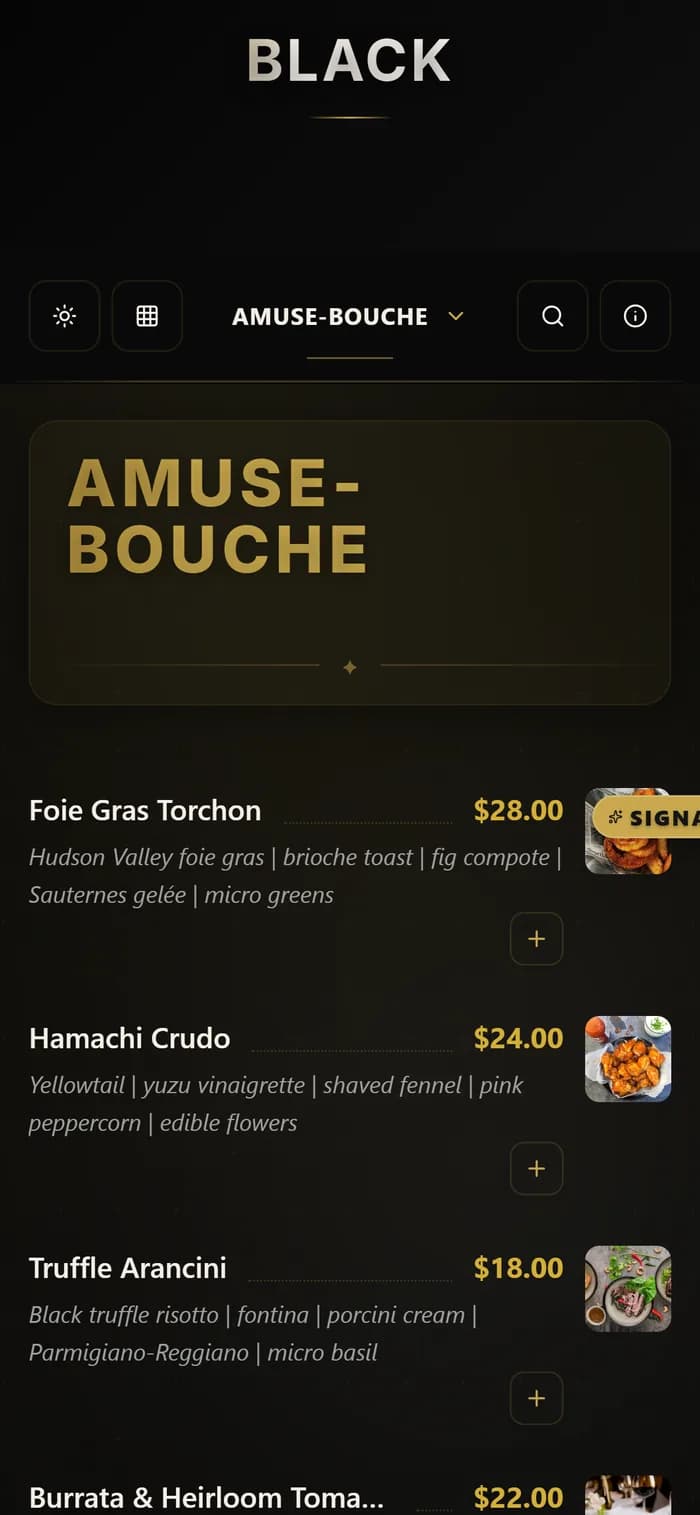
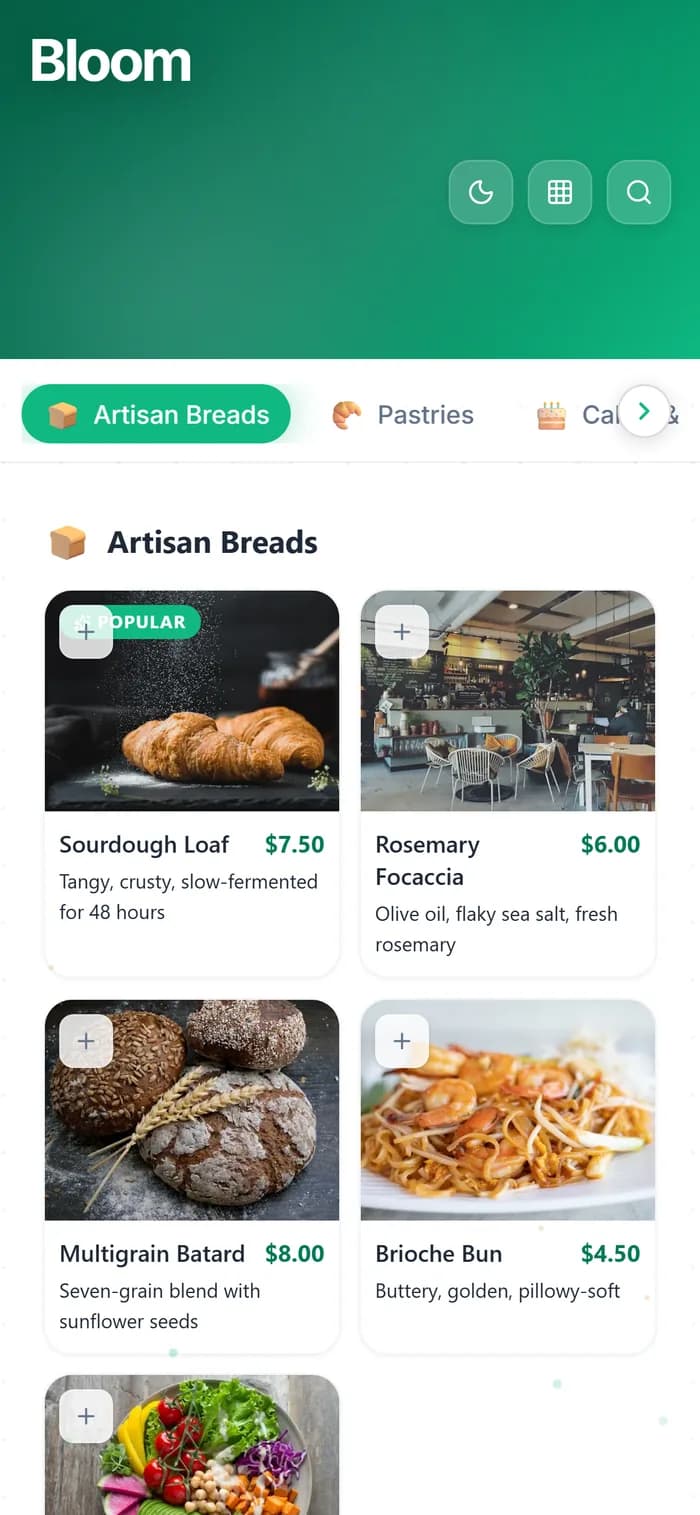
See it live, before you build a thing.
Every template is a real demo business. Switch the device, scan it onto your phone, then make it yours.
Real demo menus, real prices. Your QR follows the design you pick.
Why Food Trucks Love QR Code Menus
A digital menu built for the fast-paced, mobile life of a food truck.
Update From Anywhere
Changed your location or today's specials? Update your menu from your phone. Your QR code and link stay the same — customers always see the latest.
Perfect for Social Media
Share your menu link directly on Instagram, TikTok, X, or Facebook. Followers can tap and browse your full menu before they even find your truck.
Weather-Proof Menus
Rain, wind, grease — paper menus don't survive food truck life. A QR code sticker on your window or counter is indestructible. Laminate it and forget it.
Show Off Your Food
Add mouthwatering photos to every item. Food truck customers buy with their eyes — a digital menu with photos outsells a text-only board every time.
Know Your Customers
See how many people view your menu, when peak hours are, and how many scan your QR code. Make smarter decisions about locations and specials.
Free to Start
MenuHoster's free plan gives you 1 menu, 1K views, and 3K QR scans per month. More than enough for most food trucks. Upgrade only if you need to.
How Food Trucks Use MenuHoster
Real scenarios showing how a digital menu fits into your daily workflow.
Morning Setup
It's 7 AM. You're prepping for the lunch rush at a new location. Yesterday's special — the Korean BBQ tacos — sold out fast, so you added it as a permanent item last night from your couch. When you hang your QR code at the window this morning, it already shows the updated menu. Zero effort.
The Instagram Post
You snap a photo of today's loaded fries, post it on Instagram with your menu link in bio. A follower in the area taps the link, sees your full menu with prices and photos, and shows up at your truck 20 minutes later with three friends. Your menu just did your marketing for you.
Festival Season
You're booked for a weekend food festival with a limited festival menu. Instead of printing special menus, you create a separate "Festival Menu" on MenuHoster with just the festival items. Different QR code, different link. When the festival ends, your regular menu is still live. Switch back in one tap.
Where to Put Your Food Truck QR Code
Maximize visibility with these high-impact placement ideas.
Weatherproof vinyl
Table tent or stand
Wrapped or magnetic
Print on receipts
Instagram, TikTok, X
Add to your profile
Local bulletin boards
Festivals & markets
Get Your Food Truck Menu Online in 3 Steps
Upload or Build
Upload your menu as a PDF or photos. Or build one from scratch — add items, prices, photos, and categories.
Get Your QR Code
You get a mobile-optimized menu page and a downloadable QR code. Print it, stick it, share it.
Update Anytime
Change prices, swap items, or add today's special from your phone. Your QR code and link never change.
Trusted by Food Trucks, Pop-ups & Mobile Vendors
Upload to publish
Free plan
Free scans/month
No credit card requiredNo app downloadWorks on any phone
Plans
Pricing fit
The Free plan works for one active menu. Pro and Max fit food truck businesses that need separate menus, custom QR branding and higher traffic.
We notify you before limits are reached - your menu does not suddenly disappear.
Let Customers Pre-Order Before They Reach the Truck
Skip the line, serve faster. With MenuHoster's online ordering, customers browse your menu, place their order from their phone, and pick it up when it's ready. No more shouting over a crowd — just fast, efficient service.
Learn About Online OrderingFood Truck Menu FAQ
Common questions about using MenuHoster for your food truck.
Can I update my food truck menu from my phone?
Yes! MenuHoster works on any device. Log into your dashboard from your phone, tablet, or laptop and make changes anytime. Updates go live when you save — no need to reprint anything or regenerate your QR code.
Do I need WiFi at my food truck for the QR code to work?
Your customers need a data or WiFi connection to load the menu after scanning. The QR code itself works offline — it just encodes a URL. Most customers will use their mobile data, which is standard in 2026.
Can I share my menu link on Instagram and social media?
Absolutely. Every menu gets a unique shareable URL (like menuhoster.com/your-truck-name) that works perfectly in Instagram bios, link-in-bio tools, Facebook posts, X/Twitter, TikTok, Google Business Profile, and anywhere else you share links.
What if I have different menus for different events or locations?
On the Pro plan, you can create up to 15 separate menus - each with its own QR code and link. Create a festival menu, a catering menu, and your regular menu, all managed from one dashboard.
How much does it cost for a food truck?
The free plan is a good starting point for many food trucks: 1 menu with 1K views and 3K QR scans every 30 days. If you need multiple menus or higher limits, the Pro plan is $19/month. No contracts, cancel anytime.
Can my QR code survive outdoor conditions?
The QR code itself is just an image you print. We recommend printing it on a weatherproof sticker or laminated card. Many food truck owners use vinyl stickers on their window or counter — they last for months in any weather.
Ready to Ditch Paper Menus?
Publish your menu free and share one link everywhere — Google, Instagram, your tables. Get set up before your next service — upload a PDF or a photo.
Free plan · No credit card · Preview before you publish
Create Your Free Food Truck Menu
Free plan for small businesses · No credit card required
MenuHoster is a QR code menu generator that lets you build a digital menu from scratch or upload your menu as a PDF. It's the easiest way to host your menu online — perfect for food trucks, cafés, and restaurants. Now with free online ordering built in. See full pricing. Compare MenuHoster to iMenuPro, QRMenu, and Tiiny Host.