How to Display Your Hours, Location, and Contact Info So Customers Never Miss It
Updated:
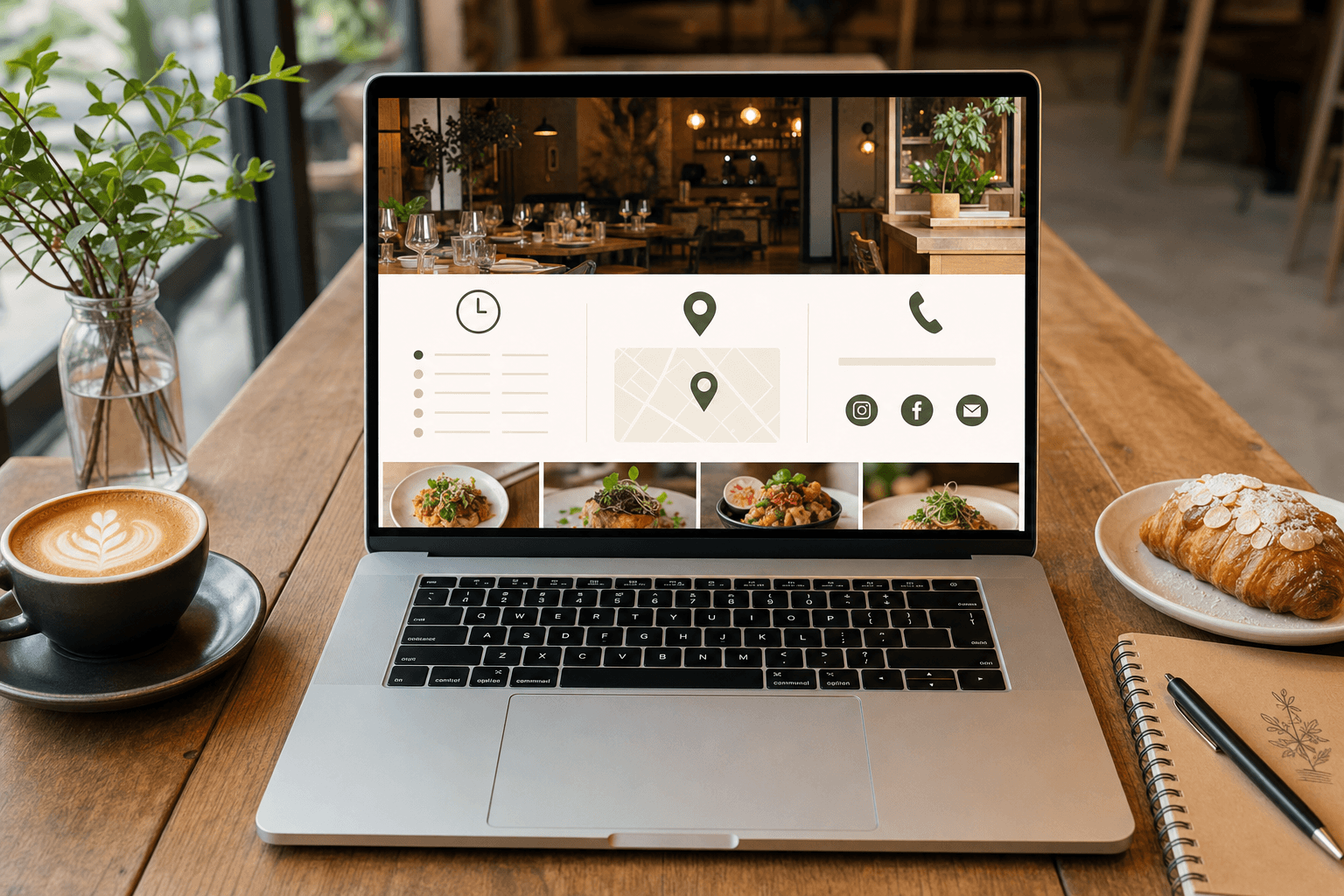
A customer finds your restaurant on Google at 6:45 on a Friday evening. They want to know if you're still open, where you're located, and whether they need a reservation. If they can't find that information in about ten seconds, they're gone — probably to a competitor whose website makes it obvious.
This is one of the most preventable reasons restaurants lose walk-in and delivery customers every single day. It's not about having a flashy site. It's about making the most basic information — your hours, address, and phone number — impossible to miss. This guide covers exactly how to do that, from page structure to mobile display to common mistakes that quietly cost you business.
Why This Information Is Your Most Important Content
Most restaurant owners spend their web design energy on photography, menu descriptions, and brand colors. All of that matters — but none of it converts a visitor into a customer faster than answering the three questions almost every visitor has:
- Are you open right now?
- Where exactly are you?
- How do I reach you?
According to Google's own data, "near me" searches with immediate intent (like "open now near me") have grown significantly year over year. People aren't browsing — they're deciding. Your job is to remove every obstacle between their question and their answer.
The good news: getting this right doesn't require a web developer or a big budget. It requires deliberate placement and a few non-negotiable design rules.
Where to Place Your Hours, Address, and Contact Info
The Header (Top of Every Page)
Your phone number should appear in the header of your website — ideally in the top-right corner where eyes naturally land. On mobile, this should be a tap-to-call link so visitors can reach you with one touch. If you have limited header space, prioritize the phone number over social media icons or decorative elements.
Some businesses also include abbreviated hours in the header ("Open Daily 11am–10pm") or a small "Open Now" / "Closed" indicator. These are worth the space if your hours are simple. If your schedule is complex (different hours by day, seasonal changes), save the full breakdown for the footer and a dedicated section.
The Footer (Bottom of Every Page)
The footer is where users instinctively look when they want practical information. Treat it as a permanent information panel. Every page of your site should have a footer that includes:
- Full address with a link to Google Maps directions
- Complete hours broken down by day
- Phone number (tap-to-call on mobile)
- Email address or contact form link
- Neighborhood or cross-street reference if your location is hard to find
Don't bury this in tiny gray text. Use a readable font size (minimum 14px), adequate contrast, and clear labels like "Hours," "Find Us," and "Contact."
A Dedicated Contact or Location Page
Beyond the header and footer, you need at least one page that consolidates all of this information in full. This page should be easy to find from your main navigation — labeled "Contact," "Visit Us," "Find Us," or "Location." It should include:
- An embedded Google Map (not just a text address)
- Full hours with any notes about holidays or special closures
- Parking instructions or transit directions if relevant
- Phone number and email
- Links to reservation platforms or online ordering if applicable
This page also has SEO value. When it's properly structured with your business name, address, and phone number (NAP) consistent with your Google Business Profile, it reinforces your local search rankings.
Your Homepage, Above the Fold
Your homepage should answer the three core questions without requiring any scrolling. That doesn't mean cramming everything into a hero image — but it does mean that your address, a short hours summary, or at minimum a clear link to that information should be visible immediately. A simple line like "Downtown Austin · Open Mon–Sat 11am–9pm" in your hero section takes up almost no space and answers two questions instantly.
How to Format Your Hours So They're Actually Readable
Hours are surprisingly easy to get wrong. Here are the formats that work and the ones that confuse people:
Use Day Ranges Where Possible
Instead of listing every day individually, group consecutive days with the same hours:
- Monday – Friday: 11am – 9pm
- Saturday: 10am – 10pm
- Sunday: 10am – 8pm
This is faster to scan than seven individual rows and less likely to cause confusion.
Be Explicit About Closures
If you're closed on Mondays, say "Closed Monday" — don't just omit it. Customers will assume you forgot to list it and call to confirm, or worse, show up anyway.
Note Last Seating or Kitchen Close Times
If your kitchen closes 30 minutes before the restaurant does, or if you stop taking walk-ins at a certain time, say so. "Kitchen closes at 9pm / Bar open until 11pm" saves everyone frustration.
Flag Holiday Hours Prominently
During holidays, add a visible notice at the top of your site — not buried in the footer. A simple banner ("Holiday Hours: Closed Dec 25–26, Open Dec 27 from noon") prevents wasted trips and negative reviews from customers who didn't know.
Mobile-First Display Requirements
More than 60% of restaurant website visits happen on mobile devices. This means every piece of contact information needs to be designed for a 4-inch screen first, not adapted from a desktop layout as an afterthought.
Tap-to-Call and Tap-to-Navigate
Your phone number should be a tel: link so tapping it opens the phone dialer automatically. Your address should link directly to Google Maps or Apple Maps so tapping it opens navigation. These are standard HTML features that cost nothing to implement and dramatically reduce friction for mobile visitors.
Font Size and Spacing
On mobile, use at least 16px for body text. Hours and addresses in smaller fonts are genuinely hard to read on a phone screen, especially outdoors in sunlight. Give each piece of information enough vertical spacing so it doesn't feel cramped.
Don't Rely on Hover States
On desktop, you might show a map tooltip or expanded hours on hover. On mobile, hover doesn't exist. Make sure all critical information is visible by default without any interaction required.
Common Mistakes That Make This Information Hard to Find
These are the most frequent issues we see on independent restaurant and cafe websites — and they're all fixable.
Putting Hours Only on the "About" Page
Some owners tuck hours into the About page because that's where they wrote the business description. Customers don't think to look there. Hours belong in the footer, the header, and a dedicated contact or location page.
Using an Image Instead of Real Text
Embedding your hours or address as a JPEG or PNG image means search engines can't read it, screen readers can't announce it, and it won't auto-link on mobile. Always use real, selectable text for NAP information.
Outdated Hours That Were Never Updated
This is one of the top complaints in restaurant reviews. If your hours changed six months ago and your website still shows the old schedule, you're actively misleading customers. Build a habit of updating your website hours whenever you update your Google Business Profile.
No Map Embed — Just a Text Address
A text address is better than nothing, but an embedded map is far more useful. It gives customers a visual sense of your location, shows nearby landmarks, and lets them tap directly into navigation. Most website platforms make embedding a Google Map straightforward.
Contact Forms With No Alternative
Contact forms are fine, but they shouldn't be the only way to reach you. Always include a direct phone number and email alongside any form. If your form breaks or a customer is in a hurry, they need another option.
Consistency Across Platforms
Your website is one of several places customers look for your hours and location. They also check Google Business Profile, Yelp, Facebook, and third-party delivery apps. If these sources disagree, customers get confused and trust erodes.
Make a list of every platform where your business information appears and audit it at least twice a year — and immediately after any change to your hours or location. The name, address, and phone number should be identical across all of them, including punctuation and abbreviations. "St." vs "Street" and "Ave" vs "Avenue" can create inconsistencies that affect local SEO.
This is closely related to the broader principle of keeping your restaurant's online presence consistent and professional — a menu page that reflects your real offerings, hours that match reality, and contact info that actually works all contribute to the same customer trust.
Using Your Digital Menu Page as a Contact Hub
If you're using a hosted menu page as your primary web presence — which many independent restaurants and cafes do — that page needs to carry even more weight. It's not just showing your food; it's often the first and only page a customer visits.
A well-built digital menu should include your hours, address, and phone number as standard elements — not optional extras. Think of it as a one-page website: the menu is the star, but the practical information has to be there too.
When you use a platform like MenuHoster, you can include all of this on a single, mobile-optimized page that loads fast and looks clean on any device. You don't need a full website to give customers everything they need to find you and walk through your door.
SEO Benefits of Getting This Right
Displaying your hours, address, and contact information correctly isn't just a usability win — it directly supports your local search rankings. Google uses structured data and consistent NAP signals to determine which businesses to show in local search results and the map pack.
A few practical steps:
- Add Schema markup to your contact page using
LocalBusinessstructured data. This tells search engines exactly what your hours, address, and phone number are in a machine-readable format. - Keep your NAP consistent across your website, Google Business Profile, and all directories.
- Use your city and neighborhood naturally in your page content — not stuffed unnaturally, but as part of real sentences like "We're located in the Wicker Park neighborhood of Chicago."
- Update your Google Business Profile hours every time you update your website. Google often pulls hours directly from your profile for search results.
If you're thinking about how all of this fits into a broader web design strategy, it's worth reading about choosing the right website template that makes contact information easy to surface without custom coding.
A Practical Checklist
Use this to audit your current site or build a new one from scratch:
- ☐ Phone number in the header, tap-to-call on mobile
- ☐ Full hours and address in the footer on every page
- ☐ Dedicated contact or location page in the main navigation
- ☐ Embedded Google Map on the contact page
- ☐ Hours displayed as real text, not an image
- ☐ Explicit "Closed" note for any day you're not open
- ☐ Last seating or kitchen close time noted if different from closing
- ☐ Holiday hours banner when applicable
- ☐ NAP consistent with Google Business Profile and Yelp
- ☐ Address links to Google Maps or Apple Maps
- ☐ All text readable at 16px+ on mobile
- ☐ Schema markup added to contact page
This checklist applies whether you have a full multi-page website or a single online menu page as your web presence. The standard is the same: customers should never have to work to find out when you're open and how to reach you.
Frequently Asked Questions
Should I put my hours on every page of my website?
At minimum, your hours should appear in the footer of every page so customers can find them regardless of where they land. If your site has a header with enough space, a brief hours summary there is also helpful. The key is that a visitor should never need to navigate to a specific page just to find out when you're open.
What's the best way to display hours on mobile?
Use real text (not an image), set font size to at least 16px, group days with the same hours into ranges to keep it scannable, and make sure there's enough vertical spacing between lines. Avoid collapsing hours into an accordion or dropdown on mobile — the extra tap creates unnecessary friction for information customers need immediately.
How do I handle hours that change seasonally?
Create a clear, easy-to-update section on your contact page for hours, and treat it as a living document. When hours change, update your website, Google Business Profile, Yelp, and any other directories at the same time. Consider adding a short note like "Hours may vary — call ahead during holidays" as a safety net.
Does having my address on my website help with Google rankings?
Yes. Consistent NAP (name, address, phone number) information across your website and other platforms is a local SEO signal. Adding structured data markup (LocalBusiness schema) to your contact page also helps Google understand and display your information correctly in search results and the map pack.
What if I only have a digital menu page, not a full website?
A digital menu page can and should serve as your full web presence if that's what you're working with. Include your hours, address (with a maps link), and phone number directly on that page — ideally near the top and again at the bottom. Customers shouldn't have to leave your menu page to find basic information about your business.
Ready to build a page that shows off your menu and makes your hours, location, and contact info impossible to miss? MenuHoster gives you a clean, mobile-optimized page that handles all of it — no developer needed, no monthly headaches. Set it up in minutes and give your customers exactly what they're looking for.
MenuHoster Team
Helping restaurants go digital