How to Use QR Code Table Tents to Speed Up Ordering During Peak Hours
Updated:
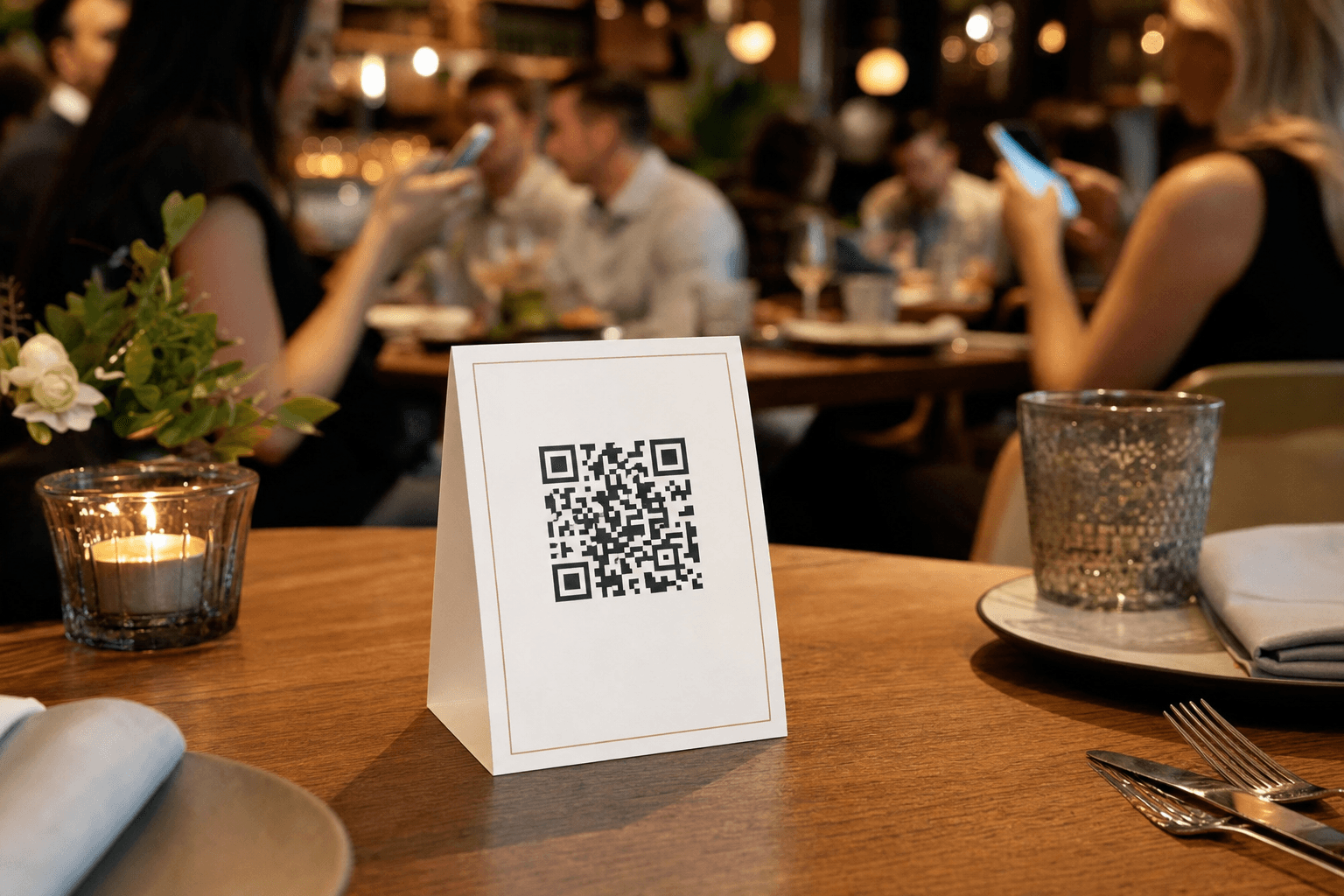
Friday night at 7 p.m. Every table is full, three parties are waiting by the door, and two servers are stuck at a four-top explaining the specials for the fourth time that hour. Sound familiar? The bottleneck during peak service almost always starts the same way: guests sitting idle, waiting for a menu, waiting for a server to take their order, waiting, waiting, waiting.
QR code table tents are one of the simplest, lowest-cost tools you can deploy to break that bottleneck. When done right, they let guests browse your full menu the moment they sit down — before a server even reaches the table. That one shift can meaningfully shorten your ordering cycle, reduce per-table service time, and let your staff focus on the interactions that actually require a human.
This guide covers everything you need to know: how to design table tents that guests actually use, where to place them, how to write copy that drives action, and how to measure whether they're working.
Why Table Tents with QR Codes Work During Peak Hours
The core problem during a rush is attention scarcity. Your servers can only be in one place at a time. Every minute a table waits for a menu is a minute of dead time that adds up across your whole floor. A QR code table tent solves this by decoupling "getting the menu" from "server availability."
Here's what the math looks like in practice. If you have 20 tables and it takes an average of 3 minutes for a server to reach each new table with a physical menu, that's 60 minutes of combined idle time per seating. Shave even 90 seconds off that cycle and you free up meaningful capacity — especially if you're doing two or three turns per table on a busy night.
Beyond speed, QR menus also reduce the cognitive load on your servers. Instead of reciting the menu, answering basic questions about what's on it, or running back to grab a forgotten copy, they can spend that time building rapport, upselling, and managing the floor. That's better for tips, better for guest satisfaction, and better for your team's stress levels.
What Makes a Good QR Code Table Tent
A QR code printed on a napkin and taped to the salt shaker is technically a QR code table tent. It will also get ignored. The design and placement of your table tent directly affects how many guests actually use it. Here's what matters:
Size and format
The most common formats are the classic A-frame fold (two panels, stands on its own) and a single-panel tent card. Either works. The key is that the QR code is large enough to scan without the guest having to pick it up and hold it at an awkward angle — aim for at least 1.5 inches square. If you're printing double-sided, put the QR code on both sides so it's visible from any seat at the table.
Clear, direct headline
Don't make guests guess what the QR code does. A simple line like "Scan to see our full menu" or "Tap to browse the menu on your phone" is enough. Avoid clever phrasing that buries the instruction. Guests at a busy restaurant are not in a puzzle-solving mood.
Short supporting context
One or two lines explaining what they'll find helps. Something like: "Our full menu — including today's specials and allergen info — is available on your phone. Your server will be right with you to take your order." This sets expectations and reduces the anxiety of "am I supposed to order through this thing or wait for a person?"
Brand consistency
Your table tent should look like it belongs in your restaurant. Use your brand colors, your logo, and a font that matches your other printed materials. A generic black-and-white printout signals to guests that this is an afterthought. A well-designed tent signals that your restaurant is organized and professional — which matters for first-time visitors especially.
Durability
Table tents take a beating. Spills, sticky fingers, stacking and unstacking — they need to hold up. Laminate them or print on card stock at minimum. If you're updating your menu regularly (which you should be), print in batches and replace them when they start looking worn.
Setting Up the Digital Menu Behind the QR Code
The table tent is only as good as the menu it points to. If guests scan the code and land on a slow-loading PDF, a cluttered webpage, or a menu that hasn't been updated since last season, you've made the experience worse, not better.
Your digital menu needs to:
- Load fast on mobile. Guests are on cellular data in a noisy environment. If it takes more than two seconds to load, a significant portion will give up.
- Be easy to scroll and navigate. Categories should be clearly labeled. Descriptions should be concise. Prices should be visible without zooming.
- Be current. If a dish is 86'd, it shouldn't be on the menu. If you've changed a price, it should reflect that. Outdated menus erode trust fast.
- Work without an app download. Asking guests to download an app to view your menu is a conversion killer. A mobile-optimized web page is the right format.
If you're still pointing guests to a PDF or a static image, it's worth upgrading to a proper digital menu that's designed for mobile viewing and easy to update on your end. The difference in guest experience is significant, and it eliminates the friction of managing file uploads every time you change a price.
You can also use MenuHoster's PDF to QR code menu tool as a quick starting point if you already have a well-formatted PDF — it generates a scannable code instantly and gives you a shareable link you can use on your table tents right away.
Placement Strategy for Maximum Scan Rates
Where you put the table tent matters almost as much as what's on it. The goal is visibility the moment guests sit down, without the tent becoming clutter on a small table.
Center of the table
For four-tops and larger, the center of the table is the natural focal point. A single A-frame tent placed in the center is visible from all seats and doesn't block sightlines across the table.
Near the condiments
Guests naturally look toward the condiment cluster (salt, pepper, hot sauce) when they sit down. Placing your QR tent there takes advantage of existing attention without requiring extra real estate.
One per table, not one per seat
Multiple tents on a small table feel cluttered and actually reduce the likelihood that any individual guest will engage with one. One well-placed tent is enough — guests at the same table will share.
High-top and bar seating
Don't forget bar tops and high-top tables. These seats often have less server attention during a rush, making the QR menu even more valuable. A smaller tent card format works well here.
Waiting area
If you have guests waiting for a table, a QR code in the waiting area lets them browse the menu before they're even seated. By the time they sit down, they already know what they want. This is one of the most underused tactics for cutting order time.
Training Your Staff to Work with QR Table Tents
Introducing QR table tents without training your team is a recipe for confusion. Servers need to know what the tents are for, how to talk about them, and how to handle guests who prefer not to use them.
Brief every server before the first shift you deploy tents. Cover three things: what the QR code links to, what to say when they approach a table that's already browsing, and what to do if a guest doesn't want to use their phone.
A good server approach for a table that's already on the digital menu: "Looks like you've found the menu — great. I'm [name], and I'll be back in a couple of minutes to take your order. Any questions about anything on there?" This is faster than a full menu rundown and feels natural.
Always have physical menus available as a backup. Some guests — older diners, guests without smartphones, anyone with a dead battery — will need one. The QR tent is a tool to speed things up for the majority, not a mandate that excludes anyone.
Using the Digital Menu to Do More Than Just List Dishes
Once guests are on your digital menu, you have a brief window of engaged attention. Use it strategically.
- Feature high-margin items prominently. Put your best-margin dishes at the top of each category, not buried at the bottom. Guests who are browsing independently tend to order what they see first.
- Call out specials clearly. A "Today's Specials" section at the top of the menu means your server doesn't have to recite them at every table. It also means specials actually get ordered, rather than forgotten by guests who tuned out halfway through the verbal rundown.
- Include allergen and dietary information. Guests with dietary restrictions spend a lot of time asking servers questions that could be answered by the menu. Clear labeling (GF, V, vegan, contains nuts) reduces back-and-forth and speeds up decision-making.
- Add photos selectively. A few good food photos can increase orders of featured items significantly. Don't add photos of everything — that slows down load time and overwhelms guests. Pick your three to five hero dishes and photograph those well.
If you want to build a menu that's optimized for this kind of strategic presentation, the MenuHoster online menu maker gives you full control over layout, categories, featured items, and descriptions — without needing a developer.
Measuring Whether Your QR Table Tents Are Working
Don't deploy table tents and assume they're working. Track a few simple metrics before and after to see actual impact.
Time-to-order
How long does it take from when a table is seated to when the server takes the order? Ask your floor manager to track this informally for a week before and after deploying tents. Even a one-minute reduction per table is meaningful at scale.
QR scan rate
If your digital menu platform provides analytics (MenuHoster does), track how many scans you're getting per day and per shift. A low scan rate during peak hours might mean your tent design needs work, the placement is off, or guests aren't seeing it.
Table turn time
Total time from seating to table clear. This is a blunt instrument but useful. If your table turn time improves after deploying QR tents, that's a real business outcome — more covers per night, more revenue.
Server feedback
Ask your servers directly after a few shifts. Are they spending less time on menu explanations? Are guests arriving at the order-taking moment more prepared? Frontline feedback is often the fastest signal.
Common Mistakes to Avoid
- Linking to an outdated menu. This is the single fastest way to destroy trust in your QR system. If a guest scans, sees a dish they want, and then gets told it's not available or the price is different, you've created a worse experience than no QR code at all.
- Using a generic QR code generator with no analytics. You won't know if anyone is actually scanning it. Use a platform that gives you data.
- Designing a tent that's too busy. A table tent crammed with your logo, a loyalty program pitch, a social media handle, and a QR code is a tent that guests ignore. One primary call to action per tent.
- Forgetting to test the scan before printing. Always test your QR code on multiple devices before printing 50 tents. Check that it loads correctly on both iOS and Android, in good lighting and dim lighting.
- Not updating the tent when the menu URL changes. If you regenerate your QR code or change your menu URL, your printed tents become useless overnight. Use a stable, permanent link — ideally one that you control and can redirect if needed.
For a broader look at how your digital menu fits into your overall restaurant web presence, see our guide on building a restaurant menu page that works across every channel.
Frequently Asked Questions
Do QR code table tents actually reduce ordering time?
Yes, when implemented correctly. The biggest time savings come from guests arriving at the order-taking moment already knowing what they want, rather than needing a server to walk them through the menu from scratch. The effect is most pronounced during peak hours when server attention is stretched thin.
What should the QR code on my table tent link to?
It should link to a mobile-optimized digital menu that loads quickly, is easy to scroll, and is kept up to date. A PDF can work as a starting point, but a dedicated menu page provides a significantly better guest experience and is easier to update without reprinting tents.
How do I handle guests who don't want to use a QR code?
Always keep physical menus available. QR table tents are a tool to speed up service for the majority of guests — they're not a replacement for human hospitality. Train your servers to offer a physical menu without hesitation to any guest who prefers one.
How often should I reprint my table tents?
Replace them when they show visible wear — spills, torn edges, fading. If you're using a dynamic QR code that redirects to your current menu URL, you don't need to reprint every time you update the menu. Print in small batches (10–20 at a time) so you're not stuck with a large inventory of outdated tents.
Can I use the same QR code table tent for takeout and delivery promotions?
Yes. If your digital menu includes ordering options or links to your takeout/delivery page, the table tent QR code can serve double duty. Some restaurants use the back panel of an A-frame tent for a secondary call to action like "Order online for pickup" — just make sure the primary face is still clearly focused on the dine-in menu.
Ready to put a proper digital menu behind your table tents? MenuHoster makes it easy to build a fast, mobile-friendly menu page, generate a QR code, and keep everything updated in one place — no developer required. Start for free and have your first QR table tent ready before your next dinner service.
MenuHoster Team
Helping restaurants go digital