How to Use User-Generated Content to Market Your Restaurant for Free
Updated:
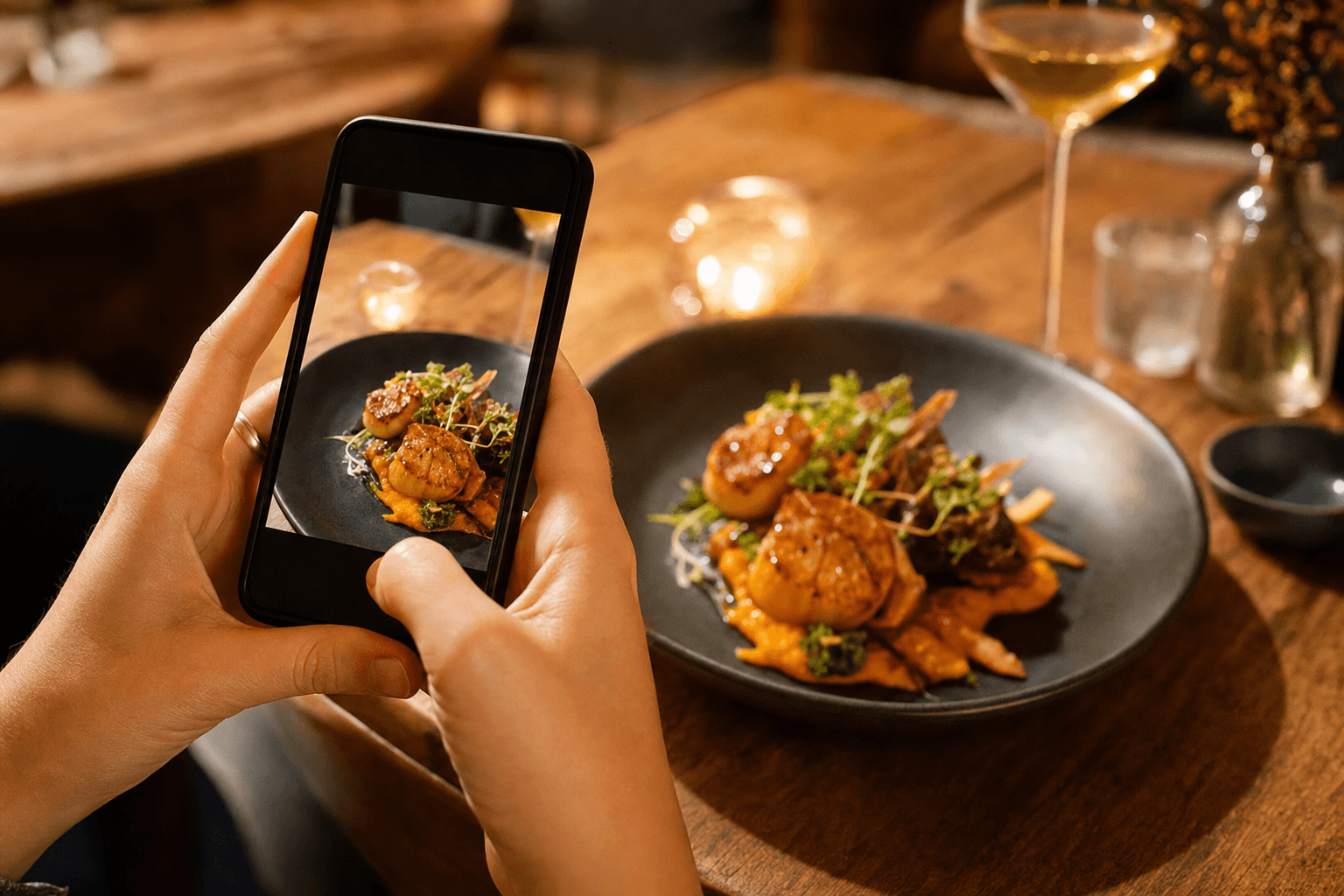
Every day, your customers are pulling out their phones, photographing your food, and sharing it with hundreds — sometimes thousands — of people. Most restaurant owners treat this as a happy accident. The smart ones treat it as a marketing channel they can actively manage and grow, completely for free.
User-generated content (UGC) is any photo, video, review, or post that a customer creates and shares about your business. It's the most credible form of marketing that exists, because it comes from real people who paid real money and chose to say something about their experience. No ad budget can fully replicate that trust. But you can absolutely build systems that make it happen more often and put it to work for you.
This guide walks through exactly how to do that — from creating conditions that invite UGC, to collecting it, amplifying it, and measuring whether it's actually moving the needle.
Why UGC Works Better Than Paid Ads for Independent Restaurants
Before diving into tactics, it's worth understanding why UGC punches so far above its weight class for small, independent operators.
- Trust: Nielsen research consistently shows that consumers trust recommendations from real people far more than brand advertising. A photo from a regular customer carries more social proof than a polished ad you paid a designer to create.
- Reach: When a customer posts about your restaurant to their 800 Instagram followers, that's 800 people who saw your food from a source they already trust — and you paid nothing for it.
- Volume: A single well-designed UGC campaign can generate dozens or hundreds of pieces of content over months. That's an asset that keeps working long after you set it up.
- SEO and discovery: Google reviews, tagged posts, and mentions across platforms all contribute to how easily new customers find you. More UGC means more signals pointing to your restaurant.
The catch is that UGC doesn't just happen at scale on its own. You have to create the conditions for it and give people a reason to share.
Create Moments Worth Sharing
The single most important thing you can do to generate more UGC is to give customers something genuinely worth photographing and talking about. This doesn't require a major renovation or a celebrity chef. It requires intentional design of a few key touchpoints.
Food presentation
Presentation is the number-one driver of food photography. You don't need to plate every dish like a Michelin-starred tasting menu. Pick two or three signature items — your most popular dish, your most photogenic cocktail, a dessert — and invest in making them visually striking. Bright colors, height, contrast, and interesting garnishes all photograph well. If you're not sure which items are your most-ordered, your digital menu analytics can tell you exactly what customers click on most.
Physical environment
You don't need a neon sign that says "Instagrammable" (please don't do that). But think about whether your space has one or two corners, walls, or table settings that look good in a photo. Good natural light, interesting textures, plants, and distinctive tableware all help. Even a simple branded paper bag or takeout box with a clean design gives delivery customers something worth photographing.
Unexpected moments
Tableside preparations, dramatic presentations (a smoking cocktail, a dish revealed under a cloche), birthday surprises, or even just a handwritten note in a takeout order — these are the moments that prompt people to post. They're also the moments that turn first-time visitors into regulars who tell their friends.
Make Sharing Effortless
Even customers who want to share your restaurant often don't, because the friction is too high. They don't know your Instagram handle. They're not sure what hashtag to use. They forget by the time they get home. Your job is to remove every possible barrier between the experience and the share.
Post your handles and hashtag everywhere
Your Instagram handle and a branded hashtag (something like #TacosByMaria or #EatAtRiverstone) should appear on your menus, table tents, receipts, takeout bags, and your QR code menu landing page. Make it impossible to miss. A QR code menu is a particularly good place to add a "Tag us on Instagram" prompt — customers are already looking at their phones.
Ask directly
Train your staff to mention it. A simple line at the end of a meal — "If you enjoyed tonight, we'd love a photo tag or a Google review, it really helps us out" — works surprisingly well. People respond to direct, sincere requests from real humans. It doesn't feel pushy if it's genuine.
Simplify review links
For Google reviews specifically, create a short link (Google provides one in your Business Profile dashboard) and put it on your receipts, table cards, or follow-up text messages. The fewer taps between "I had a great meal" and "I left a review," the more reviews you'll get.
Run Simple UGC Campaigns That Actually Work
You don't need a marketing agency to run a UGC campaign. Here are a few formats that work well for independent restaurants with limited time and budget.
Photo contest with a small prize
Ask customers to post a photo of their meal with your hashtag for a chance to win a gift card or a free meal. Announce it on your social channels, put a small sign on tables, and mention it verbally. Run it for two to four weeks. The prize doesn't need to be large — even a $25 gift card generates genuine excitement and a flood of tagged posts. More importantly, you now have a library of real customer photos you can repost.
Challenge or seasonal prompt
Tie a photo prompt to something timely: "Show us your game day spread," "Post your Valentine's dinner," or "Who's got the most creative way to eat our tacos?" These work because they give people a specific, low-stakes reason to engage. They also align with moments when people are already likely to be sharing.
Loyalty check-in incentive
Offer a small perk — a free appetizer, a discount on the next visit — to customers who check in on Facebook or Google, or who tag you in a post. This is especially effective for cafes and casual spots where customers visit frequently. Even a simple "Show us your Instagram post and get 10% off your next visit" drives both UGC and return visits.
Collect and Organize UGC Systematically
UGC you don't collect is UGC you can't use. Set up a simple system to capture it before it disappears into the feed.
- Monitor your hashtag: Check your branded hashtag weekly on Instagram and TikTok. Save any posts that show your food, space, or team in a positive light.
- Set up Google Alerts: Create an alert for your restaurant name. You'll catch mentions in blog posts, local news, and review sites you might not be checking regularly.
- Save tagged posts: Instagram lets you save posts you're tagged in. Build a habit of reviewing tags once a week and saving the best ones to a dedicated folder on your phone or a shared drive.
- Screenshot reviews: Positive Google and Yelp reviews are UGC too. Screenshot them as they come in. They're useful for social posts, your website, and even printed materials.
Amplify UGC Across Your Channels
Collecting UGC is only half the job. The other half is putting it to work.
Repost to your social channels
Always ask permission before reposting a customer's photo — a quick DM saying "Love this photo, mind if we share it?" almost always gets a yes, and it makes the customer feel valued. When you repost, tag them. This creates a positive feedback loop: customers see that you share customer content, so they're more motivated to post in hopes of being featured.
Add it to your website and menu page
Real customer photos on your website are more persuasive than professional food photography for most independent restaurants. They signal authenticity. If you have a restaurant web presence through MenuHoster, you can incorporate these visuals into your restaurant menu page to make it feel alive and current.
Use reviews in your marketing copy
Pull specific, vivid quotes from your best Google reviews and use them in social captions, email subject lines, and even printed materials. "Best birria tacos I've had outside of Guadalajara" is a far more compelling headline than anything your marketing team could invent.
Respond to every review
Responding to Google reviews — positive and negative — signals to both potential customers and Google's algorithm that you're an active, engaged business. Thank people by name when they leave a positive review. Address negative reviews calmly and professionally. This is part of your UGC strategy because it shapes how the content performs in search and how new visitors interpret it.
UGC for Online Ordering Pages
If you take orders online, UGC can directly increase your conversion rate. When a customer lands on your ordering page and sees real photos of dishes alongside menu descriptions, they order more confidently — and they're more likely to add extras. Consider adding customer photo thumbnails or a "as seen on Instagram" section to your ordering page.
If you're not yet set up for online ordering, this is a good moment to think about it. Customers who discover you through a tagged post or a glowing review often want to order immediately — and if you don't have a simple way to capture that, you're losing the conversion that your UGC worked hard to earn. With zero-commission ordering, every sale driven by your UGC strategy stays in your pocket.
Measure Whether It's Working
You don't need expensive tools to know if your UGC efforts are paying off. Track a few simple metrics month over month:
- Tagged posts per month: Count how many times your handle or hashtag was used. Is it trending up?
- Google review volume and rating: Are you getting more reviews? Is your average score stable or improving?
- Profile visits from social: Instagram and Facebook both show referral traffic data. Are more people clicking through to your website or ordering page from social?
- New customer acquisition: Ask new customers how they heard about you. "I saw it on Instagram" or "a friend posted about it" are signs your UGC strategy is working.
You don't need to track all of these at once. Pick two that are easiest for you to check and review them monthly. Consistency matters more than comprehensiveness.
What Not to Do
A few common mistakes that undermine UGC strategies:
- Don't repost without permission. It's a legal and trust issue. Always ask first.
- Don't fake it. Buying fake reviews or staging "customer" photos that aren't real will backfire. Authenticity is the entire point of UGC.
- Don't ignore negative content. A negative review you don't respond to is a missed opportunity to show prospective customers how you handle problems. That's valuable social proof in itself.
- Don't let good content go stale. A great customer photo from two years ago still has value. Keep an organized archive and use it.
- Don't make it all about the ask. If every interaction with customers ends with "please leave us a review," it starts to feel transactional. Build the relationship first, and the reviews will follow.
Frequently Asked Questions
Do I need a large social media following for UGC to work?
No. UGC works because it spreads through your customers' networks, not yours. A customer with 500 followers who posts about your restaurant reaches people who don't follow you at all. You don't need a big account — you need happy customers who are prompted and empowered to share.
What's the best way to get more Google reviews?
The most effective method is a direct, personal ask right after a positive experience — in person, or via a follow-up text with a short Google review link. Make it as easy as possible: one tap to the review form. Volume and recency both matter to Google's local ranking algorithm, so consistent asks beat a single big push.
Can I use customer photos in paid ads?
Yes, but you need explicit written permission for commercial use. When you DM a customer to ask if you can repost, also ask if they're okay with you using the photo in advertising. Most people say yes, especially if you offer a small thank-you in return. Keep a record of their permission.
How do I handle a negative post or review about my restaurant?
Respond promptly, professionally, and without defensiveness. Acknowledge the issue, apologize if warranted, and offer to make it right offline (share a phone number or email). Don't get into an argument in the comments. Prospective customers reading the exchange care more about how you respond than about the original complaint.
What if my food isn't particularly photogenic?
Every cuisine can be made more photogenic with small adjustments: better plating, a garnish, a clean plate, good lighting at the table. Start with your two or three most popular dishes and focus on making those look great. You don't need to overhaul your entire menu — just give customers one or two reliable "hero" items they'll want to photograph.
Ready to turn your happy customers into your best marketing channel? MenuHoster gives you a fast, beautiful digital menu and ordering page that's easy to share, easy to tag, and built to convert the attention your UGC earns. Sign up free and see how much easier restaurant marketing gets when your menu works as hard as you do.
MenuHoster Team
Helping restaurants go digital