Free · No account needed to previewDrop it anywhere on this page

Upload your menu. Check it, then publish a live QR menu.

Drop the PDF or a photo of the menu you already have. We read the sections, items and prices into a phone menu you can preview before you sign up and edit once your draft is saved. Reading a menu automatically can need corrections, so check names, prices and currency before you publish.

89,000+ menu views · 18,000+ QR scans served for real restaurants

Drop your menu PDF or photo herePDF, JPG, PNG or WEBP · PDF up to 20MB, photos up to 10MB · up to 20 pages

Use the file above, or paste a link / type your business name below.

Design · picked for restaurants
Already have a website? Get a free report →

Free plan · Preview before you publish

Before and after

The menu you printed, readable on any phone

A sample paper menu on the left; what the reader makes of it on the right. The rows are editable, and one price was corrected after reading, which is the check you do before publishing.

The paper menu you have
What the reader found, as editable rows
ItemDescriptionPrice
Starters
BruschettaGrilled bread, tomato, basil8
Burrata & heirloom tomatoBasil oil, sea salt13
Soup of the dayAsk your server7
Mains
MargheritaSan Marzano, fior di latte1213
Tagliatelle al ragùSlow beef ragù, parmigiano18
BranzinoLemon, capers, greens26
Desserts
Tiramisù8
Panna cotta7
One price corrected after reading · currency: USD8 items · 3 sections

Reading a menu automatically can need corrections: check names, prices and currency before you publish. PDF to QR code menu: turn a PDF into one guests can read on a phone →

How it works

From the menu you have to a live QR menu

Upload the menu you already have, check what was read, and save it as a private draft. Publishing is a separate step, and it is the one that gives you the link and the QR code.

  1. Drop your menu

    A PDF, a photo of the paper menu, a link to it, or pasted text. A PDF can be up to 20MB and photos up to 10MB each. The sections, items and prices are read for you.

  2. Check it and save your draft

    Your menu opens in a real design as a private preview. Reading a menu automatically can need corrections, so check names, prices and currency before you publish. Saving the draft creates your account: confirm your email with a 6-digit code, or continue with Google where your browser allows it. No password, no card.

  3. Publish and share

    Publish when the menu is right. Your link, QR code and sharing tools arrive with publishing: put the link on your Google profile and your Instagram bio, and print the QR code for the tables.

menu views served
89,000+
QR scans served
18,000+
menus live right now
210+
What you get

What you get when you publish

Six things, each shown rather than described. Sample menu throughout.

  • Sample
    menuhoster.com/luna-trattoria
    Luna Trattoria
    Bruschetta8
    Burrata & heirloom tomato13
    Margherita13
    Tagliatelle al ragù18

    A menu page at its own address

    A page on menuhoster.com that opens in the phone browser. Guests have no app to download.

  • The QR stays the same

    A QR code that follows your edits

    It points at your menu page, not at a file. Edits you publish show up behind the same printed code, for as long as the menu keeps its address and stays live.
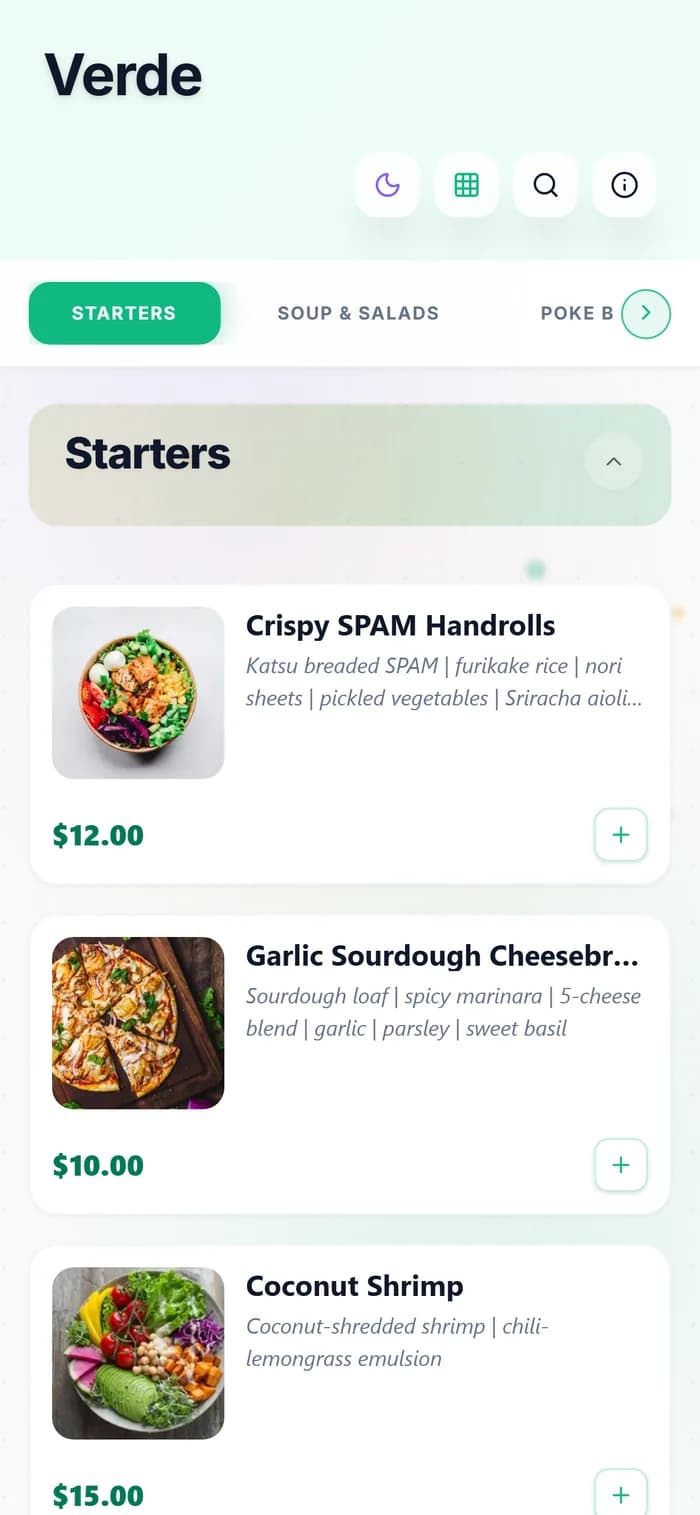
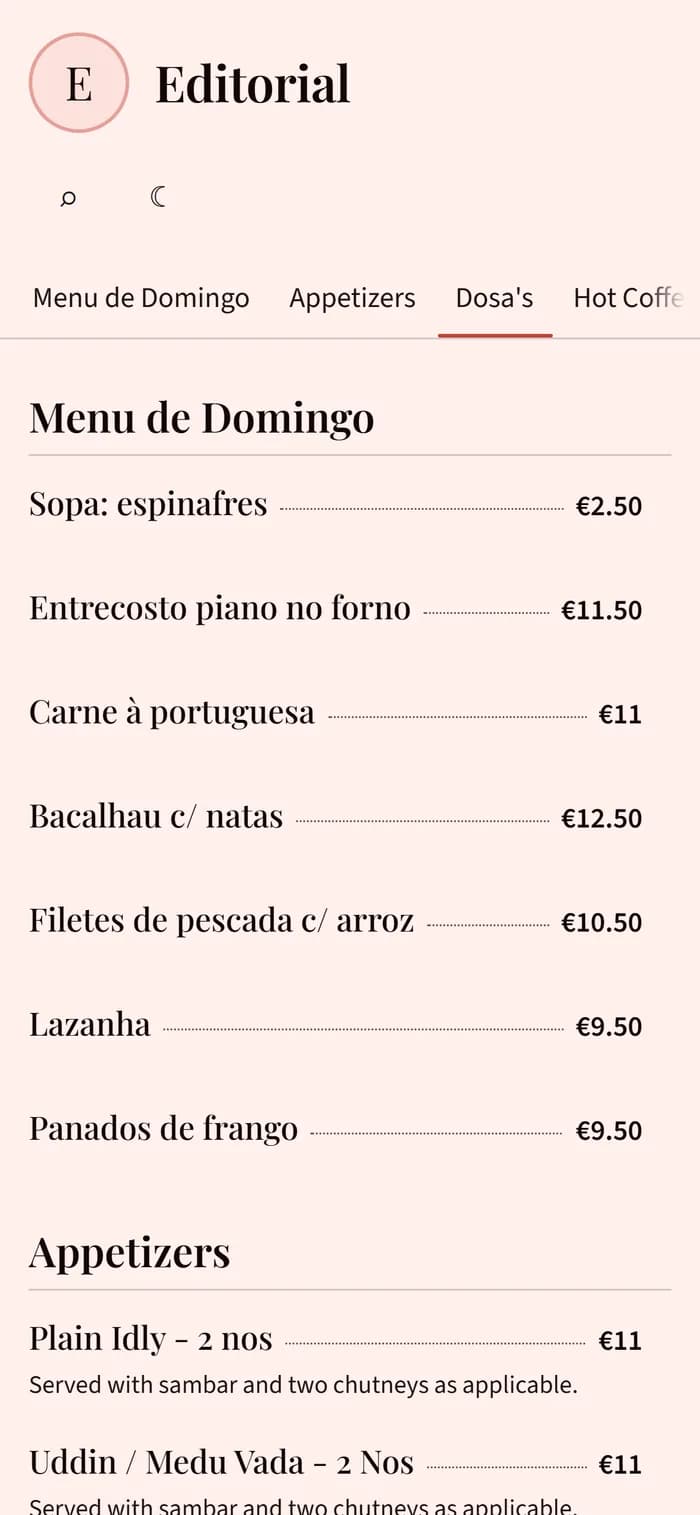
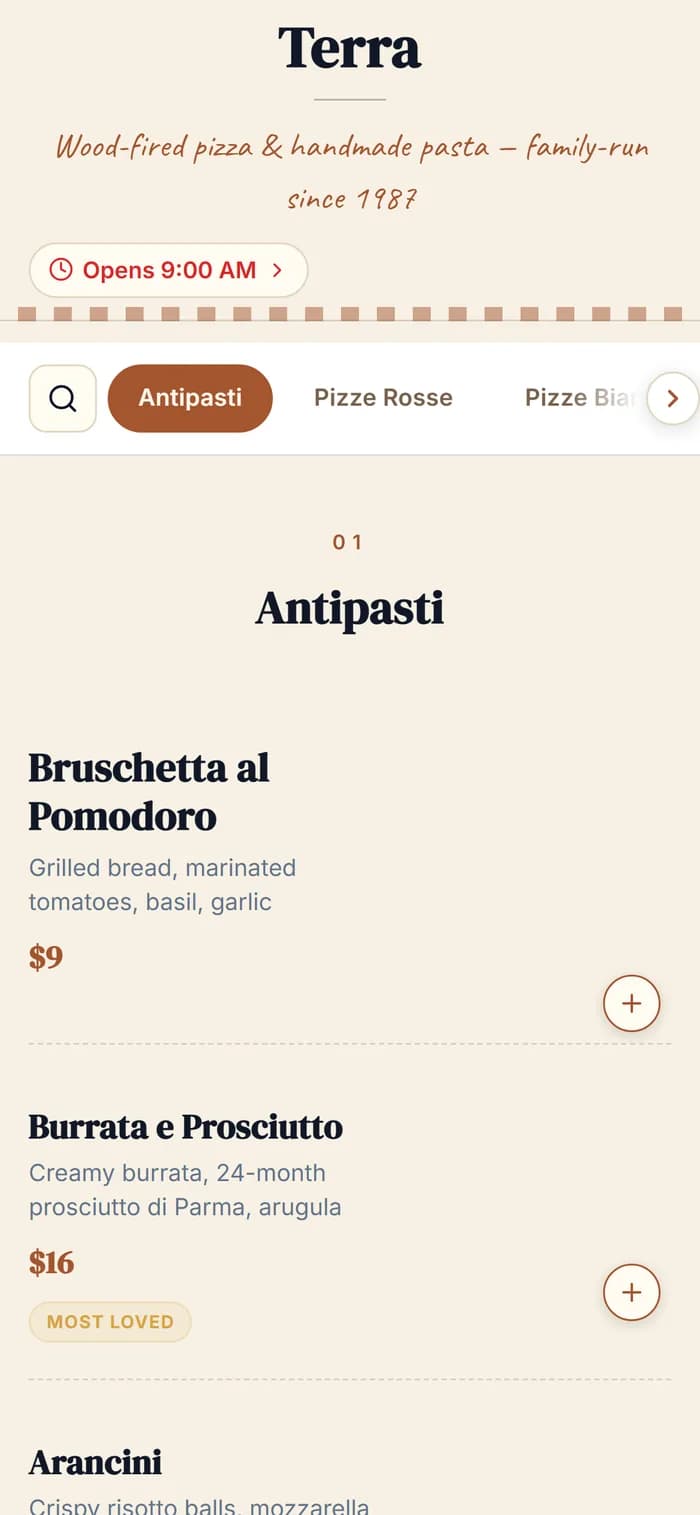
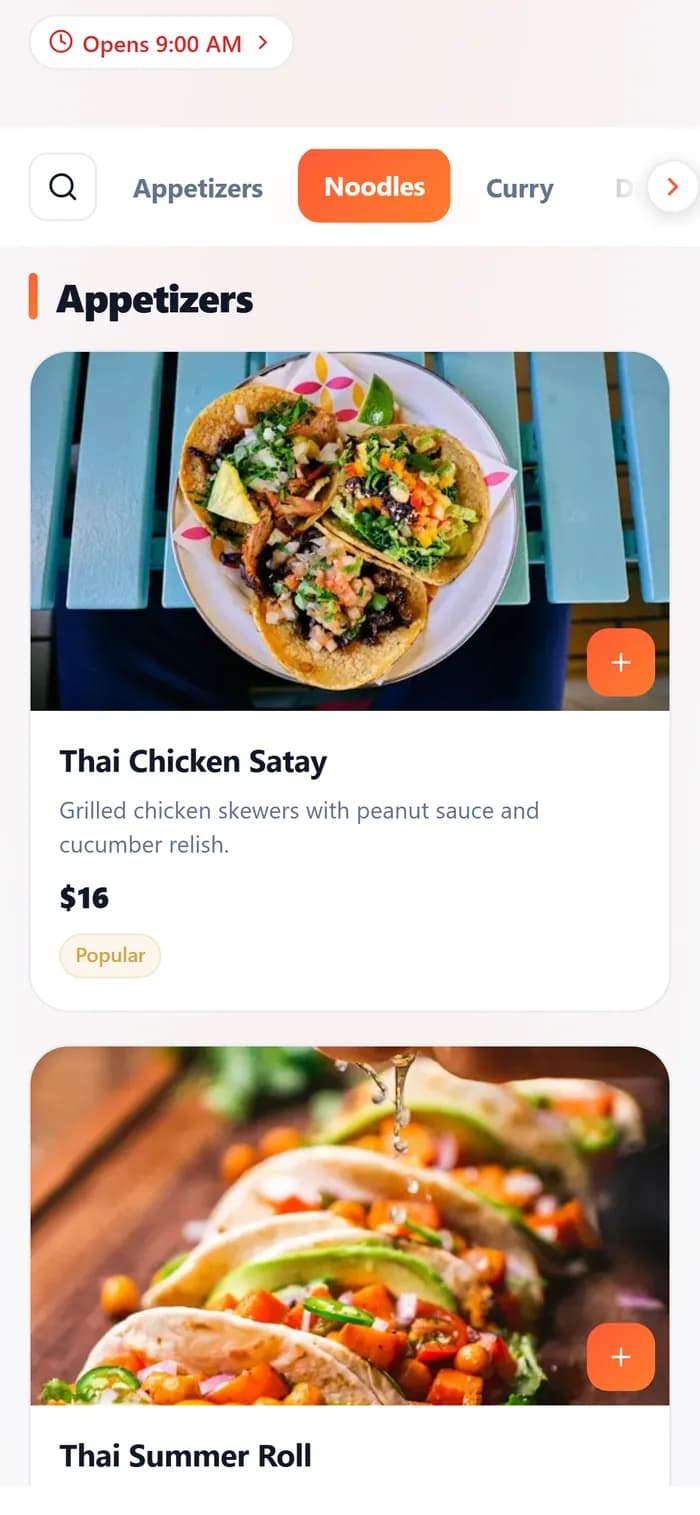
  • Verde menu designEditorial menu designLumen menu designTerra menu design

    15 menu designs

    Change the design in the editor; your items, prices and address stay as they are. A design that needs a paid plan says so when you publish, and you can pick a free one instead.

  • Editor · sample
    MargheritaMains
    Margherita
    13
    San Marzano, fior di latte
    USD
    Re-import newer fileKeeps address + QR

    Edits and re-imports in one place

    Change a price, add an item or re-import a newer file from the editor. The menu keeps its address and its QR code.

  • Sample data · last 30 days
    1,284menu opens
    412from the QR code

    Views and scans, counted

    See how many times the menu was opened and how many of those opens came from the QR code.

  • Pickup order · sample
    Order #1042Pay at pickup
    1 × Margherita13.00
    2 × Bruschetta16.00
    Total29.00
    Commission to MenuHoster: 0%

    Ordering at 0% commission

    Turn on pay-at-pickup ordering when you want it, within your plan's limits. We take 0% commission on orders; payment processing fees can apply to card payments.

Questions

Uploading your menu — answered

Do I have to retype my menu?
Not from scratch. Upload the PDF or a photo of your paper menu and the sections, items and prices are read into an editable menu. Reading a menu automatically can need corrections, so check names, prices and currency before you publish. Anything that was read wrongly can be edited.
What file types can I upload?
PDF, JPG, PNG and WebP. A PDF can be up to 20MB and photos up to 10MB each. A menu of up to 20 pages is read in one upload; split a longer PDF first. You can also paste a link to your menu or paste the text.
Do I need an account to see my menu?
No. The menu is read and shown to you in a real design before anything is asked of you. Saving the draft creates your account: confirm your email with a 6-digit code, or continue with Google where your browser allows it. There is no password and no card. The draft stays private until you publish.
Does the QR code keep working when I change prices?
The QR code and sharing tools arrive when you publish. The code points at your menu page, not at a file, so prices and items you change later appear behind the same printed code, for as long as the menu keeps its address and stays live. A QR code that was made elsewhere for a different address is not changed by this.
I already have a menu here. Should I upload again?
Uploading here creates a separate, second menu. To change the menu your guests already open, edit it or re-import a newer file from its editor instead: the address and the QR code stay the same.
What does it cost?
You can import, save and publish a menu on the Free plan. The standard Free plan includes 1 active menu and 1 published website, with 1,000 combined menu and website views over a rolling 30-day window. Ordering and daily AI limits are separate, and existing account allowances can differ. We take 0% commission on orders; payment processing fees can apply to card payments. Paid prices depend on country, billing period, current offer and eligibility. Check both the introductory period and the renewal price before you upgrade.

See current plans and your applicable price →

Already have a website? Get a free report on it → · Want the full picture? See everything MenuHoster does →

Last updated: