How to Collect Customer Feedback Directly from Your Digital Menu
Updated:
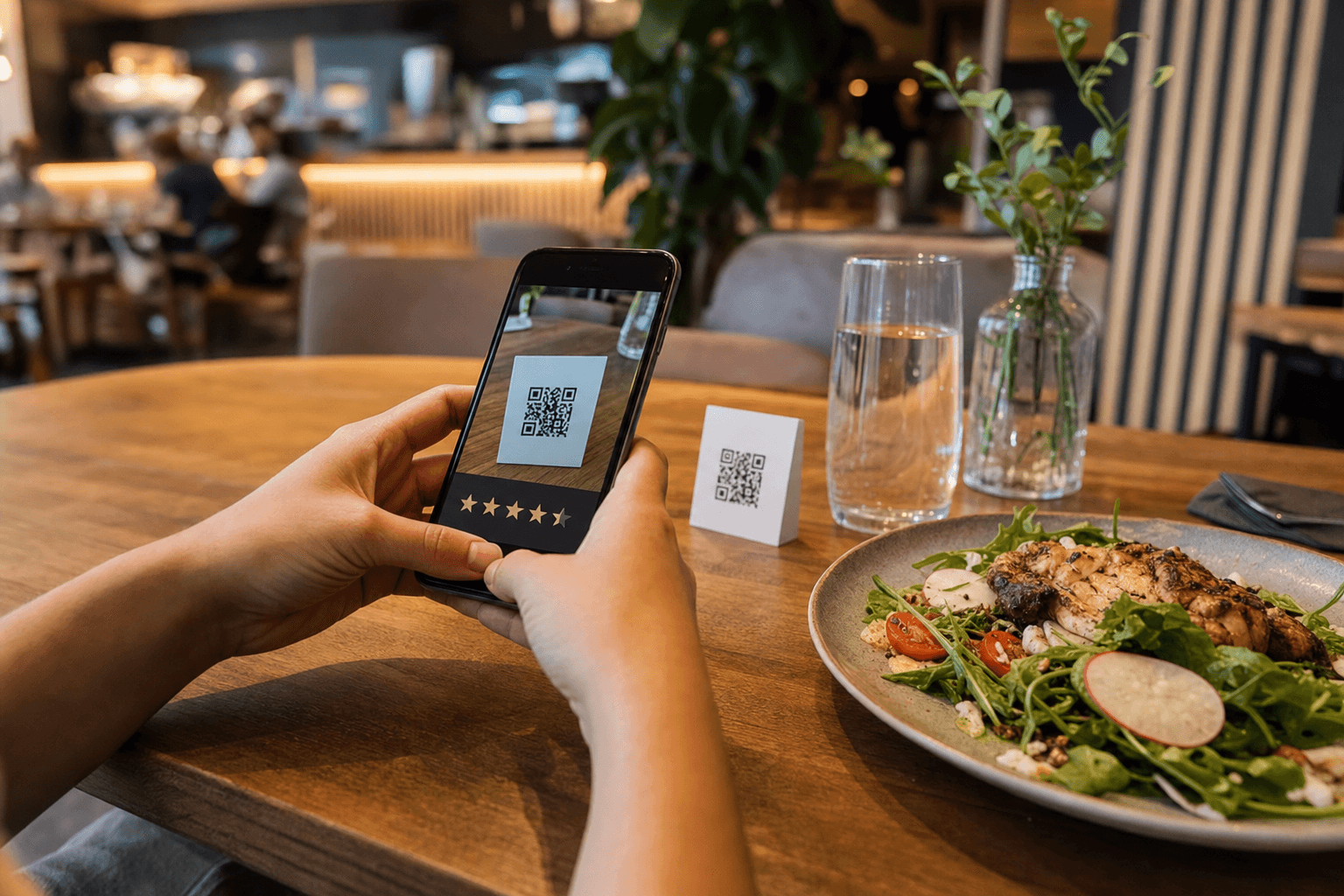
Most restaurant owners want honest feedback from their guests. The problem is that the traditional ways of getting it — comment cards, verbal check-ins, post-visit email surveys — are either ignored, too late, or too awkward. By the time a customer gets home and writes a Google review, the moment has passed and the details are fuzzy.
Your digital menu changes that equation. Every guest who scans your QR code or opens your menu page is already engaged with your brand, on their own device, in real time. That's the ideal moment to ask for feedback — before the check arrives, while the food is still in front of them, and when the experience is fresh.
This guide walks you through exactly how to set that up, what to ask, how to make it frictionless, and what to do with the data you collect.
Why the Menu Is the Right Place for Feedback
Think about the customer journey. A guest arrives, gets seated, opens your menu (increasingly, that means scanning a QR code), orders, eats, pays, and leaves. Of all those touchpoints, the menu is the one they interact with most deliberately and most repeatedly during a visit.
Collecting feedback at the menu stage — or linking to a feedback form directly from the menu — gives you several advantages over other methods:
- Timing: The guest is still at the table. Their experience is immediate and vivid.
- Device in hand: They're already on their phone. There's no extra step to pull it out.
- Voluntary engagement: Someone who opened your menu is an active participant, not a passive recipient of a follow-up email they'll ignore.
- Item-level specificity: You can link feedback prompts to specific dishes, which is far more useful than a generic "How was your meal?" question.
Compare this to a post-visit email survey: open rates for restaurant emails hover around 20–25%, and only a fraction of those will click through to a survey. In-menu feedback, when done right, can capture responses from guests who would never otherwise leave a review anywhere.
Four Practical Methods to Embed Feedback in Your Digital Menu
1. A Direct Link to a Short Feedback Form
The simplest approach: add a clearly labeled link at the bottom of your menu page that says something like "Tell us what you think" or "Rate your visit." This link opens a short form — ideally no more than three to five questions — hosted on Google Forms, Typeform, or a similar free tool.
Keep the form short. One rating question (1–5 stars or a simple scale), one open text field ("What did you order? How was it?"), and optionally a contact field for guests who want a follow-up. That's it. The longer the form, the lower your completion rate.
Place the link prominently. Don't bury it in a footer. A short line near the top of your menu page or after the last menu section works well: "Enjoying your visit? We'd love to hear from you."
2. Per-Item Feedback Prompts
If your digital menu platform allows you to add notes or links to individual items, you can get much more specific. A small "Was this dish what you expected? Let us know" link next to a new or experimental item gives you targeted feedback on exactly what you need to know.
This is particularly valuable when you're testing a new dish, considering a price change, or trying to understand why a previously popular item has seen declining orders. Pairing item-level feedback with your online menu maker lets you iterate quickly — update the description, adjust the price, or pull the item entirely based on real guest input.
3. A QR Code That Goes Straight to a Feedback Page
Rather than (or in addition to) embedding a link in your menu, you can place a separate QR code on the table — on a tent card, printed on the receipt, or on the back of your menu card — that goes directly to a feedback form. This is especially useful if your menu QR code and your feedback QR code serve different purposes and you don't want to mix them.
Some operators use this approach at the end of the meal specifically: the server drops the check along with a small card that says "How did we do tonight? Scan to share your thoughts." The context makes the ask feel natural rather than transactional.
4. Redirecting to a Review Platform After Ordering
If you use your digital menu for online ordering or takeout, you have a natural post-order moment: the confirmation screen. A short "Thanks for your order — if you've visited us before, we'd love a review" message with a direct link to your Google Business Profile or Yelp page can meaningfully increase your review volume over time.
This works because the guest has just committed to your restaurant. Their intent is high. A gentle nudge at that moment is far more effective than a cold follow-up email three days later.
What to Actually Ask
Generic feedback is nearly useless. "How was your experience?" produces answers like "Good" or "Fine" that tell you nothing actionable. Here's how to structure questions that generate real insight:
Ask About Specific Items
Instead of: "How was your meal?"
Try: "What did you order, and did it meet your expectations?"
Even better, if your form is linked from a specific item page, pre-fill the item name in the form so the guest doesn't have to type it. This reduces friction and increases the specificity of responses.
Ask About Value, Not Just Quality
Quality and value are different things. A dish can be delicious but feel overpriced for the portion, or it can be a great deal that brings guests back. Ask: "Did this feel like good value for the price?" — a simple yes/no with an optional comment field. This gives you direct input for pricing decisions, which is something most feedback systems completely miss.
Ask One Open-Ended Question
Always include at least one open text field. You'll be surprised what guests volunteer when given the space. Common themes that emerge: service speed, noise level, portion sizes, missing items they expected to see, allergen concerns. These are the insights you can't get from a star rating.
Ask If They'd Come Back
A single yes/no question — "Would you visit us again?" — is one of the most predictive metrics in hospitality. If a meaningful percentage of respondents say no, that's a signal that warrants immediate attention regardless of what the other ratings look like.
Making It Frictionless: The 30-Second Rule
If your feedback process takes more than 30 seconds to complete, most guests won't finish it. Here's how to stay inside that window:
- Use star ratings or emoji scales instead of written ratings wherever possible. A tap is faster than typing.
- Limit open text fields to one. Every additional text box drops your completion rate.
- Make contact info optional, not required. Many guests will share honest feedback anonymously but won't if you require their email.
- Mobile-optimize your form. If the form isn't easy to fill out on a phone screen, you've already lost most respondents. Test it on your own phone before going live.
- Confirm submission immediately. A simple "Thanks — we really appreciate it!" screen reassures the guest that their input was received and closes the loop.
Turning Feedback into Action
Collecting feedback is only valuable if you actually use it. Here's a simple system for making sure you do:
Review Responses Weekly, Not Monthly
Set a recurring calendar reminder to review feedback every week. Monthly reviews mean problems fester for too long. Weekly reviews let you catch patterns early — a new dish that's consistently disappointing, a service issue on weekend evenings, a price point that guests keep flagging.
Tag Responses by Category
As you read through open-text responses, tag each one with a category: Food Quality, Portion Size, Service, Pricing, Atmosphere, Menu Selection. After a few weeks, you'll see which categories generate the most comments. That's where your attention should go first.
Share Findings with Your Team
Don't keep feedback siloed with management. Your kitchen staff needs to hear when a dish consistently gets negative comments. Your front-of-house team needs to know when guests mention slow service on specific nights. Share a brief weekly summary at your pre-shift meeting. This also signals to your team that guest feedback matters and is taken seriously.
Close the Loop on Negative Feedback
If a guest leaves contact information alongside a negative comment, reach out within 24 hours. A simple message — "We saw your feedback, we're sorry your experience didn't meet expectations, and here's what we're doing about it" — can convert a dissatisfied guest into a loyal one. For guidance on handling this well, see our article on how to handle negative restaurant reviews professionally.
Connect Feedback to Menu Decisions
The best use of menu-level feedback is informing your menu itself. If guests consistently say a dish is too salty, too small, or overpriced, that's data. Combine it with your sales data and you have a strong basis for a menu update. This pairs naturally with A/B testing your menu layout and pricing — use feedback to generate hypotheses, then test them with real changes.
Tools You Can Use Today (Most Are Free)
You don't need expensive software to collect feedback from your digital menu. Here are practical options at different levels of investment:
- Google Forms (free): Easy to build, mobile-friendly, responses go directly to a Google Sheet. The easiest starting point for most restaurants.
- Typeform (free tier available): More polished UI than Google Forms, better for branded experiences. The free tier limits monthly responses, which is fine for most independent restaurants starting out.
- SurveyMonkey (free tier available): Good for slightly more complex surveys with skip logic. Useful if you want to show different questions based on earlier answers.
- QR code generators: Tools like QR Code Generator or Canva let you create a QR code pointing to your form in under two minutes. Use a URL shortener first so you can update the destination without reprinting the code.
- Your digital menu platform: Some platforms allow you to add custom links, notes, or even embedded forms directly in the menu. Check what your current setup supports before building something external.
If you're looking to upgrade your menu platform to one that gives you more flexibility to add these kinds of touchpoints, explore the MenuHoster templates to see how easy it is to build a menu that works as a real marketing and feedback tool.
Common Mistakes to Avoid
- Asking for feedback at the wrong moment. A prompt that appears before the guest has ordered anything is premature. Time your ask for mid-meal or post-order.
- Making the form too long. Five questions is a reasonable ceiling. Ten questions is a survey, not a quick feedback form. You will get very few completions.
- Ignoring the data. If you collect feedback and never act on it, you've wasted everyone's time — including your guests'. Worse, guests who took the time to respond and see no change become cynical about the process.
- Only asking happy customers. It's tempting to only prompt for feedback when things seem to be going well. Resist this. Negative feedback, handled well, is far more valuable than positive feedback that confirms what you already believe.
- Not promoting the option. If guests don't know the feedback link exists, they won't use it. A brief verbal mention from your server ("Feel free to share your thoughts — there's a link at the bottom of the menu") can dramatically increase response rates.
Frequently Asked Questions
Can I collect feedback without making my guests feel surveyed?
Yes. The key is framing and brevity. A single-question prompt — "Quick question: did your meal meet your expectations?" with a thumbs up/thumbs down option — feels conversational, not clinical. Save multi-question forms for guests who volunteer to share more by clicking "Tell us more."
How many responses do I need before the data is useful?
Even 10–20 responses per week can reveal meaningful patterns, especially for item-level feedback. You don't need statistical significance to notice that the same dish keeps getting flagged. Act on clear patterns; don't wait for a sample size that would satisfy a research paper.
Should I ask for feedback on every visit or just the first?
Ongoing feedback is valuable because your menu, staff, and operations change over time. A repeat guest's experience in March may be very different from their experience in October. That said, if you're using a form that tracks submissions, you can optionally ask "Have you visited us before?" to segment first-time versus returning guest feedback, which is often more useful than treating all responses the same.
What if I get mostly negative feedback?
That's actually a good outcome in disguise. It means guests are being honest rather than polite, and you now have specific, actionable information. Prioritize the most common complaints, make changes, and note whether the feedback shifts over the following weeks. Negative feedback that leads to improvements is exactly what the system is designed to produce.
Does collecting feedback help with online reviews?
Indirectly, yes. When guests feel heard — especially after leaving feedback that gets a response — they're more likely to become advocates. You can also include a gentle prompt at the end of your feedback form: "If you had a great experience, we'd really appreciate a Google review." Guests who've already engaged with your feedback process are warm leads for public reviews.
Ready to build a digital menu that works as hard as you do? MenuHoster makes it easy to create a professional, mobile-friendly menu you can update instantly — and customize with the links, prompts, and details that turn every visit into a feedback opportunity. See our pricing and get started today — no design skills required.
MenuHoster Team
Helping restaurants go digital