How to Design a Kids Menu That Parents and Kids Both Love
Updated:
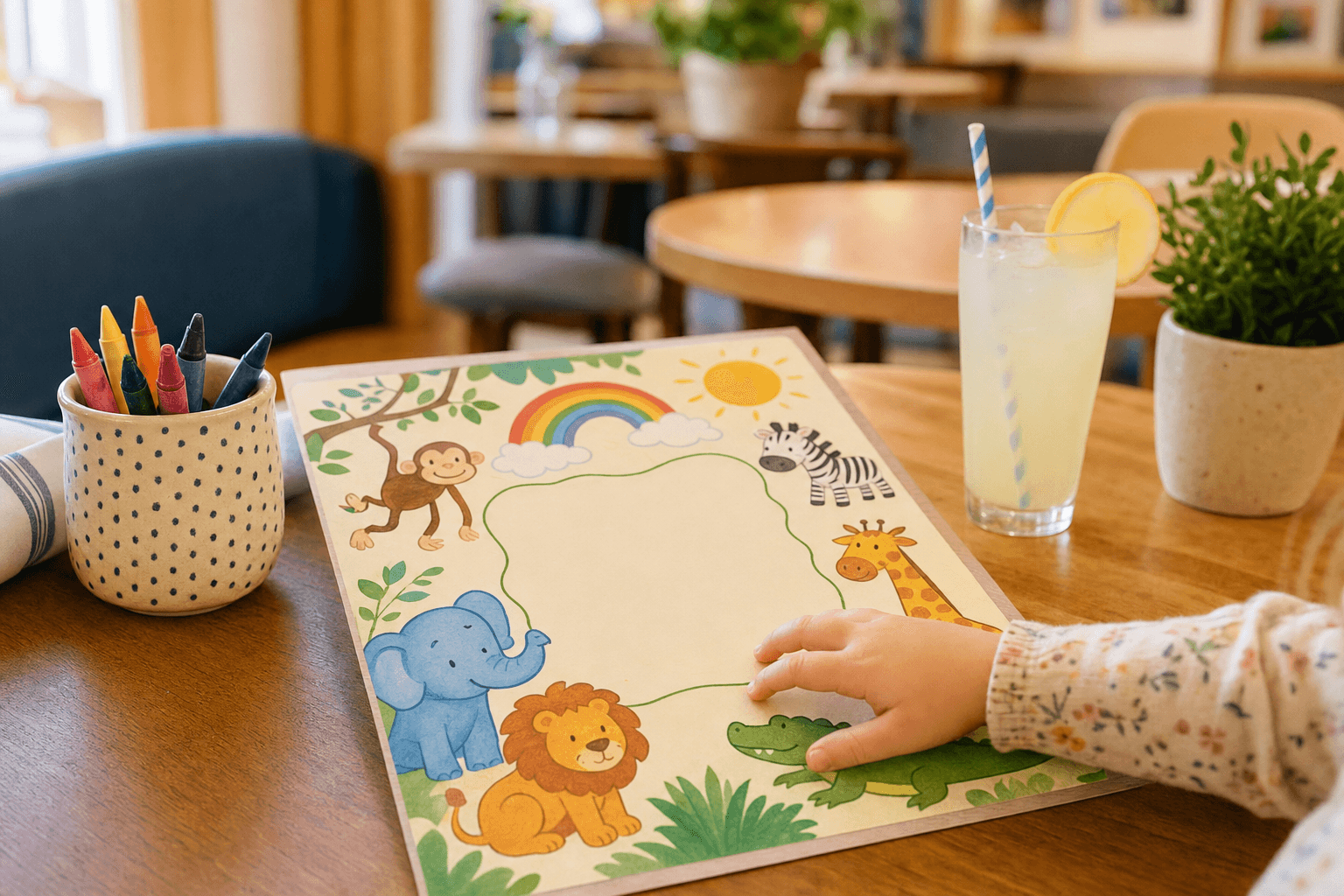
A well-designed kids menu is one of the most underrated tools in a family restaurant's arsenal. Done right, it keeps children engaged, reassures parents about quality and nutrition, and adds a meaningful revenue stream to every table that walks in with a stroller. Done poorly, it's a laminated afterthought that gets ignored — or worse, triggers a meltdown at the table.
This guide walks you through every layer of kids menu design: the food itself, the layout, the language, the visuals, and how digital menus can make the whole thing easier to manage and update. Whether you're building a kids menu from scratch or overhauling one that isn't working, you'll find concrete, actionable guidance here.
Understand Your Two Audiences
The fundamental challenge of a kids menu is that it has two completely different readers: the child who wants to be excited, and the parent who wants to feel good about what their child eats. These goals often conflict. Kids want mac and cheese and chicken fingers. Parents want vegetables, protein, and something that isn't deep-fried.
Your job is to design a menu that satisfies both without compromising either. That means:
- Making the food genuinely appealing to kids — familiar flavors, manageable portions, fun presentation.
- Giving parents visible signals of quality — fresh ingredients, balanced options, clear allergen info.
- Not lecturing either audience. Parents don't want a nutrition manifesto. Kids don't want a list of vegetables they "should" eat.
Keep this dual audience in mind for every decision below.
Get the Food Right First
No amount of clever design rescues a bad menu. Before you think about layout or fonts, make sure the food itself earns its place.
Offer familiar favorites — but make them yours
Chicken tenders, pasta, mini burgers, grilled cheese, and quesadillas are kids menu staples for a reason: children reliably eat them. Don't fight that. Instead, elevate them subtly. Use fresh-baked bread for the grilled cheese. Make your mac and cheese with real cheddar. Marinate the chicken before breading it. Parents notice these details even when kids don't, and it justifies your price point.
Include at least one genuinely healthy option
You don't need a full "healthy" section — that can feel preachy and tends to go unordered. But including one item that leads with vegetables or whole grains (a veggie rice bowl, a whole-wheat wrap, a broth-based soup) gives parents a win and signals that you've thought beyond the fryer. Make it taste good. If it doesn't sell, it's not the concept that failed — it's the execution.
Keep portions appropriate
Kids eat less than adults. A kids meal should be sized for a 4–10 year old, not a scaled-down adult plate. Oversized portions lead to waste and undermine the value perception. If a parent thinks, "We could have just split an adult entrée," your kids menu has failed its purpose.
Watch the allergen landscape
Nut allergies, dairy intolerance, and gluten sensitivity are common in children. You don't need a fully allergen-free menu, but you should clearly mark items that contain the top allergens (nuts, dairy, gluten, eggs, soy) and train staff to handle substitution requests. On a digital menu, this is easy to add as a tag or note next to each item — something we'll cover shortly.
Design the Layout for Small Eyes and Short Attention Spans
Kids menus live or die on layout. A wall of text gets ignored. A visually chaotic menu overwhelms. The goal is a layout that a six-year-old can navigate independently and a parent can scan in under thirty seconds.
Keep it short
Five to eight items is the sweet spot. More than that and kids freeze with indecision (or just ask for chicken fingers regardless). Fewer than five and parents feel the menu is an afterthought. Every item on the list should earn its spot.
Use large, readable type
Kids who are learning to read feel proud when they can read the menu themselves. Use a clean sans-serif font at a size that a seven-year-old can sound out. Avoid decorative scripts for item names — they look cute in a mockup and are unreadable in practice.
Lead with the item name, not the description
Children respond to names, not ingredient lists. "Cheesy Dino Pasta" works better than "Penne with house-made cheddar sauce." You can add a brief descriptor underneath for parents, but the headline should hook the kid. Check out our tips on restaurant menu writing for more on how item naming drives ordering decisions.
Use visuals strategically
Illustrations or photos of food help children identify what they want. If you use photos, make them accurate — a child who orders based on a photo and gets something that looks nothing like it will be disappointed, and that's a problem at the table. Illustrations give you more creative freedom and can reinforce a playful brand. One or two well-placed images are usually enough; you don't need a photo next to every item.
Add an activity element
A small activity — a maze, a connect-the-dots, a simple word search — keeps kids occupied while food is being prepared. This is especially valuable during peak service when wait times stretch. It doesn't need to be elaborate; even a simple coloring section on a paper menu or a QR code linking to a printable activity sheet works well.
Pricing Your Kids Menu Correctly
Kids meals are typically priced at 40–60% of an equivalent adult entrée. The logic: smaller portions, lower food cost, but similar labor. Don't price them so low that you're losing money on every family table, and don't price them so high that parents feel gouged.
A common mistake is pricing kids meals as loss leaders to attract families, then failing to recoup on beverages and desserts. A better approach: price the meal fairly, and design the menu so that add-ons (a small dessert, a juice, a side upgrade) are easy and appealing to order. A $2 "add a cookie" upsell at the bottom of a kids menu converts surprisingly well.
For a deeper look at how pricing decisions affect your overall margins, see our article on restaurant menu strategy.
Go Digital with Your Kids Menu
Paper kids menus are expensive to reprint, easy to damage (crayons, spills, small hands), and impossible to update quickly. A digital kids menu solves all three problems — and adds capabilities paper can't match.
Update instantly without reprinting
Seasonal items, ingredient changes, price adjustments — on a digital menu, these take minutes. If you're running a summer kids special or swapping out a dish that isn't moving, you can make the change once and it's live everywhere. With a digital menu builder, you can maintain a separate kids section that updates independently from your main menu.
Add allergen and dietary tags
Digital menus make it trivial to tag items with allergen icons (dairy-free, nut-free, gluten-free) that parents can filter or scan at a glance. This builds trust and reduces the number of questions your servers have to field during a busy service.
Use QR codes to deliver the kids menu
Instead of handing out a physical kids menu, a QR code on the table or at the kids section of your main menu can link directly to the children's page. Parents can pull it up on their phone, kids can scroll through it, and you've eliminated one more item that needs sanitizing between covers. If you haven't explored QR menus yet, our PDF-to-QR menu tool is a fast way to get started.
Showcase photos without printing costs
On a digital menu, you can include a photo for every kids item without worrying about print costs or layout constraints. High-quality food photography helps children identify what they want and sets accurate expectations — reducing the "that's not what I wanted" problem at the table.
Language and Tone That Works for Both Audiences
The copy on a kids menu does double duty. It needs to excite children and reassure parents simultaneously. Here's how to thread that needle:
- Use playful names for kids, honest descriptions for parents. "Volcano Mac" is the headline. "House-made macaroni with aged cheddar sauce" is the subtext. Kids read the name; parents read the description.
- Avoid nutritional claims as headlines. "Healthy Veggie Wrap" is a harder sell to a child than "Rainbow Wrap." The ingredients do the nutritional work; the name does the selling.
- Be specific about what's included. Parents appreciate knowing whether a meal comes with a side and a drink, or whether those are extra. Ambiguity at ordering time creates friction.
- Skip the condescension. Phrases like "Even picky eaters will love this!" can feel patronizing to parents. Let the food speak for itself.
Make the Experience Match the Menu
A great kids menu is undermined by a poor table experience. The menu is a promise — the service and food delivery have to keep it.
- Bring kids food quickly. Children have shorter patience thresholds than adults. If your kitchen can fire kids meals ahead of adult entrées, do it. Hungry kids make for stressed parents and a difficult table.
- Use appropriate serveware. A plate that's too hot, a glass that's too tall, or a portion that's too unwieldy creates problems. Small details like a handled cup or a divided plate matter to parents of young children.
- Train staff to engage kids directly. A server who crouches down to the child's eye level and asks "What sounds good to you today?" creates a moment that parents remember and talk about. It costs nothing.
Keep the Menu Fresh and Seasonal
A kids menu that hasn't changed in three years signals stagnation to repeat customers. You don't need to overhaul it seasonally, but small rotations — a summer fruit cup, a winter hot cocoa, a holiday cookie — keep regular families engaged and give you something to promote on social media.
Digital menus make this effortless. You can add a "seasonal special" item to the kids section, run it for six weeks, and remove it without touching anything else. For a practical walkthrough of managing time-sensitive items, see our guide on adding daily specials to a digital menu without reprinting.
Common Kids Menu Mistakes to Avoid
- Too many options. More than eight items creates decision paralysis for children and dilutes kitchen focus.
- Identical items to the adult menu, just smaller. A kids menu should feel like its own experience, not a footnote.
- No drink or side included in the price. Families expect a complete meal. Unbundling feels nickel-and-dime.
- Ignoring the menu after launch. A kids menu that never gets updated becomes invisible to returning guests.
- Poor placement on the main menu. If families have to search for the kids section, you've already lost a beat of the experience.
Frequently Asked Questions
What age range should a kids menu target?
Most restaurant kids menus are designed for children aged 3–12. Younger toddlers typically share from a parent's plate, and teenagers usually order from the adult menu. If your restaurant attracts a lot of families with very young children, consider noting a minimum age (e.g., "for children 12 and under") to manage expectations and prevent adults from ordering kids meals to save money.
Should I include photos on my kids menu?
Yes, especially on digital menus. Photos help children identify what they want and set accurate expectations, which reduces disappointment at the table. If you use photos, make sure they're accurate representations of the actual dish — not styled shots that look nothing like what arrives on the plate.
How do I handle allergen information on a kids menu?
At minimum, mark items that contain the most common allergens: nuts, dairy, gluten, eggs, and soy. On a digital menu, you can add filterable allergen tags to each item. Always train staff to take allergen requests seriously and have a clear kitchen protocol for handling them. Consider adding a brief note at the bottom of the menu inviting guests to ask about modifications.
Is a digital kids menu better than a paper one?
For most restaurants, yes. Digital menus are easier to update, cheaper to maintain, and more hygienic (no physical menu to sanitize). They also allow you to include photos, allergen tags, and seasonal specials without reprinting costs. A QR code linking to a dedicated kids menu page is a clean, modern solution that most parents are comfortable using.
How often should I update my kids menu?
A full overhaul once or twice a year is reasonable. Beyond that, small seasonal additions — a summer special, a holiday treat — keep the menu feeling current without requiring a complete redesign. With a digital menu, these updates take minutes rather than days.
Ready to build a kids menu that works as hard as the rest of your restaurant? Try MenuHoster's online menu maker to create a polished, easy-to-update kids menu — and a full digital menu for your whole restaurant — without needing a designer or a developer. Explore our menu templates to find a starting point that fits your brand, and see our pricing page to find a plan that fits your budget.
MenuHoster Team
Helping restaurants go digital