How to Market Your Restaurant to Remote Workers and Laptop Crowds
Updated:
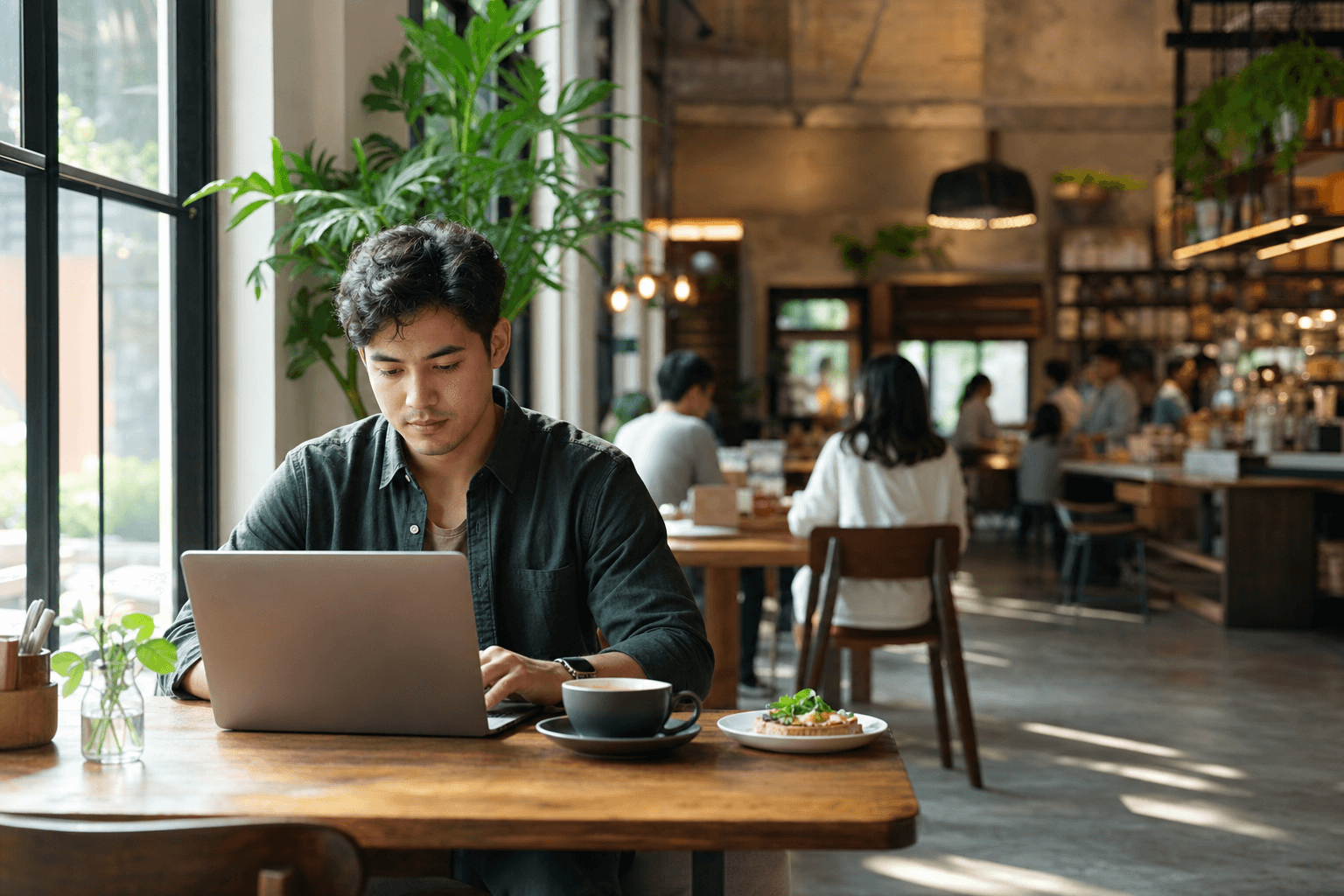
Walk into almost any coffee shop on a Tuesday morning and you'll see them: headphones on, laptops open, nursing a single latte for two hours. Remote workers and freelancers are a growing slice of the daytime economy, and most independent restaurants are leaving that revenue on the table.
The good news is that this crowd is loyal, predictable, and surprisingly easy to reach — if you position yourself correctly. This guide covers exactly how to do that, from the physical setup of your space to the digital signals that tell remote workers your place is worth the commute from their home office.
Understand What Remote Workers Actually Need
Before you market anything, you need to understand the job your restaurant is doing for this customer. Remote workers aren't just hungry — they're looking for a productive environment outside their home. That means their decision to choose your spot is based on a specific set of criteria:
- Reliable, fast Wi-Fi. This is non-negotiable. Slow or spotty internet is an immediate dealbreaker.
- Power outlets. A laptop worker without a charger is on a timer. Tables near outlets fill first.
- Reasonable noise level. Background music is fine; a sound system cranked to 80 decibels is not.
- Permission to linger. They need to feel welcome staying for 90 minutes without being rushed.
- A menu that works for long sessions. Easy reorders, good coffee, food that isn't messy to eat while typing.
If your space genuinely doesn't work for focused work — maybe it's a loud, fast-casual spot designed for quick turnover — don't force it. But if you have quieter corners, decent seating, and the kitchen capacity to serve a slower midday crowd, this market is worth pursuing seriously.
Optimize Your Space Before You Market It
Marketing a bad experience just brings in disappointed customers faster. Make sure the physical reality matches what you're about to promise.
Wi-Fi and power
Invest in a business-grade router. Consumer routers slow down noticeably under 10+ simultaneous connections. Post the Wi-Fi password visibly — on table cards, on your digital menu, or on a small chalkboard. Add power strips under a few key tables. This is a one-time cost that pays for itself in repeat visits.
Seating and table configuration
Remote workers prefer tables over bar stools — they need room for a laptop, a drink, and maybe a plate. If you have booths, those are gold. Consider designating a "work-friendly" section during off-peak hours. This also protects your higher-turnover tables for the lunch rush crowd.
Noise and atmosphere
Keep background music at a conversational level during work hours (roughly 65–70 dB). Avoid live music or loud programming during the midmorning slot. Good lighting matters too — dim, moody lighting that works for dinner is fatiguing for someone staring at a screen for three hours.
A menu that makes sense for long stays
Think about what someone orders when they're camping for the morning: a coffee, maybe a pastry, then a light lunch a couple of hours later. Make those reorders frictionless. A QR code menu on every table means they can browse and reorder without flagging down a server — which remote workers appreciate because it doesn't interrupt their flow.
Claim and Optimize Your Google Business Profile
When a remote worker moves to a new neighborhood or wants a change of scenery, the first thing they do is Google "good place to work with Wi-Fi near me" or "laptop-friendly cafe [city]." Your Google Business Profile is the single most important piece of real estate for capturing that search.
- Add "Wi-Fi" and "Good for working on laptop" attributes. Google lets you add these directly in your profile. They appear as icons in search results and on Maps.
- Write a description that mentions remote work. Use natural language: "a quiet spot for remote workers," "laptop-friendly seating," "free high-speed Wi-Fi."
- Upload photos of people working. A photo of someone with a laptop and coffee communicates the vibe instantly. It also signals to Google's image recognition what your space is about.
- Collect reviews that mention the work experience. When a regular mentions Wi-Fi or the work atmosphere in a review, that text becomes searchable. You can gently prompt happy customers: "If you work from here, we'd love a review mentioning your experience."
Position Yourself in Remote Work Communities
Remote workers are tribal. They share recommendations in Slack groups, subreddits, Facebook groups, and apps like Workfrom and Yelp. Getting mentioned in these places costs nothing but a little outreach.
Workfrom and similar directories
Workfrom.co is a crowd-sourced directory specifically for remote-work-friendly spots. Claim or create your listing and fill it out completely — Wi-Fi speed, power outlet availability, noise level, hours. Workers check this before they leave the house.
Local subreddits and Facebook groups
Search for your city's remote work or freelancer groups on Facebook and Reddit. Don't spam them. Instead, post genuinely: "We're a small restaurant in [neighborhood] that's set up a dedicated work-friendly section with fast Wi-Fi and power at every seat. Come check it out." One authentic post in the right group can drive a week's worth of new faces.
Coworking space partnerships
Coworking spaces and your restaurant are not competitors — they serve different needs at different times of day. Reach out to the manager of a nearby coworking space and offer a discount card for their members. In return, ask if you can leave a stack of cards or a small flyer in their common area. This is a warm referral from a trusted source. For more ideas on this approach, see our guide on partnering with local businesses to cross-promote your restaurant.
Create Offers That Match How Remote Workers Spend
Remote workers are budget-conscious but willing to spend if the value is clear. The key is designing offers around their actual behavior — long stays with multiple small purchases — rather than trying to force them into a pattern that doesn't fit.
The "work day" bundle
A flat-rate "work day" package — say, $18 for a coffee, a midday meal, and a refill — removes the mental friction of deciding whether to order again. It also increases your average check per visit substantially compared to someone who orders a single $5 coffee.
Happy hour for remote workers
Position a mid-afternoon slot (2–4 PM is typically your deadest hour) as a "remote worker happy hour" with discounted drinks and snacks. This fills seats during a dead period and creates a community ritual that people plan around.
Loyalty that rewards frequency
Remote workers who find a spot they like come back constantly — three, four, five times a week. A simple punch card or digital loyalty program pays off disproportionately with this crowd because their visit frequency is so high. Even a basic "10th coffee free" card builds habit.
Use Social Media to Signal the Right Vibe
You don't need a large following to reach remote workers on social. You need the right content in the right places.
Instagram and TikTok
Post photos and short videos of your space during work hours — the morning light, the quiet corner, the latte next to an open laptop. Use location tags and hashtags like #remotework, #laptoplife, #[yourcity]cafe, and #workfromcafe. These are actively searched by people looking for new spots.
Tag your Wi-Fi speed
This sounds small but it works: run a speed test on your Wi-Fi and post the screenshot. "Our Wi-Fi clocked 180 Mbps this morning. Come get some work done." It's concrete, credible, and shareable in a way that "great atmosphere" never is.
Feature your regulars (with permission)
A quick photo of a regular with their laptop and a quote about why they work from your place is more persuasive than any ad. It's social proof in its most authentic form. For a deeper look at this tactic, check out our guide on using user-generated content to market your restaurant for free.
Make Your Online Presence Do the Heavy Lifting
Remote workers research before they commit. They'll look at your website, your menu, your photos, and your reviews before deciding to make the trip. If any of those touchpoints are weak, you lose them before they ever walk in.
Put your menu online — and make it fast
A remote worker scoping out a new spot will check your menu to see if there's enough variety to sustain a long session. If your menu is a blurry PDF or doesn't load on mobile, they move on. A clean, mobile-optimized restaurant menu page that loads in under two seconds is a competitive advantage.
Mention remote-work amenities on your website
If you have a website, dedicate a sentence or two on your homepage or "About" page to your work-friendly setup. "Free high-speed Wi-Fi, power outlets at every table, and a quiet section for focused work" is enough. It's findable by search engines and reassuring to anyone who lands on your site.
Enable online ordering for pickup
Some remote workers prefer to order ahead and pick up, especially for lunch. Offering online ordering for pickup means you capture that business even when your dining room is full. It also lets regulars order without interrupting their work — they place the order, pick it up at the counter, and get back to their laptop.
Build Community, Not Just Traffic
The highest-value remote worker customer isn't someone who visits once — it's someone who treats your place as their "office away from home" and tells every freelancer they know about it. Building that level of loyalty requires a small shift in mindset: you're not just serving meals, you're providing a workspace.
Host occasional remote work meetups
A monthly "freelancer breakfast" or "remote work morning" — even just a casual, loosely organized gathering — builds community around your space. Charge nothing extra. Just provide the space, maybe a small discount on coffee, and let people know it's happening via your social channels and local groups. Word spreads fast in remote work communities.
Learn your regulars' names and orders
This costs nothing and creates an emotional bond that no loyalty app can replicate. The remote worker who gets greeted by name and has their usual started before they sit down will evangelize your restaurant to every person they know who works remotely. That kind of word-of-mouth is worth more than any paid ad.
Communicate your hours clearly
Remote workers plan their day around your hours. If you're closed on Mondays or your kitchen closes at 2 PM, make that crystal clear on Google, your website, and your social profiles. Nothing erodes trust faster than showing up to your "office" and finding it closed.
Measure What's Working
You don't need sophisticated tools to track whether this strategy is paying off. A few simple signals tell the story:
- Midday cover counts. Are you seating more people between 9 AM and 2 PM than you were three months ago?
- Average check size during off-peak hours. Are remote workers spending more per visit than your average lunch customer?
- Review mentions. Are new Google and Yelp reviews mentioning Wi-Fi, the work atmosphere, or remote work? That's a signal your positioning is landing.
- Repeat visit rate. If you have a loyalty program or online ordering, you can track how often the same customers return.
Set a 60-day window when you start this effort. If your midday traffic hasn't moved at all, revisit the fundamentals — usually it's either the Wi-Fi quality or the lack of visibility in the right online communities.
Frequently Asked Questions
Won't remote workers just buy one coffee and take up a table for hours?
Some will — that's true of any café. The solution isn't to exclude them but to design offers that encourage more spending over a long visit: bundle deals, easy reordering via QR code, and a menu with enough variety that a second or third purchase feels natural. Most remote workers are conscious of occupying space and will order more if the option is frictionless and the price is fair.
Do I need to create a separate "work section" or can I market to remote workers without changing my layout?
You don't need a formal designated section, but it helps to identify which tables in your space work best for laptop users — near outlets, good lighting, lower noise — and make sure those are available during off-peak hours. Even a small sign or a note on your menu saying "work-friendly seating available" signals the right message.
What Wi-Fi speed do I actually need?
For a small restaurant with 10–20 simultaneous users, a symmetric connection of 100 Mbps is more than enough for typical work tasks (video calls, cloud file access, browsing). More important than raw speed is reliability and a good-quality router that handles multiple devices without degrading. A business-grade router from brands like Eero Pro or Ubiquiti costs $200–$400 and is worth every cent.
How do I avoid my restaurant becoming "just a coffee shop" that doesn't turn tables?
Target remote workers specifically during your slow periods — mornings and early afternoons when you'd otherwise have empty seats. Keep your lunch rush strategy separate: faster service, different table management. You can even set a soft policy like "laptop-friendly until 12 PM, table turnover priority from 12–2 PM" and communicate it politely. Most remote workers will respect a clear, friendly policy.
Which social platform is most effective for reaching remote workers?
Instagram and local Facebook groups tend to drive the most direct results for restaurant discovery among remote workers. Reddit (especially city-specific subreddits) is underrated and highly trusted. Workfrom.co is a niche but highly relevant directory. Start with Google Business Profile optimization first — that's where the highest-intent searches happen — then layer in social and community outreach.
Ready to make your restaurant the go-to workspace for your neighborhood's remote crowd? MenuHoster gives you a fast, mobile-friendly digital menu, QR codes for frictionless table ordering, and online ordering for pickup — all the tools that make a work-friendly restaurant experience seamless. See our pricing and get set up in under an hour.
MenuHoster Team
Helping restaurants go digital