How to Structure a Family-Style Sharing Menu So Groups Order Confidently
Updated:
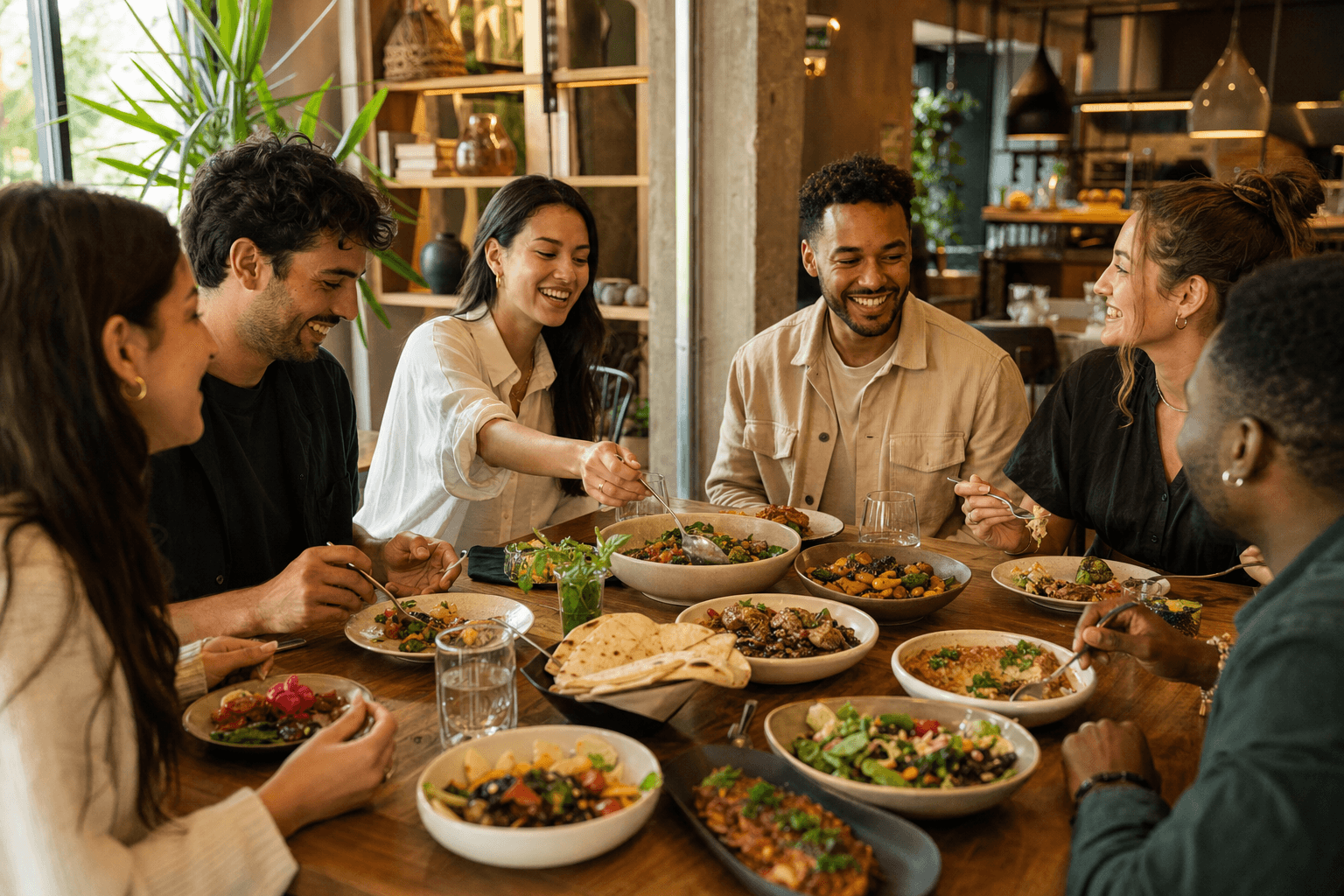
Family-style dining is one of the most social, memorable experiences a restaurant can offer. Dishes arrive at the center of the table, everyone reaches in, and the meal becomes a shared event rather than a series of individual transactions. But here's the problem most operators overlook: a poorly structured sharing menu creates anxiety, not excitement.
Groups stall. Someone asks, "How many dishes should we get?" Nobody knows. The table debates for ten minutes, under-orders out of uncertainty, and then feels vaguely cheated when the food disappears in four minutes. Or they over-order, feel guilty about waste, and leave with a bigger bill than expected.
The fix isn't better food—it's better menu design. This guide walks you through how to structure a family-style sharing menu so that groups of any size can read it, understand it, and order confidently the first time.
Why Group Ordering Is Uniquely Hard
When a solo diner or couple reads a menu, the math is simple. When six people sit down together, the cognitive load multiplies. Every person is scanning individually, forming preferences, and then trying to negotiate with five other people who are doing the same thing.
Without clear guidance from the menu itself, groups fall into a few predictable failure modes:
- Decision paralysis: Too many options with no framework for how to combine them.
- Portion uncertainty: No one knows if one dish feeds two people or six.
- Category confusion: Diners can't tell the difference between a "starter" and a "small plate" in a sharing context.
- Dietary bottlenecks: One person with a restriction slows the whole table down if allergen info is buried.
A well-structured sharing menu solves all of these problems before the server even arrives at the table. That's the goal.
Start With a Brief Ordering Guide
The single highest-impact addition you can make to a family-style menu is a short, plain-language ordering guide at the top. Not a paragraph of marketing copy—an actual practical instruction set.
Something like this works well:
"All dishes are made to share. For a satisfying meal, we suggest 3–4 dishes for two people, adding 1–2 dishes per additional guest. Mix freely across sections—our kitchen sends dishes as they're ready."
That's 38 words. It answers the three most common questions groups have before they even form them: How much do we order? Does the order of sections matter? When does food arrive?
If you run a digital menu, this guide sits naturally at the top of the menu page where every guest sees it on their phone. If you use a digital menu, you can update this guidance seasonally or for special events without reprinting anything.
Build Sections Around Size, Not Course
Traditional menus are organized by course: starters, mains, desserts. That structure doesn't translate cleanly to sharing formats, because in a sharing meal, "starter" and "main" lose their meaning. A table might order three small plates, two large plates, and two sides—and eat all of it simultaneously.
Instead, organize sections by portion size and role on the table:
Small Plates / Snacks
Quick bites, two to four pieces per dish, meant to arrive first and keep the table engaged while larger dishes are prepared. Think dumplings, sliders, crudités, arancini. Label these clearly as "small" so guests know they're not a full contribution to the meal on their own.
Sharing Plates
The core of the meal. These are dishes that serve two to three people each. A table of six typically needs three to four of these. This is where your highest-margin, most interesting dishes should live.
Large Formats / Centerpiece Dishes
Whole roasted proteins, large-format bowls, whole fish, family platters. These serve four or more and are often the anchor around which the rest of the order is built. Not every table will order one, but having a clearly labeled section makes the option visible.
Sides & Extras
Sauces, bread, rice, seasonal vegetables. These are add-ons that round out the meal. Keeping them in a separate section prevents them from cluttering the main sharing plates and makes upselling feel natural rather than pushy.
This structure gives a group an immediate mental model: we need a few small plates, a few sharing plates, maybe a centerpiece, and some sides. Done. The decision framework is built into the menu architecture itself.
Use Portion Indicators Consistently
One of the most practical things you can do is add a consistent portion indicator to every dish. This doesn't have to be elaborate. A simple parenthetical or icon system works fine:
- (serves 1–2) next to small plates
- (serves 2–3) next to sharing plates
- (serves 4–6) next to large formats
Some restaurants use icons—a small plate icon, a medium plate icon, a large platter icon—which scan quickly on a digital menu. Others use a simple text tag like "small," "medium," or "large" in a muted color next to the dish name.
Whatever system you choose, apply it to every item, every time. Inconsistency is worse than no system at all, because guests start second-guessing the items that don't have a label.
When you build your menu through an online menu maker, you can add these tags as part of each item's description or use custom badges to make them visually distinct without cluttering the layout.
Write Descriptions That Help Groups Decide Together
In a sharing context, menu descriptions do more work than in a traditional format. They're not just selling a single diner on a dish—they're helping a group negotiate. A description that highlights flavor profile, texture, and dietary compatibility helps a table of six reach consensus faster.
Compare these two descriptions for the same dish:
Weak: "Slow-cooked lamb shoulder with herbs and roasted garlic."
Better: "Slow-cooked lamb shoulder, pull-apart tender, with fresh herbs and roasted garlic. Rich and savory—pairs well with the cucumber salad and flatbread. Gluten-free. Serves 3–4."
The second version gives the group a flavor anchor ("rich and savory"), a pairing suggestion that naturally drives add-on orders, and immediately resolves dietary questions for anyone at the table avoiding gluten. It does this in three sentences.
Pairing suggestions are particularly powerful in sharing menus. When your descriptions mention complementary dishes, you're not just describing food—you're helping the group build a cohesive order. That's a service, not a sales tactic.
Handle Dietary Information Upfront
In a group of six, there's a reasonable chance at least one person has a dietary restriction or preference. If that person has to interrogate the server about every dish, the whole table waits. The ordering process grinds to a halt, and it creates social awkwardness for the person with the restriction.
The solution is to surface dietary information clearly and consistently at the item level:
- Use standardized icons or abbreviations: GF (gluten-free), V (vegetarian), VE (vegan), DF (dairy-free), N (contains nuts).
- Place them immediately after the dish name, not buried in the description.
- Include a legend at the top of the menu or at the bottom of each section so first-time guests know what the icons mean.
On a digital menu, you can go further: filter functionality that lets guests view only gluten-free or vegan items is a significant usability upgrade for groups with mixed dietary needs. This is one area where a digital format has a clear advantage over print.
Design the Visual Flow for Scanning, Not Reading
Groups don't read menus linearly. They scan. Someone's eyes jump to the large-format section, another person goes straight to vegetarian options, a third is looking at prices. Your menu layout needs to support this non-linear behavior.
Practical layout principles for sharing menus:
- Clear section headers: Large, visually distinct section titles so guests can orient themselves instantly.
- Consistent item structure: Name → price → portion size → description → dietary tags. Every item in the same order.
- White space: Don't cram items together. Groups are often reading the same menu simultaneously on multiple phones or a shared QR code. Dense layouts create friction.
- Highlight anchors: Use a subtle visual treatment (a border, a "chef's pick" badge, a slightly different background) on two or three key dishes per section. This gives groups a starting point for discussion.
If you're currently working from a PDF menu, converting it to a properly structured digital menu is worth the effort. A PDF to QR code menu gets you online quickly, but a fully structured digital menu gives you the layout control to implement all of the above.
Set Ordering Minimums or Suggested Bundles for Large Groups
For parties of eight or more, consider offering a pre-set bundle or a minimum spend per person. This isn't just about revenue protection—it's genuinely helpful for large groups who would otherwise spend 20 minutes trying to coordinate an order across a table of ten.
A well-constructed bundle might look like this:
- The Full Table (serves 6–8): Two small plates, three sharing plates, one large-format dish, two sides. $XX per person.
Offer two or three bundle tiers (light, standard, feast) and let groups customize within each tier. This removes the cognitive burden of building an order from scratch while still giving people agency over what they're eating.
Bundles also make the ordering process faster for your staff and reduce the chance of a table under-ordering and then placing a second round of orders mid-service, which creates kitchen and timing headaches.
Keep the Menu Length Manageable
There's a common instinct to offer more options to satisfy larger groups with varied tastes. Resist it. A sharing menu with 40 items is harder to order from than one with 24, especially in a group setting where every extra option multiplies the negotiation complexity.
A practical target for a family-style menu:
- Small plates: 4–6 items
- Sharing plates: 6–8 items
- Large formats: 2–4 items
- Sides: 4–6 items
- Desserts: 3–4 items
That's a maximum of 28 items, and a focused menu of 20 is even better. Every item on a sharing menu should be there because it's genuinely good and pulls its weight. Items that don't sell well create inventory waste and slow down kitchen throughput. A well-curated restaurant menu signals confidence and makes guests trust your recommendations.
Test Your Menu With a Real Group
Before you finalize a new sharing menu structure, run a table test. Invite a group of four to six people who haven't seen the menu before—staff members, friends, or loyal regulars—and watch them order without any guidance from you.
What you're looking for:
- How long does it take the group to reach a consensus order?
- Do they ask how many dishes to get, or does the menu answer that?
- Does anyone get confused about portion sizes?
- Are there any sections they skip entirely?
- Do dietary questions come up that the menu doesn't answer?
The answers will tell you exactly where your menu structure is failing. A 15-minute observation session is worth more than hours of internal debate about layout choices.
Frequently Asked Questions
How many dishes should I recommend per person for a family-style menu?
A common and reliable guideline is two to three sharing plates per person as a starting point, adjusted based on dish size. A more practical approach is to frame it by table size: two to three sharing plates for two people, adding one to two dishes per additional guest. Always state this explicitly on the menu—don't assume guests will figure it out.
Should I price dishes individually or offer set menus for groups?
Both approaches work, and many successful sharing restaurants use both. Individual pricing gives smaller groups flexibility. Set menus or per-person bundles work better for larger parties and special occasions. If you offer bundles, make sure they represent a genuine value compared to ordering à la carte, or guests will feel upsold rather than helped.
How do I handle dietary restrictions across a large group?
Surface dietary information at the item level using consistent icons or abbreviations, and include a legend on the menu. On a digital menu, consider adding filter functionality so guests can view only items that meet their needs. The goal is to let the person with the restriction self-serve that information rather than relying on the server for every question.
How often should I update a family-style sharing menu?
Seasonal updates—roughly four times a year—work well for most sharing menus. The advantage of a digital menu is that you can make smaller updates (swapping a sold-out item, adjusting a price, adding a new dish) in real time without reprinting. This also lets you test new dishes in a section before committing them to a permanent spot.
What's the biggest mistake restaurants make with sharing menus?
Leaving out portion guidance. Restaurants assume guests understand the sharing format and know how much to order. Most don't—especially first-time visitors. The absence of clear ordering instructions is the single most common reason groups under-order, over-order, or simply feel uncertain throughout the meal. Fix this first before changing anything else about your menu.
Ready to put these principles into practice? MenuHoster's menu templates are built for exactly this kind of structured, scannable layout—and you can update portion sizes, dietary tags, and section intros in minutes, not days. Try MenuHoster free and give your next group of guests a menu they can actually order from confidently.
MenuHoster Team
Helping restaurants go digital