Should Restaurants Use AI Food Images on Their Menu?
Updated:
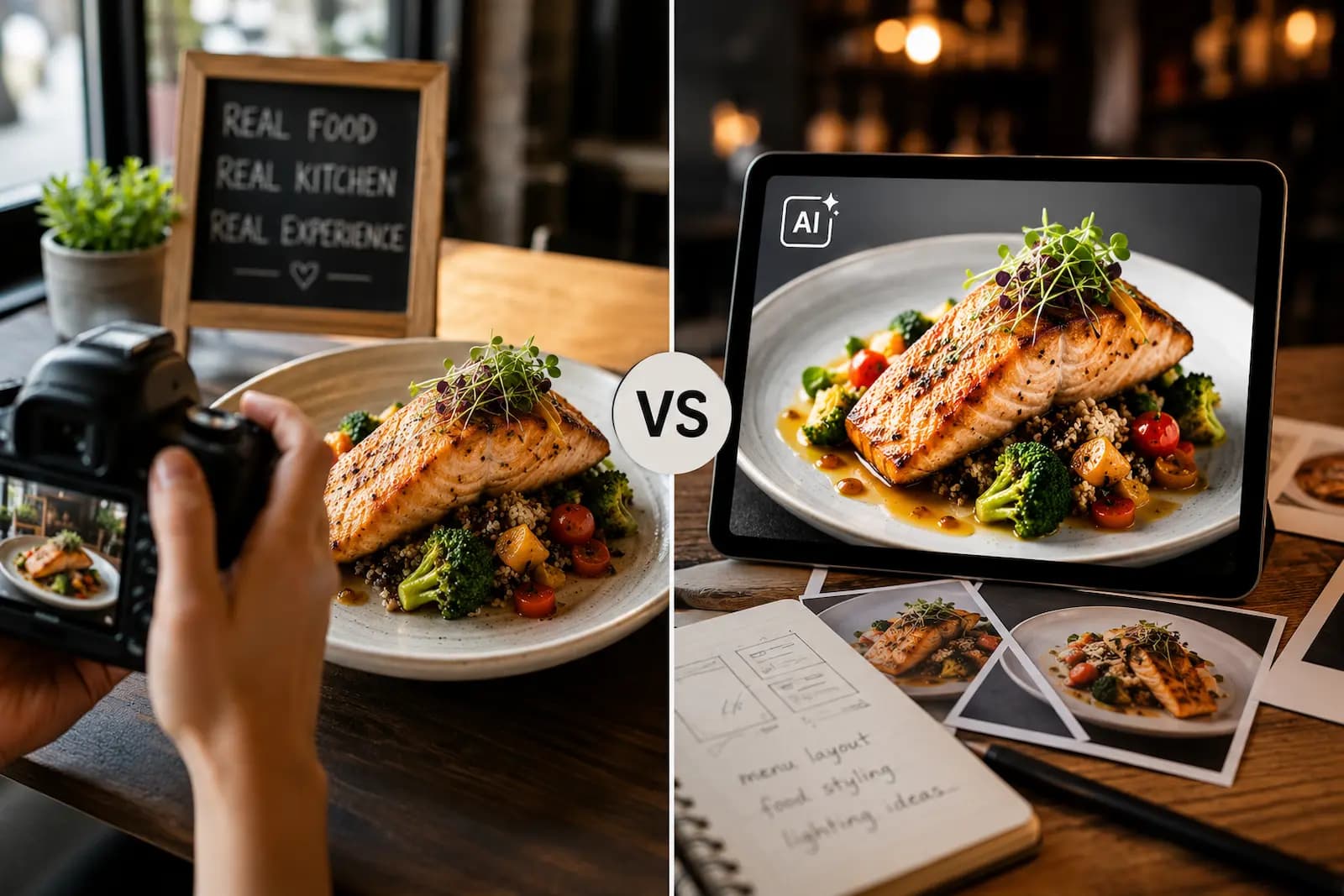
Food photos can make a menu more appealing, especially on mobile. A great image can help guests understand a dish faster, feel more confident ordering it, and get excited before they arrive.
But with AI image tools becoming easier to use, many restaurant owners are asking a new question: should you use AI-generated food images on your restaurant menu?
The answer is not as simple as yes or no. AI food images can help in certain situations, but they can also damage trust if customers feel misled. Food is personal. People expect the dish they receive to look reasonably close to the image they saw.
Why Food Images Matter on a Menu
Customers eat with their eyes first. On a digital menu, images can help guests make decisions quickly, especially for dishes that are unfamiliar, visual, colorful, or hard to explain with words alone.
Photos can help with:
- Signature dishes and best sellers
- New menu items and seasonal specials
- Desserts, drinks, and catering trays
- Combination plates and premium items
- Dishes with unfamiliar names or ingredients
A good photo reduces uncertainty. If a guest has never tried a dish before, seeing it can make ordering feel safer. That is one reason digital menus often perform better when they include selective, high-quality images.
The Appeal of AI Food Images
AI-generated food images are attractive because they solve real problems. Professional food photography can be expensive. Scheduling a shoot takes time. Dishes need to be prepared carefully. Lighting matters. Editing matters. If your menu changes often, keeping photos updated can become difficult.
AI images can help you:
- Visualize a dish before a photo shoot
- Create internal placeholders while designing your menu
- Test layouts in a digital menu builder
- Brainstorm social media campaign concepts
- Explore cuisine style, plating, backgrounds, and color direction
For a new restaurant, AI images can feel especially tempting because you may not have finished dishes, plating, or photography yet. But that is also where the risk begins.
The Biggest Risk: Customer Trust
The main problem with AI food images is not whether they look good. The problem is whether they represent the real dish.
If an AI image shows a huge portion, perfect garnish, premium ingredients, or plating style your kitchen does not actually use, customers may feel misled. That can lead to complaints, refund requests, bad reviews, lower repeat visits, and social media criticism.
A menu image is a promise. When a customer sees a photo beside an item, they assume it is close to what they will receive.
This matters even more for delivery and takeout, where customers rely heavily on photos before ordering.
When AI Food Images Can Be Useful
AI food images are not always bad. They can be useful if you use them carefully and honestly.
Concept Development
Before opening, AI images can help you explore plating ideas, colors, backgrounds, and visual direction before investing in photography. This is best for internal planning, not customer-facing menu items.
Placeholder Images During Menu Setup
If you are building a digital menu and do not have photos yet, AI images can help you see how the layout might look. Replace them with real photos before public launch if they are attached to specific dishes.
Social Media Inspiration
AI can help generate mood boards, campaign ideas, or seasonal creative. For example, you might create a visual concept for a summer drink promotion, then photograph the real drink later.
Generic Category Art
AI may be safer for general category banners than for specific dish photos. A background suggesting fresh coffee or summer specials is less misleading than an AI image labeled as your exact chicken sandwich.
The safest rule: use AI to plan and inspire, but use real photos to sell actual dishes.
When You Should Avoid AI Food Images
Avoid AI food images when the image is attached to a specific menu item, the real dish does not look similar, the portion size is exaggerated, ingredients shown are not included, the plating style is unrealistic, or customers may depend on the image to decide.
For example, if your menu shows an AI burger with a thick patty, glossy bun, perfect melted cheese, and overflowing toppings, but your actual burger is smaller and simpler, customers will notice. That does not mean your burger is bad. It means the expectation was wrong.
Real Photos Do Not Have to Be Perfect
Many restaurant owners avoid real photos because they think every image needs to look like a national chain advertisement. That is not true. A real, honest, well-lit photo is usually better than a flawless AI image that does not match the dish.
A good real food photo should be clear, well-lit, accurate, appetizing, close to actual portion size, free from distracting clutter, and consistent with your brand.
Simple food photo tips:
- Shoot near a window during the day.
- Turn off harsh overhead lights if they create odd shadows.
- Use a clean plate, tray, or simple surface.
- Wipe sauce smudges from the plate edge.
- Take several angles and keep the style consistent.
- Edit lightly for clarity, not deception.
Should You Label AI Images?
If you choose to use AI-generated images publicly, transparency matters. A small note like "Image is illustrative" can reduce the chance of customers assuming the photo is exact. But disclosure does not fix a misleading image.
If the AI picture looks dramatically better, larger, or different from the real dish, customers may still feel disappointed. For menu item photos, customers expect reality.
A Better Strategy: Use AI Plus Real Photos
The smartest approach is not AI or no AI. It is using AI in the right part of the workflow.
- Use AI to brainstorm plating, backgrounds, and visual style.
- Choose ideas that fit your actual restaurant.
- Prepare the real dish.
- Photograph it with consistent lighting.
- Edit lightly for clarity.
- Upload the real photo to your digital menu.
- Track which items get more views or orders.
This gives you the speed and creativity of AI without sacrificing customer trust. AI can help you plan better photos. It should not replace the truth of what comes out of your kitchen.
How Many Food Photos Should Your Menu Have?
You do not need a photo for every item. Too many images can make a menu feel cluttered, especially on mobile. Start with your best sellers, highest-margin dishes, signature items, new items, visually impressive dishes, desserts, and drinks.
A small number of strong, accurate photos is better than dozens of inconsistent ones. For a digital menu, you can always add more over time. Start with 5 to 10 strong images, then expand as you photograph more real dishes.
AI Images and Different Restaurant Types
- Fast casual restaurants: real images are strongly recommended because customers compare bowls, sandwiches, tacos, smoothies, and desserts quickly.
- Fine dining restaurants: AI images can feel especially risky because presentation is part of the experience.
- Cafes and bakeries: real photos usually perform well because pastries, drinks, and desserts are highly visual.
- Ghost kitchens and delivery-only brands: this is one of the riskiest areas because delivery customers rely heavily on photos.
- New restaurants: use AI for planning, then replace public-facing images with real photos before launch or soon after soft opening.
How Digital Menus Make This Easier
One advantage of a digital menu is that you are not locked into your first version. With printed menus, updating photos can be expensive and slow. With a digital menu, you can start simple and improve over time.
You can add real photos gradually, replace weak images, remove photos that do not help, test different featured items, update seasonal dishes, and keep the same QR code while changing the menu behind it.
MenuHoster lets restaurants create a mobile-friendly menu, upload item photos, generate a QR code, and update content anytime. See the restaurant demo, compare plans and pricing, or start with the free QR code menu generator.
Final Recommendation
So, should restaurants use AI food images on their menu? For internal planning, inspiration, and design testing, yes. For actual menu item photos, be careful.
Customers trust menus to show them what they are buying. If an AI image creates expectations your kitchen cannot match, it can hurt trust even if the food tastes great. Use real photos for real dishes. Keep them accurate, appetizing, and honest.
Frequently Asked Questions
Can I use AI-generated food images on my restaurant menu?
You can, but it is risky if the image represents a specific dish. Customers usually expect menu photos to look like the actual food they will receive. If the AI image does not match reality, it can hurt trust.
Are AI food images bad for restaurants?
Not always. AI images can be useful for brainstorming, planning photo shoots, testing menu layouts, or creating internal concepts. The risk comes when they are used publicly as if they show real menu items.
Should I disclose AI-generated food images?
If you use AI images publicly, disclosure is a good idea. But a label like "image is illustrative" does not fully solve the problem if the picture is misleading. Accuracy still matters.
Is real food photography better than AI?
For actual restaurant menus, yes. Real photos are usually better because they show customers what your kitchen actually serves. They do not need to be perfect; they need to be clear, appetizing, and honest.
How many food photos should I add to my digital menu?
Start with best sellers, signature dishes, high-margin dishes, desserts, drinks, and items customers often ask about. A few strong real photos are better than many weak or unrealistic images.
Can MenuHoster help me add photos to my menu?
Yes. With MenuHoster, you can create a mobile-friendly digital menu, add item photos, generate a QR code, and update your menu anytime without reprinting.
MenuHoster Team
Helping restaurants go digital