What Every Restaurant Website Needs (and What to Skip)
Updated:
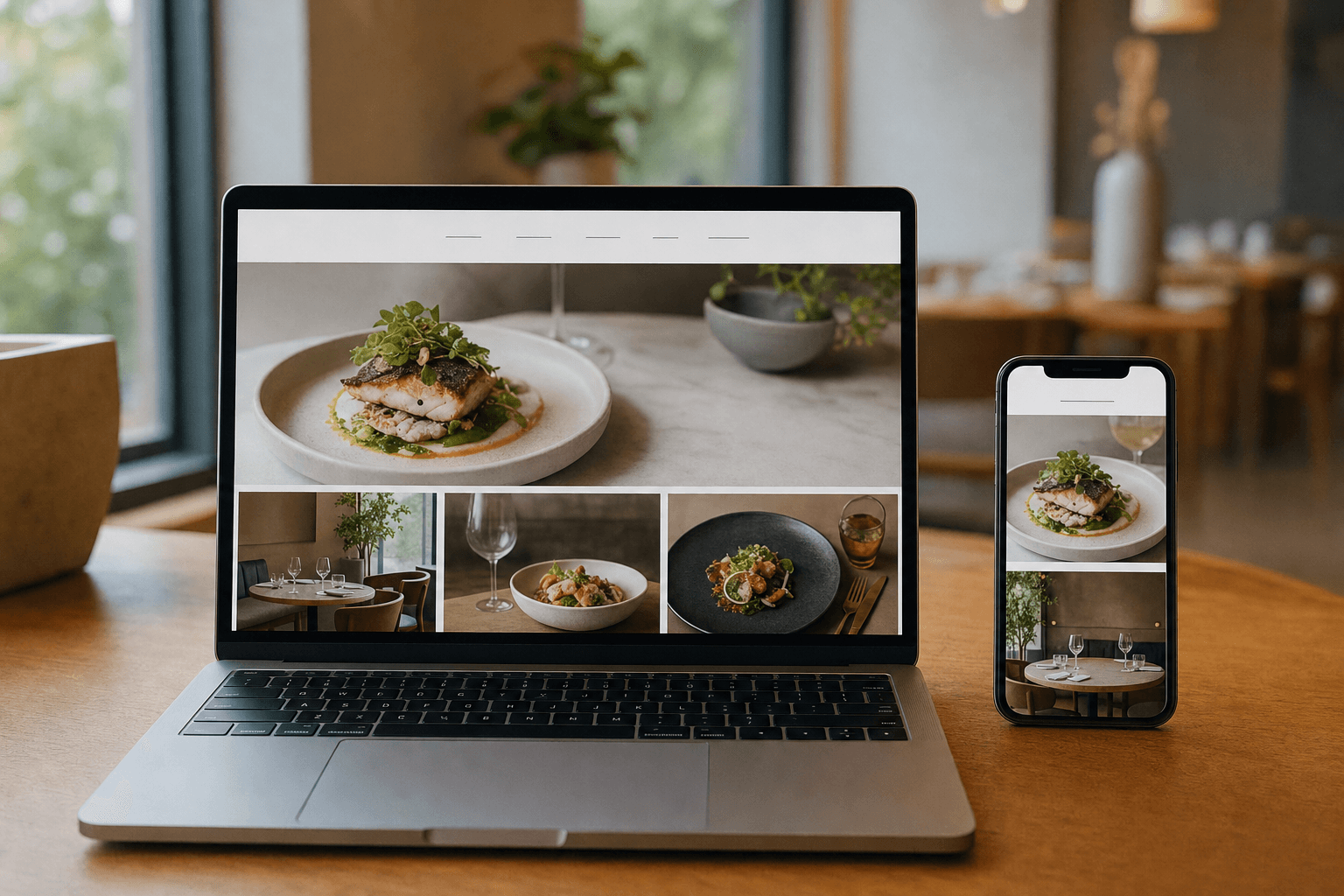
Most restaurant websites are either dangerously bare-bones or stuffed with features nobody asked for. Owners either throw up a single page with a phone number and call it done, or they pay a web agency for a bloated site with parallax animations, a reservation widget, a loyalty portal, and a blog that hasn't been updated since 2021.
Neither extreme serves your guests — or your bottom line.
This guide cuts through the noise. You'll learn exactly which elements a restaurant website must have to turn browsers into diners, which additions are genuinely worth the effort, and which "best practices" you can safely ignore. Whether you're building from scratch or auditing what you already have, use this as your checklist.
Why Your Website Still Matters in a Social-Media World
Instagram, Google Business Profile, Yelp — these platforms are powerful, but you don't own them. Algorithms change. Accounts get suspended. Fees increase. Your website is the one piece of digital real estate you fully control.
More importantly, it's where high-intent guests land. Someone who Googles "best tacos near me" and clicks your link is already halfway to ordering. Your website just needs to not get in their way.
Studies consistently show that over 70% of guests check a restaurant's website before visiting for the first time. If your site is slow, confusing, or missing basic information, a significant portion of those people quietly choose a competitor.
The Non-Negotiables: What Every Restaurant Website Must Have
These are the elements that directly affect whether a potential guest walks through your door or moves on. Don't launch — or keep running — a site without them.
1. Your Menu, Accessible in Under Two Taps
This is the single most important page on your site. Guests want to see what you serve and what it costs before they commit to visiting. A menu buried three clicks deep, formatted as a PDF that doesn't render on mobile, or missing prices entirely will cost you reservations and walk-ins every single day.
Your menu should be:
- Mobile-first. More than 60% of restaurant searches happen on a phone. If your menu requires pinching and zooming to read, it's broken.
- Easy to update. Seasonal changes, price adjustments, and 86'd items need to be reflected quickly. A static image or PDF means calling your web developer every time something changes.
- Linked prominently. Put it in your main navigation and consider a large button on your homepage.
A digital menu solves all three problems at once — it's mobile-optimized, updatable in minutes, and lives at a shareable URL you can link from anywhere.
2. Name, Address, Phone Number, and Hours
This sounds obvious, but you'd be surprised how many restaurant sites bury the address in the footer in 10px gray text, or list hours that haven't been updated since a pandemic-era schedule change.
Put your NAP (Name, Address, Phone) and current hours somewhere prominent — ideally on the homepage and on a dedicated Contact page. Make the address a clickable link that opens Google Maps. Make the phone number a tap-to-call link on mobile (<a href="tel:+1...">).
Consistency matters for local SEO too: the name, address, and phone number on your website should exactly match what's on your Google Business Profile and every other directory listing.
3. A Clear, Fast Homepage
Your homepage has one job: tell visitors who you are and point them toward what they need. It doesn't need to be beautiful — it needs to be fast and clear.
Above the fold (what's visible before scrolling), include:
- Your restaurant name and a one-line description of what you serve
- A prominent link or button to your menu
- Your location and hours, or a link to them
Page speed is non-negotiable. Google uses it as a ranking factor, and users abandon pages that take more than three seconds to load. Compress your images, avoid autoplay video backgrounds, and test your speed with Google's PageSpeed Insights.
4. High-Quality Food Photography (Even Just a Few Shots)
You don't need a professional photo shoot for every dish. But you do need at least a handful of appealing, well-lit photos that show what your food actually looks like. A single great hero image on your homepage does more for conversions than a paragraph of copy ever will.
Natural light, a clean background, and a modern smartphone camera are enough to get started. Avoid stock food photography — guests can tell, and it erodes trust.
5. A Way for Guests to Order or Reserve
If you offer takeout or delivery, your website should make it easy to place an order without leaving the site — or at minimum, link directly to your ordering platform. If you take reservations, link to your booking system (OpenTable, Resy, or even a simple contact form).
Don't make guests hunt for this. A "Order Now" or "Reserve a Table" button in your navigation bar converts significantly better than a phone number buried in the footer.
Strong Additions: Worth the Effort If You Have the Time
These elements aren't strictly required, but they add real value and are worth including once your core pages are solid.
An About Page That Tells Your Story
People eat at restaurants they connect with. A short About page — a few paragraphs about who you are, why you opened, what makes your food or approach different — builds that connection. It doesn't need to be long. Authentic beats polished every time.
A Gallery Page
A simple grid of 10–20 good photos of your food, space, and team gives guests a feel for the experience before they arrive. Keep it lean and updated. A gallery with five-year-old photos is worse than no gallery at all.
Local SEO Basics
A few small moves dramatically improve how often your site shows up in local searches:
- Include your city and neighborhood naturally in your page copy and title tags
- Embed a Google Map on your Contact page
- Add schema markup for restaurants (LocalBusiness schema) so Google can read your hours, address, and menu directly
- Make sure your site is linked from your Google Business Profile
For a deeper dive, see our guide to getting your menu online and how it connects to local discoverability.
A QR Code Menu for In-Dining Use
Even if you have physical menus, a QR code version is a low-effort addition that guests increasingly expect. It's also practical — when you update your digital menu, the QR code automatically points to the new version. No reprinting, no outdated inserts. You can generate a QR code menu in minutes and link it from your website too.
What to Skip: Features That Sound Good but Rarely Deliver
Here's where most restaurant websites go wrong — not by leaving things out, but by adding things that slow the site down, confuse guests, or require ongoing maintenance that never happens.
A Blog
Unless you genuinely enjoy writing and have a consistent publishing schedule, skip the blog. A blog with three posts from 2022 signals neglect. It doesn't help your SEO if it's not regularly updated, and it takes up mental bandwidth you could spend on your actual restaurant.
The exception: if you're good at it and commit to it, a blog covering local food culture, behind-the-scenes content, or seasonal menu stories can build real loyalty. But it's a long-term investment, not a quick win.
Autoplay Music or Video
Autoplay audio is one of the fastest ways to make a visitor close your tab. Autoplay video backgrounds look impressive in demos and slow your site to a crawl in practice. Neither improves conversions. Neither is worth the tradeoff.
A Splash Page or Intro Animation
The animated logo that plays for three seconds before the homepage loads? Skip it. Every second of delay costs you visitors. Get guests to the information they need as fast as possible.
A Complex Loyalty Portal
Third-party loyalty platforms integrated into your website sound great in theory. In practice, they require ongoing management, create login friction for guests, and are rarely worth the cost for independent restaurants. Start with a simple punch card or a loyalty program through your POS before adding web-based complexity.
A Live Chat Widget
Unless someone is actively monitoring it during all business hours, a live chat widget that shows "Typically replies in a few hours" does more harm than good. It creates an expectation you can't meet. A clear phone number and email address serve guests better.
Excessive Social Media Feeds
Embedding your Instagram feed on your homepage sounds like a good idea — fresh content, no maintenance. In practice, these widgets are slow to load, often break when APIs change, and pull visitors away from your site before they've found what they came for. Link to your social profiles; don't embed them.
Mobile Performance: The Factor Most Owners Underestimate
It bears repeating: most of your guests will find your website on a phone. Not a desktop, not a tablet — a phone, often while they're standing on a street corner deciding where to eat.
Test your site on your own phone right now. Can you find the menu in under 10 seconds? Can you read it without zooming? Is the phone number tappable? Can you get directions with one tap?
If the answer to any of those is no, that's your highest-priority fix — above design, above photography, above everything else.
Using a purpose-built tool like an online menu maker ensures your menu is automatically responsive and fast without any technical work on your part.
Keeping It Current: The Ongoing Work That Actually Matters
A restaurant website isn't a one-time project. The highest-value maintenance tasks are also the simplest:
- Update your hours any time they change, including holidays and special events.
- Update your menu when prices, items, or seasonal offerings change. An outdated menu is worse than no menu — it creates frustrated guests and awkward conversations with staff.
- Refresh your photos at least once a year, or whenever you add signature dishes.
- Check your links every few months. Broken links to ordering platforms or reservation systems cost you real revenue.
Everything else — redesigns, new features, platform migrations — is secondary to keeping those four things accurate.
The Minimal Viable Restaurant Website
If you're starting from zero and want to launch something solid quickly, here's the minimum you need:
- A homepage with your name, cuisine type, location, hours, and a menu link
- A mobile-optimized menu page (use a pre-built menu template to get there fast)
- A contact page with your address (linked to Maps), phone number, and hours
That's it. Three pages. Done well, that's enough to rank in local search, convert visitors into guests, and give you a professional web presence. You can add a gallery, an About page, and online ordering as you grow — but don't let the pursuit of the perfect site delay you from having a good one.
Frequently Asked Questions
Do I need a full website, or is a Google Business Profile enough?
A Google Business Profile is essential and free — set one up if you haven't. But it's not a substitute for a website. Your GBP controls limited information and is subject to Google's rules. A website lets you present your full menu, tell your story, and capture direct orders without a platform taking a cut or changing the rules on you.
How often should I update my restaurant website?
Update your hours and menu any time they change — that's the non-negotiable. Beyond that, a light refresh of photos and copy once or twice a year is plenty for most independent restaurants. You don't need to redesign constantly; you need to stay accurate.
Should my menu be a PDF or a real web page?
A real web page, always. PDFs don't display well on mobile, can't be indexed properly by search engines, and require a designer's help every time you need to change a price. A digital menu page is faster to load, easier to read on any device, and takes minutes to update yourself.
How important is website speed for a restaurant site?
Very. Google uses page speed as a ranking factor for local search results, and users abandon slow pages quickly. The biggest culprits are large uncompressed images and third-party widgets (social feeds, chat tools, video backgrounds). Compress every image before uploading and remove widgets you're not actively using.
What's the biggest mistake restaurants make with their websites?
Outdated information — especially menus and hours. A guest who drives to your restaurant based on hours listed on your website, only to find you're closed, will leave a one-star review and never come back. Keeping those two things accurate is the single highest-return maintenance task you have.
Ready to get your menu online fast and make sure every guest who finds you can actually see what you serve? Try MenuHoster free — build a mobile-ready, always-current menu page in minutes, no web design experience required. It's the fastest way to give your restaurant the professional web presence it deserves.
MenuHoster Team
Helping restaurants go digital