How to Use Your Digital Menu to Promote Upsells and Add-Ons
Updated:
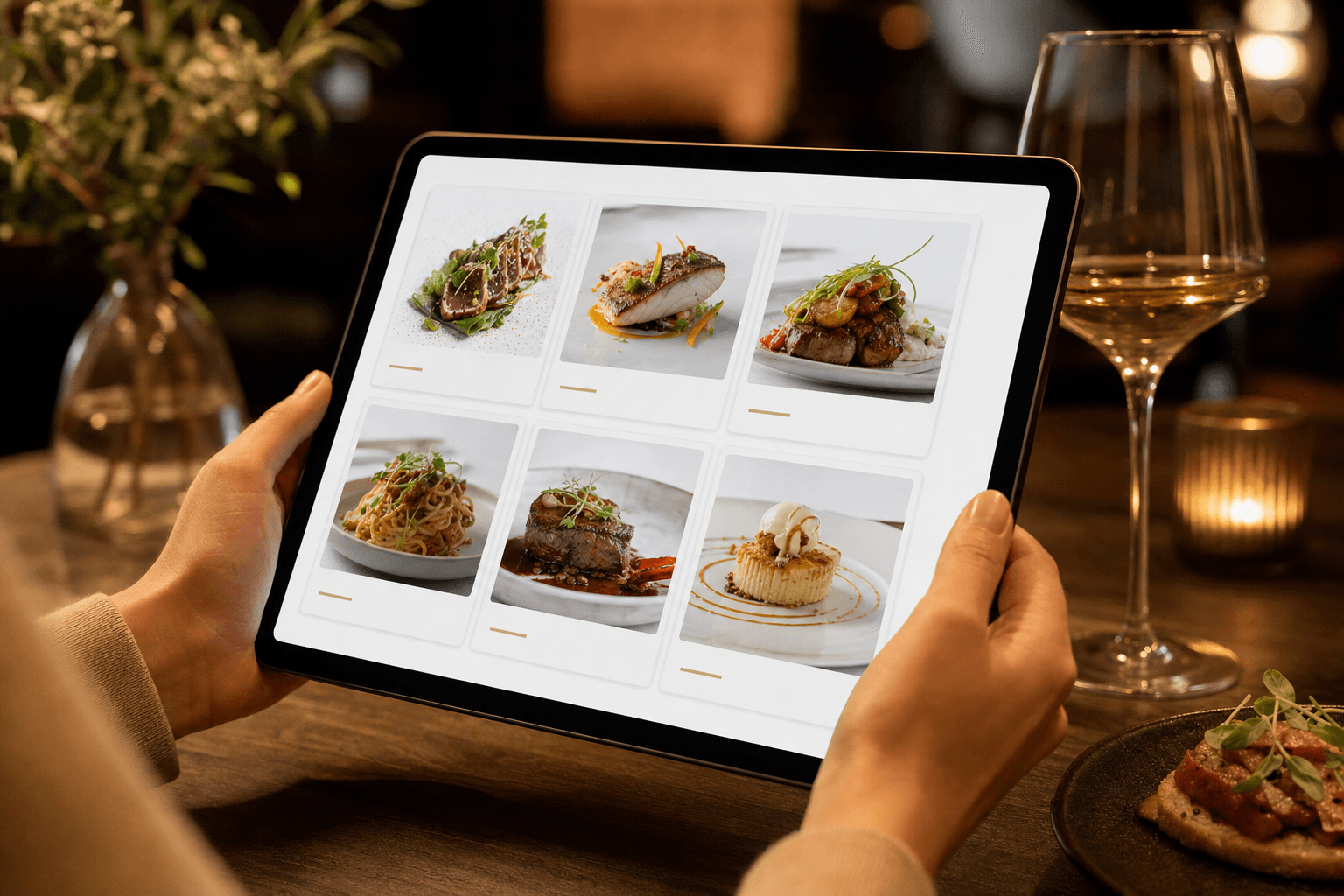
A well-built digital menu is more than a list of dishes and prices. It's a silent salesperson working every table, every hour you're open. Unlike a paper menu — or worse, a static PDF — a digital menu lets you guide guests toward higher-value choices, surface add-ons at exactly the right moment, and highlight items that move the needle on your average check. Done right, none of it feels pushy. It just feels like good hospitality.
This guide covers concrete, actionable ways to use your digital menu to increase revenue per cover through smart upselling and add-on promotion — without training your staff to recite scripts or annoying guests who just want a burger.
Why Digital Menus Outperform Paper for Upselling
Paper menus are static. You print them, laminate them, and hope the layout does some work. A digital menu is dynamic — you control what gets emphasized, in what order, with what visuals, and you can change all of it without reprinting a single page.
Here's what that means in practice for upselling:
- Visual hierarchy is flexible. You can badge your highest-margin items, put them first in a category, or give them a photo when nothing else has one.
- Add-ons are always visible. Modifiers, extras, and upgrades can appear inline as guests browse — not just when a server asks.
- You can test and iterate. Move a featured item, change a description, add a photo — and see if it changes behavior. Paper menus make this prohibitively expensive.
- No human inconsistency. A tired server might forget to mention the truffle fries upgrade. Your digital menu never forgets.
The goal isn't to trick anyone. It's to make sure guests actually know what's available and feel good about choosing more.
Structure Your Menu to Lead with High-Margin Items
The order in which items appear on your menu is one of the most powerful — and most overlooked — levers you have. Guests don't read menus the way they read books. They scan. Research consistently shows that items placed at the top of a category section get disproportionate attention and orders.
Put your best margin items first
Identify the two or three items in each category that have the best contribution margin (not just the highest price — margin). Place them at the top of their section. On a digital menu, you can do this instantly, and you can change it seasonally or even weekly.
Use a "Featured" or "Chef's Pick" badge
Most digital menu platforms let you add a label or badge to specific items. Use these sparingly — if everything is "featured," nothing is. Pick two to four items across your whole menu that you genuinely want to move, and badge them. This draws the eye and signals social proof: someone with authority thinks this is worth ordering.
Anchor pricing strategically
Place a high-priced item near the top of a category. It doesn't need to be your best seller — it just needs to make the item below it look like a reasonable splurge. This is called price anchoring, and it works whether the menu is paper or digital. On a digital menu, you can test different anchor positions without any printing cost. For a deeper look at how pricing interacts with layout, see our guide on A/B testing your menu layout and pricing.
Use Photos Selectively and Strategically
Not every item needs a photo. In fact, putting photos on everything dilutes their impact. The items that deserve photos are the ones you most want to sell — your high-margin dishes, your signature add-ons, your premium upgrades.
Photo = implied recommendation
When a guest sees that one item has a beautiful photo and others don't, they read it as a cue: this is something special. Use that signal intentionally. If your lobster bisque has a 68% margin and your house salad has 40%, the bisque gets the photo.
Quality matters more than quantity
One sharp, well-lit photo of a dish will do more work than ten mediocre ones. Natural light, a clean background, and a real portion of the dish are all you need. Guests are forgiving of phone photos if the food looks genuinely appetizing. What they won't forgive is a blurry, dim shot that makes the food look unappetizing.
Show the add-on, not just the base item
If you're promoting a steak with an optional mushroom sauce add-on, photograph the steak with the sauce. Let guests see what they're upgrading to. This is a small detail that meaningfully increases add-on attachment rates.
Build Add-Ons and Modifiers Directly into the Menu
This is where many restaurants leave real money on the table. They list add-ons in small print at the bottom of a section, or rely entirely on servers to mention them. A digital menu lets you attach modifiers and extras directly to each item, so guests see them at the moment of decision.
Inline modifiers for every relevant item
For any item where an upgrade exists — a protein add to a salad, a sauce upgrade, a side swap, a size option — surface that modifier inline. Don't hide it in a footnote. When guests see "Add grilled chicken +$4" right next to the Caesar salad description, a meaningful percentage will click yes. When they have to ask a server or hunt for the option, most won't bother.
Group add-ons logically
Keep add-on groups tight and relevant. A burger modifier section with 15 options creates decision fatigue. Three to five well-chosen options — cheese upgrade, bacon, extra patty — are easier to act on. The goal is to make saying yes feel easy, not overwhelming.
Name your add-ons like menu items
Don't just write "+$2 sauce." Write "House-made truffle aioli +$2." The specificity makes it feel worth the money and triggers appetite appeal. This is the same principle behind good menu copywriting that avoids common sales mistakes.
Use Descriptions to Do the Selling
A menu description isn't just informational — it's your best opportunity to make a guest want something they weren't planning to order. Short, vivid, specific descriptions consistently outperform long generic ones.
Lead with the sensory payoff
Instead of "Chocolate lava cake with vanilla ice cream," try "Warm dark chocolate cake with a molten center, served with house-churned vanilla bean ice cream." The second version takes five more seconds to read and creates a much stronger desire to order. Apply this principle especially to your high-margin items and add-ons.
Mention the pairing
If a dish pairs well with a specific wine, cocktail, or side, say so in the description. "Pairs beautifully with the Malbec" is a low-pressure, high-effectiveness way to drive a drink upsell. It feels like a recommendation from someone who knows the menu, not a sales pitch.
Use origin and process details sparingly
Phrases like "slow-braised for six hours" or "sourced from a local farm 40 miles away" add perceived value and justify a higher price point. Don't overdo it — one specific detail per item is usually enough. Two or three starts to feel like marketing copy.
Promote Bundles and Combos as Value Upgrades
Bundling is one of the oldest upsell techniques in food service, and it works just as well on a digital menu as it does at a fast food counter. The psychology is simple: guests feel like they're getting a deal, and you increase the total order value.
Create explicit bundle sections
Rather than burying combo options in individual item descriptions, give them their own section: "Complete Your Meal," "Add a Starter," or "Make It a Feast." A dedicated section signals that this is a normal, expected thing to do — not an upsell.
Show the savings clearly
If a starter + entrée + dessert combo saves $4 compared to ordering individually, show that math. "Save $4 when you add a starter and dessert to any entrée" is concrete and compelling. Guests who might have skipped the starter will reconsider when they see a tangible saving.
Pair drinks with food intentionally
Build drink suggestions into food sections. A cocktail section that only appears when someone is browsing appetizers, or a beer pairing note on your burger descriptions, keeps beverages top of mind throughout the meal — not just when someone is thirsty.
Highlight Limited-Time and Seasonal Items
Scarcity and novelty are two of the strongest purchase motivators in food service. A digital menu lets you surface limited-time items prominently without reprinting anything — and update them in real time when they sell out.
Give seasonal specials their own section at the top of your menu, above your standard categories. Label them clearly as limited-time. Use a photo if you can. Guests who might have defaulted to their usual order will often try something new when it's framed as temporary and special.
This is also a good place to test new items before committing them to your permanent menu. A special that consistently sells out is a strong signal it's worth a permanent spot. For more on managing specials without operational headaches, see our article on adding daily specials to a digital menu without reprinting.
Use Your Menu to Upsell at the Right Moment
Timing matters. A digital menu that guests access via QR code can be structured to guide them through a natural ordering progression — appetizers and drinks first, then mains, then desserts and after-dinner drinks. This isn't manipulation; it mirrors how a good server walks a table through a meal.
Lead with drinks and starters
Structure your menu so that drinks and starters appear before mains. Guests who open the menu and immediately see your cocktail list are more likely to order a drink before their food arrives. Guests who jump straight to entrées often skip the starter entirely.
Surface desserts before the check
If your digital menu is accessible throughout the meal, consider a "Desserts" prompt or featured section that appears toward the bottom of the menu flow. Guests who browse after finishing their main are in a relaxed, satisfied state — exactly when a dessert upsell is most likely to land.
Don't forget the drinks upgrade
A well-placed note — "Ask about our seasonal cocktail menu" or a featured craft beer section — keeps beverage spending in play throughout the meal. Drinks are almost always your highest-margin category. Make sure your digital menu treats them that way.
Make It Easy to Find Your Signature High-Margin Items
Your signature dishes are your best upsell tools. They're the items guests remember, recommend, and return for. Make sure they're impossible to miss on your digital menu.
Give them prominent placement, a photo, a badge, and a description that earns their price. If a guest is on the fence between your house burger and your signature dry-aged beef burger, the difference in presentation on the menu is often what tips the decision. Our dedicated guide on how to highlight signature dishes on your menu goes deeper on this topic.
Track What Works and Adjust
One of the biggest advantages of a digital menu over paper is the ability to iterate. If you badge an item as "Chef's Pick" and its order rate doesn't move, try a different item. If a photo on your dessert section increases dessert attachment, add photos to more desserts.
You don't need sophisticated analytics for this. Keep a simple weekly log of your top-selling items and average check size. When you make a change to your menu — a new badge, a new description, a new photo — note the date and check whether the numbers move over the next two to three weeks. Small, consistent improvements compound into meaningful revenue gains over a year.
If you're ready to build a menu that does this kind of work for you, the MenuHoster online menu maker gives you all the tools to structure, badge, and update your menu without any technical skills required.
Frequently Asked Questions
How many items should I badge as "featured" or "Chef's Pick"?
Keep it to two to four items across your entire menu. If you badge too many items, the signal loses meaning and guests start ignoring the badges entirely. Reserve them for your highest-margin, most appealing items — the ones you genuinely want to move most.
Do photos actually increase order rates for specific items?
Yes, consistently. Studies and real-world operator data both show that items with photos on digital menus are ordered significantly more often than items without — sometimes 30% more or higher. The key is quality and selectivity. A great photo on one item outperforms mediocre photos on every item.
Should I list add-ons with prices or just describe them?
Always show the price. Hidden pricing creates friction and distrust. When guests see a specific, reasonable add-on price — "Add avocado +$2" — they can make a quick, confident decision. Vague descriptions without prices make guests hesitate or skip the add-on entirely.
Can I use my digital menu to upsell drinks even if I don't have table service?
Absolutely. Counter-service and QR-order restaurants can structure their digital menu to show drink pairings alongside food items, or feature a "Complete Your Order" section with beverage options before checkout. The same principles apply regardless of service style.
How often should I update my upsell strategy on the digital menu?
Review your featured items and add-on placements at least once a month. Seasonally, do a more thorough review: update photos, refresh descriptions, and reconsider which items deserve badges based on current margins and inventory. The advantage of a digital menu is that these updates take minutes, not days.
Ready to turn your menu into a revenue-generating tool? MenuHoster's plans start free and give you everything you need to build a beautiful, high-converting digital menu — with photos, badges, modifiers, and instant updates. Create your menu today and start putting every table to work.
MenuHoster Team
Helping restaurants go digital