Multilingual QR Code Menus: How to Serve International and Non-English-Speaking Guests
Updated:
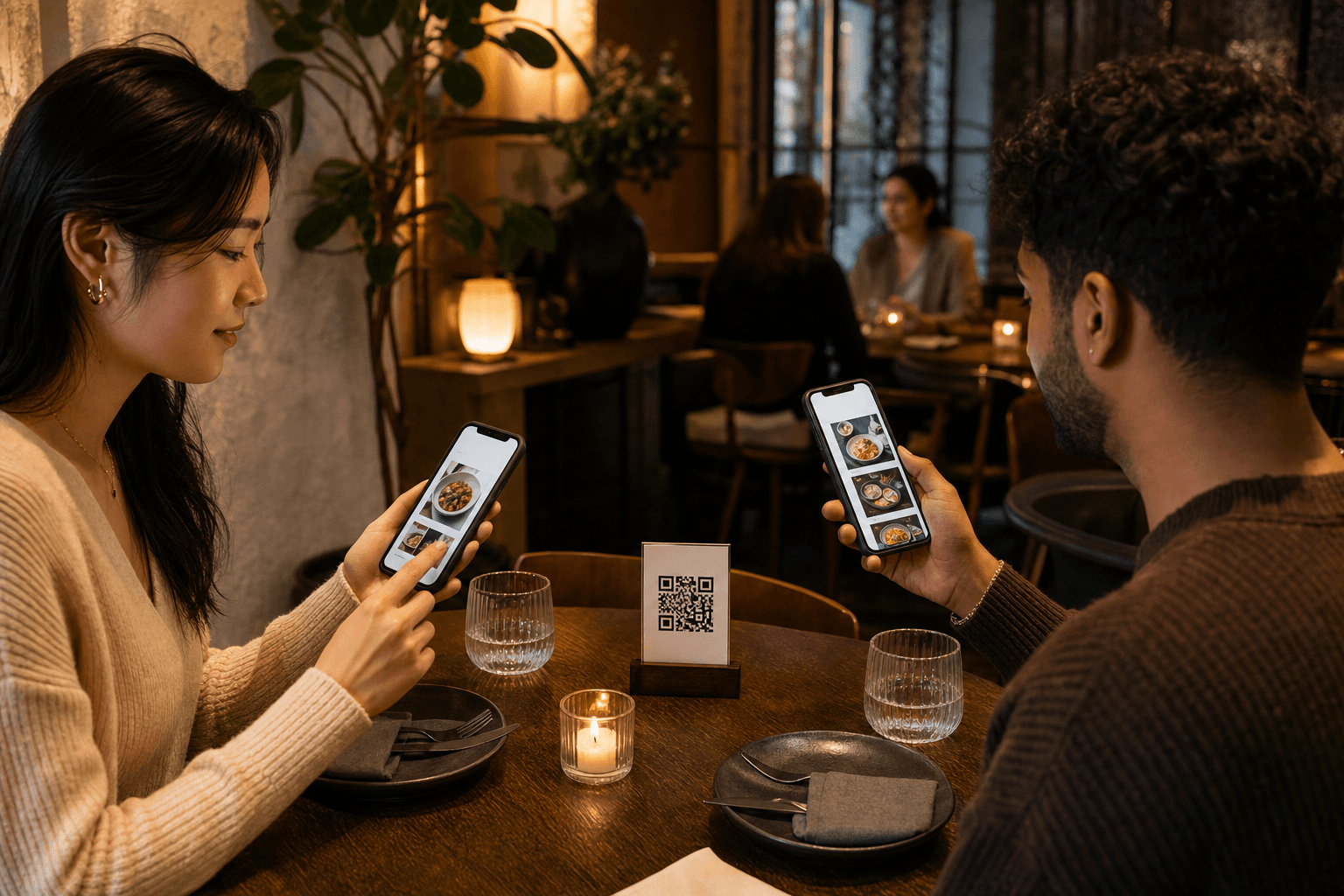
A couple from Tokyo sits down at your restaurant. They scan the QR code on the table, pull up your menu — and it's entirely in English. They squint, they guess, they point at something and hope for the best. It's an awkward experience for them and a missed revenue opportunity for you.
This scenario plays out in thousands of restaurants, cafes, and bars every day. And it's completely avoidable. A well-built contactless menu can serve guests in their preferred language without any extra work from your staff — if you set it up right.
This guide covers everything you need to know: why multilingual menus matter, how to structure them, translation best practices, and the practical steps to get yours live.
Why Multilingual Menus Matter More Than You Think
The obvious case is tourist-heavy locations — airports, city centers, beach towns — but the need for multilingual menus extends much further than that.
- Immigrant communities: In most mid-size and large American cities, a significant portion of the population is more comfortable reading in a language other than English. Spanish, Mandarin, Vietnamese, Korean, Arabic, and Tagalog are among the most common.
- Multigenerational families: Grandparents who don't read English fluently dine out with family regularly. Giving them a menu they can read independently is a simple act of hospitality.
- Business travelers: International business travel has rebounded strongly. These guests often eat alone and appreciate not having to struggle through a foreign-language menu.
- Tourism: Even if your city isn't a major tourist hub, seasonal events, conventions, and sports tournaments can bring international visitors to your door in waves.
Beyond hospitality, there's a direct commercial argument. Guests who understand your menu order more confidently, ask fewer questions of your staff, and are more likely to try higher-margin items like cocktails, appetizers, and desserts when they can actually read the descriptions.
The Problem With Paper Menus and PDF Translations
Before QR menus, the standard workaround was to print separate menus in different languages and keep them behind the host stand. This approach fails in practice for several reasons:
- Translated paper menus go out of date the moment you change a price or 86 an item.
- Staff forget to offer them, or guests don't know to ask.
- Printing and storing multiple language versions is expensive and wasteful.
- PDF menus on a phone are clunky to navigate and don't reflow for small screens.
A properly built digital menu solves all of these problems. Updates propagate instantly across every language version. Guests self-select their language. No printing required.
If you're currently using a PDF menu, it's worth understanding why converting from a PDF to a proper QR code menu is a meaningful upgrade — especially when multilingual support is on your roadmap.
Deciding Which Languages to Support
You don't need to translate your menu into twenty languages. Start with one or two and do them well. Here's how to decide where to focus:
Look at your actual guest mix
Ask your front-of-house staff which languages they encounter most often. Check your reservation system or online ordering platform for names or locations that suggest a non-English-speaking demographic. If you have Google Business analytics, look at where your profile views are coming from.
Check your neighborhood
U.S. Census data is publicly available and searchable by ZIP code. You can quickly find the top non-English languages spoken in your immediate area. If 18% of your neighborhood speaks Spanish at home, that's your first translation target.
Consider your cuisine
A Japanese ramen shop in a city with a large Japanese-American community has an obvious case for Japanese-language menus. An Italian restaurant near a university with a large international student population might prioritize Mandarin or Korean, depending on enrollment demographics.
Start small and expand
Two languages done well beat five languages done poorly. A rough machine translation with awkward phrasing can actually undermine guest confidence in your food. Prioritize quality over quantity.
How to Structure a Multilingual QR Menu
There are a few different structural approaches to multilingual digital menus. Each has trade-offs.
Approach 1: Language toggle on a single menu
The guest lands on your menu and sees a language selector — a flag icon, a dropdown, or a simple set of buttons like "EN | ES | 中文." Tapping a language reloads the content in that language while keeping the same URL and layout.
Pros: Clean UX, single QR code, easy to manage. Cons: Requires your menu platform to support language switching natively.
Approach 2: Separate menu pages per language, linked from a landing page
Your QR code leads to a simple landing page that says "Choose your language" with buttons for each option. Each button leads to a fully translated version of the menu.
Pros: Easy to implement on almost any platform, no special multilingual feature required. Cons: Adds one extra tap for every guest, including English speakers.
Approach 3: Separate QR codes per language
You print different QR codes for different tables or areas — for example, if you have a section that consistently serves a specific community. Or you hand out language-specific QR cards at the host stand based on the guest's apparent preference.
Pros: No extra taps for guests, very targeted. Cons: Operationally complex, easy to mix up codes, hard to maintain.
For most restaurants, Approach 1 or 2 is the right call. A single QR code menu with a language toggle is the most seamless guest experience when the platform supports it.
Translation Best Practices for Restaurant Menus
Menu translation is not the same as general document translation. Food language is idiomatic, culturally loaded, and full of terms that don't have direct equivalents. Here's how to get it right.
Don't rely solely on machine translation
Google Translate and DeepL have improved dramatically, but they still make mistakes with food terminology. "Pulled pork" translated literally into some languages produces confusing or even comical results. Always have a fluent speaker — ideally someone familiar with food culture — review the output.
Translate descriptions, not just dish names
The dish name alone often doesn't tell a guest what they're getting. The description — ingredients, preparation style, flavor profile — is what helps someone with dietary restrictions or unfamiliar cuisine make a confident choice. Translate the full entry.
Keep allergen and dietary labels consistent
Symbols for vegan (V), gluten-free (GF), and common allergens should appear in every language version. Don't assume guests will recognize English abbreviations. Consider using universally understood icons alongside text labels.
Localize, don't just translate
Some dishes benefit from a brief cultural note. If you serve a regional American specialty that has no equivalent in another culture, a short parenthetical explanation in the translated version helps guests understand what they're ordering. For example: "Nashville Hot Chicken (pollo frito muy picante con salsa de mantequilla especiada)" gives a Spanish-speaking guest context they wouldn't get from a literal translation of the name.
Preserve the original dish name
Keep the English (or original-language) dish name alongside the translation. This makes it easier for guests to communicate their order to staff, who may not speak the guest's language. A small bilingual label — "Grilled Salmon / Salmón a la Parrilla" — solves the communication gap at the table.
Working With Translators
You have several options for getting your menu professionally translated:
- Hire a local community member: A bilingual regular or a staff member who is a native speaker of the target language can be an excellent resource. Compensate them fairly for the work.
- Use a professional translation service: Services like Gengo, One Hour Translation, or ProZ connect you with food-industry translators. Expect to pay $0.08–$0.20 per word for professional quality.
- Use a bilingual culinary student: Local culinary schools often have international students who would welcome a paid side project. You get accurate food-specific translation at a reasonable rate.
- Start with AI, finish with a human: Use DeepL or ChatGPT to produce a first draft, then have a fluent speaker review and correct it. This is the most cost-efficient approach for most small operators.
Budget roughly 2–4 hours of review time per language for a typical restaurant menu of 40–60 items.
Keeping Translated Menus Up to Date
This is where most multilingual menu efforts fall apart. You update your English menu — new seasonal item, price change, 86'd dish — and forget to update the translated versions. Now your Spanish menu has a dish that no longer exists and a price that's three months old.
Build a simple update workflow:
- Designate one person responsible for menu updates across all language versions.
- Use a change log. Every time you edit the English menu, note what changed. This makes it easy to brief a translator on exactly what needs updating rather than re-translating the whole menu.
- Schedule a quarterly full review of each translated version against the English master.
- For minor changes (price edits, item removals), machine translation is usually safe enough. For new item descriptions, invest in a human review.
One advantage of a well-built digital menu is that updates are instant — no reprinting, no waste. But that only helps if you actually update all language versions simultaneously.
Training Staff on Multilingual Menus
Your front-of-house team needs to know the multilingual menu exists and how to direct guests to it. A few practical steps:
- Brief your team at the next pre-shift: Show them how the language toggle or landing page works. Have them scan the QR code themselves and navigate to a non-English version.
- Teach a simple phrase: Even one sentence — "Our menu is also available in Spanish" — said in the guest's language creates a welcoming moment. Print a small cheat sheet for staff with key phrases in your supported languages.
- Post a small sign at the host stand: "Menú disponible en español / 菜单提供中文版" lets guests self-identify before they're even seated.
- Don't assume: Train staff not to assume which language a guest prefers based on appearance. Offer the multilingual option to anyone who seems to be struggling with the English menu.
Beyond Translation: Other Accessibility Considerations
Language is the most visible barrier, but it's not the only one. While you're improving your menu for international guests, consider a few related improvements:
- Food photography: A clear photo of each dish removes language ambiguity entirely. A guest who doesn't read English well can still point confidently at a dish they want if they can see what it looks like.
- Standardized icons: Use consistent visual symbols for spice level, allergens, and dietary categories. These communicate across language barriers.
- Simple, direct descriptions: Even in English, avoid overly florid or jargon-heavy descriptions. "Pan-seared duck breast with cherry reduction and roasted fingerlings" is clearer than "A symphony of confit-inspired flavors elevated by artisanal preservation techniques."
- Mobile optimization: International guests are almost universally using their own phones, not a provided tablet. Your menu must load fast and display cleanly on any device and any connection speed.
Frequently Asked Questions
How many languages should I add to my QR menu?
Start with one or two languages that reflect your actual guest demographics. Adding more languages than you can maintain well creates problems — outdated translations and inconsistent information. Nail your first language, then expand. For most U.S. restaurants, Spanish is the highest-priority first addition.
Is machine translation good enough for a restaurant menu?
Machine translation (Google Translate, DeepL) is a useful starting point but not a finished product. Food terminology is idiomatic and culturally specific. Always have a fluent native speaker review machine-translated menu content before publishing it. The cost of a professional review is low; the cost of a confusing or embarrassing translation is higher.
Do I need a separate QR code for each language?
No. The cleanest approach is a single QR code that leads to a menu with a language toggle or a simple language-selection landing page. Multiple QR codes per table creates operational complexity and is easy to mess up. One code, multiple language options within the same menu experience, is the right architecture.
What if a guest's language isn't one I support?
Cover this gracefully. On your language selection page, include a note like "Don't see your language? Use your phone's built-in translation feature." Most modern smartphones (iOS and Android) can translate any webpage on-device. You can also make sure your menu HTML is clean and well-structured so that browser-based translation tools work accurately on it.
Will a multilingual menu slow down my QR code page?
Not if it's built correctly. Language switching should load pre-translated text strings rather than making new server requests for each language change. A well-optimized digital menu platform handles this without any noticeable performance impact. If your menu is slow to load, the issue is more likely large unoptimized images than multilingual content.
Ready to give every guest — regardless of language — a seamless, confident ordering experience? Build your QR code menu on MenuHoster and explore how easy it is to create, update, and share a digital menu that works for your whole community. See our pricing — it takes less than an hour to get your first menu live.
MenuHoster Team
Helping restaurants go digital