Where to Place QR Code Menus in Your Restaurant for Maximum Scans
Updated:
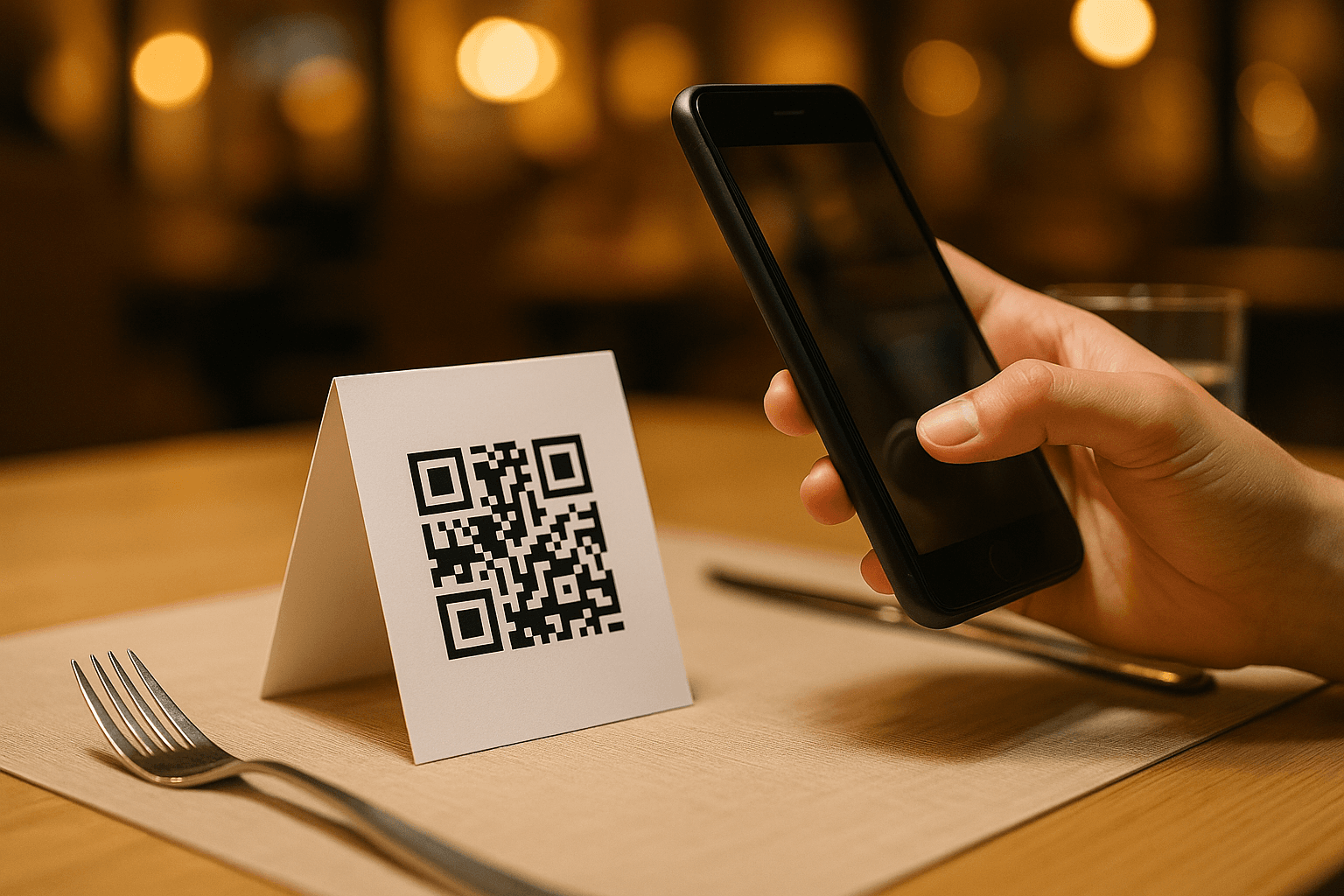
You've created a QR code menu — great. But if guests can't find it, or won't bother scanning it, all that effort is wasted. Placement is the single most overlooked factor in QR menu adoption. Get it right and your scan rate climbs, your staff fields fewer "what's on the menu?" questions, and the whole dining experience feels smoother. Get it wrong and your QR codes become expensive table decorations.
This guide covers every placement zone in a typical restaurant, cafe, or bar — from the front door to the restrooms — with practical advice on materials, sizing, and the small details that separate a 10% scan rate from an 80% one.
Why Placement Matters More Than You Think
A QR code only works if three things happen in sequence: the guest sees it, understands what it does, and feels motivated to scan it. Each placement decision affects all three. A code buried under a condiment bottle fails at step one. A code with no label fails at step two. A code placed only at the host stand — where guests are still focused on being seated — fails at step three.
Think about your guests' natural attention windows: the moments when they're sitting still, slightly bored, and looking around. Those are your prime scan opportunities. Your job is to put a QR code directly in their line of sight at exactly those moments.
The Table: The Highest-Value Placement
The table is where guests spend 90% of their time. It's your most important QR placement zone by a wide margin.
Table tents and standing cards
A small folded card or acrylic stand placed at the center or edge of each table is the industry standard for good reason. It's impossible to miss, easy to reposition, and simple to update — just swap the insert. Aim for a card that's at least 4×4 inches; anything smaller gets lost among glasses and plates. Use a short, friendly instruction like "Scan to see our menu" above the code. Don't assume guests know what to do.
Laminated table inserts
If you prefer a flatter look, a laminated card tucked under a glass plate or slid into a table-top frame works well. The advantage is durability — laminated inserts survive spills and wipe-downs for months. The disadvantage is that they can be covered by plates during service. Position them at the corner or edge of the table to keep them visible throughout the meal.
Printed directly on the table
Some operators print or engrave QR codes directly onto table surfaces or embed them under a resin coating. This looks sleek and eliminates the risk of cards being moved or stolen. The trade-off is inflexibility — if your menu URL changes, you'll need to reprint or use a dynamic QR code that redirects. Always use a dynamic QR code so you can update the destination without reprinting physical materials.
How many codes per table?
For tables of two, one code is enough. For larger tables (four or more), place two codes — one at each end — so guests don't have to pass their phone around or lean across to scan.
The Entrance and Host Stand
The entrance is your first impression and a natural pause point. Guests stop here while waiting to be seated, checking in, or reading specials boards. A QR code at eye level — on a poster, a framed sign, or a window decal — lets curious guests start browsing the menu before they even sit down. This is especially valuable during busy periods when the wait for a table gives them something productive to do.
At the host stand itself, consider a small countertop sign or a printed card clipped to the menus stack. Some restaurants hand guests a small card with the QR code as they're being seated — a nice touch that primes them to scan immediately.
Tip: Pair entrance QR codes with a short tagline that creates curiosity: "See what's new tonight" or "Check today's specials." It gives guests a reason to scan right now rather than waiting.
Bar and Counter Seating
Bar guests are often solo or in pairs, frequently checking their phones anyway, and tend to order in multiple rounds. This makes bar placement extremely high-value.
Bar rail and counter edge
A QR code printed on a narrow strip and attached to the front edge of the bar rail puts the code in direct sightline for anyone sitting at the bar. Alternatively, small acrylic stands spaced every two to three seats work well. Make sure they're weighted or attached so they don't get knocked over during busy service.
Coasters
Custom printed coasters with a QR code on one side are a natural fit for bars and casual dining. Every drink that lands on the table comes with a built-in menu prompt. Coasters are also inexpensive to produce in bulk and easy to replace. The downside: guests may flip them over or use them without noticing the code. Add a small arrow or label to draw attention to the QR side.
Behind the bar
A large-format QR code poster mounted behind the bar — between spirit bottles or above the taps — catches the eye of guests waiting for their drinks. Size matters here: the code needs to be large enough to scan from bar-stool distance (typically 3–5 feet). A 3×3 inch code is the practical minimum at that range; 5×5 inches or larger is safer.
Outdoor Seating and Patios
Outdoor placement introduces weather as a variable. Paper cards and standard laminates degrade quickly in sun, wind, and rain. For outdoor tables, use:
- UV-resistant acrylic stands with replaceable inserts
- Weatherproof vinyl stickers applied to table surfaces or umbrella poles
- Heavy-duty laminated cards with a matte finish to reduce glare in direct sunlight
Glare is the number-one enemy of outdoor QR scans. A glossy code in bright sunlight is nearly impossible to scan. Always use a matte finish on outdoor materials, and orient stands so the code faces away from direct sun during peak service hours.
Also consider that outdoor guests may have slower data connections. Make sure your contactless menu loads quickly on mobile — compress images and avoid heavy animations that stall on a weak signal.
Restrooms and Waiting Areas
This one surprises people, but restrooms and waiting areas are genuinely effective QR placement spots. Why? Because guests in these spaces are idle, have their phones in hand, and have nothing else to do. A QR code on the back of a restroom door or above the sink — at eye level — gets scanned far more than most operators expect.
In waiting areas, mount a framed sign or poster at seated eye level (roughly 42–48 inches from the floor when accounting for someone sitting). Pair it with a message like "Browse our menu while you wait" to make the purpose obvious.
Keep restroom placements hygienic-looking: use framed prints or wall-mounted acrylic holders rather than paper taped to the wall. First impressions of cleanliness matter.
Takeout and Delivery Packaging
QR codes aren't just for dine-in. Printing your menu QR code on takeout bags, boxes, napkins, or receipt slips extends your reach to customers who are eating at home. This is one of the best ways to drive repeat orders — a guest finishes their meal, sees the QR code on the bag, and scans it to plan their next visit or place a direct online order.
If you have a direct online ordering page, this is the QR code to use on packaging. Link it to your ordering page rather than just the menu so the path to repurchase is as short as possible.
Window and Storefront Placement
A QR code on your front window serves two audiences: people waiting outside to be seated, and passersby who are curious about your menu before deciding to come in. This is free marketing that works around the clock.
Use a high-contrast vinyl window decal. White code on a dark background, or dark code on a white background, both work — just avoid low-contrast color combinations that are hard to scan. Include your restaurant name and a simple call to action: "Scan to see our menu." Position it between knee and shoulder height so it's accessible to people standing on the sidewalk.
Materials and Sizing: Quick Reference
The physical quality of your QR placement materials directly affects scan rates. Here's a practical breakdown:
- Minimum code size: 1.5×1.5 inches for scanning at arm's length (under 12 inches). Scale up proportionally for greater distances.
- Scanning distance rule of thumb: The code should be at least 1/10th the size of the scanning distance. At 3 feet, that's roughly 3.6 inches square.
- Finish: Matte always outperforms glossy in varied lighting conditions.
- Contrast: Black on white is the most reliably scannable combination. Avoid embedding codes in busy patterns or low-contrast color schemes.
- Dynamic vs. static: Always use dynamic QR codes so you can update your menu URL without reprinting materials. Most QR code menu generators handle this automatically.
Common Placement Mistakes to Avoid
- Placing codes too low: A QR code on the base of a table leg or below counter height forces guests to crouch or awkwardly angle their phone. Keep codes at seated or standing eye level.
- No instructional text: Not every guest knows to scan a QR code with their camera app. A simple "Point your phone camera here" removes friction for less tech-savvy guests.
- Overcrowding the table: If your table already has a vase, condiments, a candle, and a specials card, adding a QR stand creates clutter. Consolidate — put the QR code on the specials card itself.
- Inconsistent placement: If some tables have QR codes and others don't, guests get confused and staff spend time explaining. Be consistent across every table and seating area.
- Linking to a non-mobile-optimized menu: A PDF menu or a desktop website is a dead end on mobile. Make sure your digital menu is built for phones — fast, scrollable, and readable without pinching and zooming.
Testing Your Placement Before You Go Live
Before your next service, do a walk-through of your dining room as if you're a guest. Sit at each table. Look at the entrance from the sidewalk. Stand at the bar. Ask yourself: Is the QR code visible from where I'm sitting? Is it obvious what it does? Can I scan it comfortably without moving anything?
Then actually scan every code and verify it loads your menu correctly. A broken link or a slow-loading page will cost you a scan — and a guest's patience — every single time.
Consider asking a friend or a regular customer who isn't familiar with your setup to do a cold walk-through. Fresh eyes catch placement problems that you've become blind to.
Frequently Asked Questions
How big should a QR code be on a table tent?
For a table tent scanned at arm's length (roughly 12–18 inches), a QR code of 1.5–2 inches square is the practical minimum. Larger is always better — a 2.5×2.5 inch code on a 4×6 inch card is a reliable standard. Never make the code so small that it competes visually with surrounding design elements.
Should I use the same QR code in every location?
You can use the same code if it links to your full menu. However, using location-specific codes (one for tables, one for the bar, one for the window) lets you track which placements drive the most scans — useful data for optimizing over time. Many QR menu platforms support multiple codes pointing to the same menu.
What if some of my guests don't have smartphones?
Keep a small number of printed menus available on request. QR menus don't have to be all-or-nothing. Most operators find that 10–15% of guests prefer a physical menu, and having a few on hand eliminates any friction for that segment. Over time, as smartphone adoption continues to grow, that number typically decreases.
How do I prevent QR codes from being damaged or stolen?
Use laminated inserts, acrylic stands, or table-surface applications for durability. For theft prevention, acrylic stands with weighted bases are harder to pocket than paper cards. If you use table-surface stickers or resin-embedded codes, theft is essentially a non-issue. Always keep a backup supply of printed inserts so you can replace damaged ones quickly.
Do QR code menus work for outdoor dining in all weather?
Yes, with the right materials. Use UV-resistant acrylic holders, weatherproof vinyl stickers, or heavy-duty laminated cards with a matte finish. Avoid glossy finishes outdoors — direct sunlight creates glare that makes codes nearly impossible to scan. Position codes to face away from the sun during peak service hours where possible.
Ready to put these placement strategies into action? Create your QR code menu with MenuHoster in minutes — no design experience needed, no app required for your guests, and your menu works perfectly on any smartphone. Set up your menu, generate your codes, and start placing them where they'll actually get scanned.
MenuHoster Team
Helping restaurants go digital