How to Add Allergen and Dietary Labels to Your Menu the Right Way
Updated:
A guest with a peanut allergy asks your server what's safe to order. Your server isn't sure. They check with the kitchen. The table waits. The guest feels like a burden. That interaction—awkward, slow, and potentially dangerous—is exactly what good allergen labeling on your menu is designed to prevent.
Getting allergen and dietary labels right isn't just about compliance. It's about guest trust, smoother service, and fewer costly mistakes. This guide walks you through the practical steps: what labels to include, how to present them clearly, where to put them, and how a digital menu makes the whole process significantly easier to maintain.
Why Allergen Labeling Matters More Than Ever
Food allergies affect roughly 33 million Americans, according to FARE (Food Allergy Research & Education). That's not a niche concern—it's a large slice of your dining room on any given night. On top of that, dietary preferences like vegan, vegetarian, and gluten-free have moved from fringe to mainstream. Guests now expect menus to communicate this information proactively, not reactively.
The consequences of getting it wrong range from a bad review to a medical emergency. A guest who experiences an allergic reaction at your restaurant faces real danger, and your business faces real liability. Even setting aside worst-case scenarios, failing to communicate allergen information clearly creates friction—guests who can't quickly identify safe options often choose somewhere else, or they order cautiously and spend less.
Clear labeling solves all of this at once. It speeds up ordering, reduces server interruptions, builds confidence with guests who have dietary needs, and demonstrates that your kitchen takes food safety seriously.
Know the Major Allergens You Need to Cover
In the United States, the FDA recognizes nine major food allergens that account for the vast majority of serious allergic reactions. As of January 2023, sesame was added to the original eight. These are the allergens your menu should address:
- Milk
- Eggs
- Fish (e.g., bass, flounder, cod)
- Shellfish (e.g., crab, lobster, shrimp)
- Tree nuts (e.g., almonds, walnuts, pecans)
- Peanuts
- Wheat
- Soybeans
- Sesame
If you operate in the UK or EU, your list is slightly different—the EU mandates 14 allergens including celery, mustard, lupin, molluscs, and sulphur dioxide. Know which regulations apply to your location and make sure your labels reflect them accurately.
Beyond the legal minimums, consider common dietary categories your guests ask about most frequently: gluten-free, dairy-free, vegan, vegetarian, halal, and kosher. Not all of these carry the same legal weight, but all of them affect how guests interact with your menu.
What the Law Actually Requires for Restaurants
Here's where many restaurant owners get confused: in the United States, the FDA's food allergen labeling laws primarily govern packaged foods, not restaurant menus. There is currently no federal law mandating that restaurants list allergens on their menus in a specific format.
However, that doesn't mean you're off the hook. Several states have their own requirements. Massachusetts, for example, requires restaurants to post a food allergy awareness poster and have a system for communicating allergen information to guests. Many municipalities have similar rules. Check your state and local health department guidelines—this is not an area to guess about.
More importantly, even where labeling isn't legally required, the standard of care argument in liability cases means that if a guest has a reaction and you had no system in place to communicate allergens, you face greater exposure. Proactive, accurate labeling is both a practical and legal protection.
One critical rule: Never label a dish as allergen-free unless your kitchen has strict protocols to prevent cross-contamination. A "gluten-free" label on a dish prepared on the same surface as wheat-containing foods can be more dangerous than no label at all. If you can't guarantee it, say "made without gluten-containing ingredients" instead, and note that cross-contamination is possible.
Choosing Your Label System: Icons, Text, or Both
There's no single right answer here, but there are clear best practices. The most effective menus use a combination of icons and a legend, supported by brief text where needed.
Icon-Based Labels
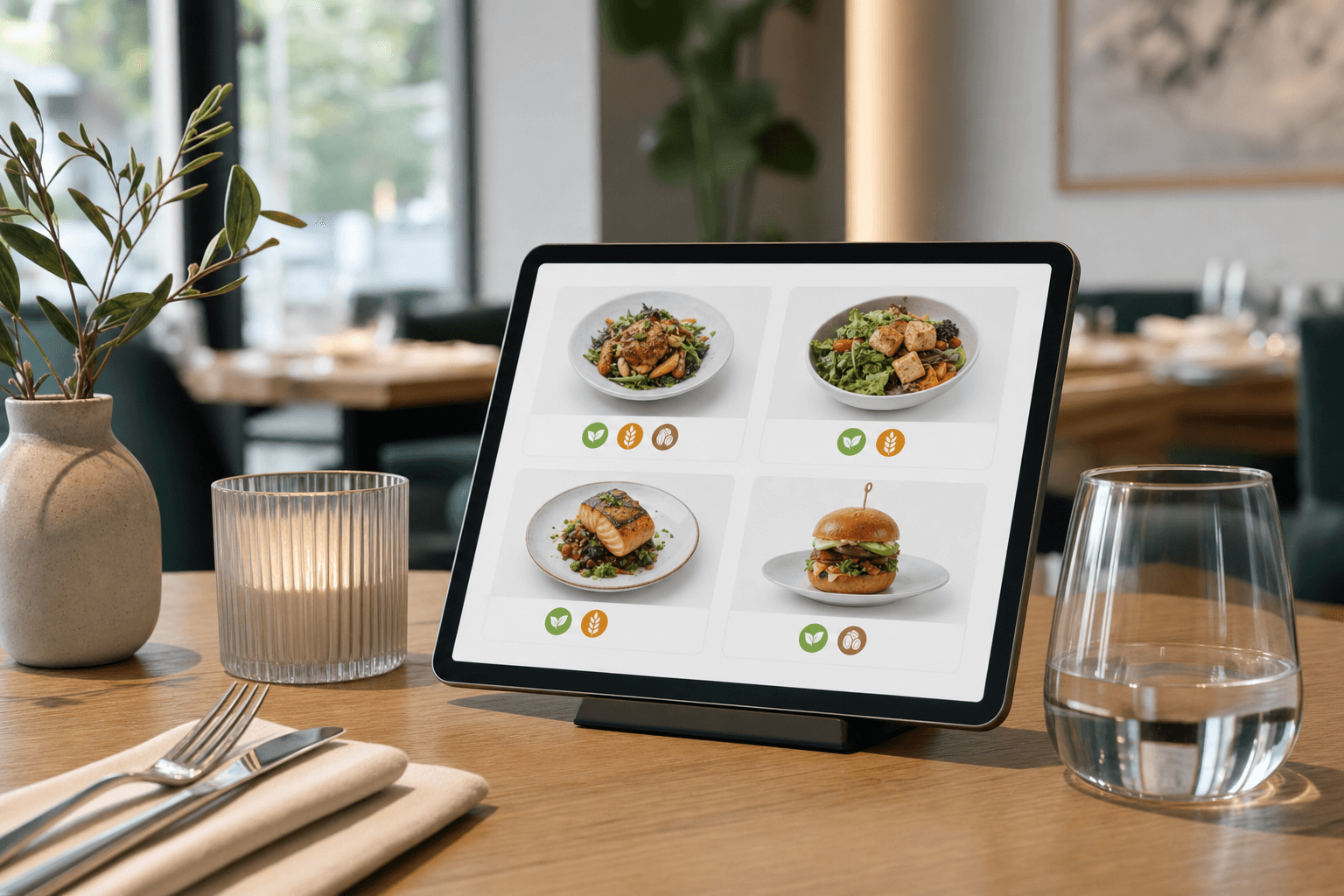
Small, consistent icons next to each menu item are the most scannable format. Guests can quickly identify which items meet their needs without reading every description. Common icons include a wheat stalk (contains gluten or crossed out for gluten-free), a leaf (vegan or vegetarian), a nut symbol, a milk drop, and so on. Keep icons simple, high-contrast, and consistent throughout the menu.
Text-Based Labels
Some menus use short text tags—GF for gluten-free, V for vegetarian, VG for vegan, DF for dairy-free. These work well but require a clear legend somewhere on the menu. Without a legend, abbreviations create confusion rather than clarity.
Full Allergen Listings
For a more thorough approach—especially useful for guests with serious allergies—you can include a full allergen matrix, either inline in the menu or as a separate document available on request. A digital menu makes this easy: you can link to a detailed allergen breakdown for each item without cluttering the main view.
The Legend
Whatever system you use, include a clear legend. Place it at the top or bottom of your menu, or in a consistent sidebar. It should explain every symbol or abbreviation used and include a disclaimer about cross-contamination if applicable. Don't assume guests will know what your icons mean.
Writing Accurate Allergen Information: Getting the Details Right
Accuracy is non-negotiable. An incorrect allergen label is worse than no label. Here's how to build a reliable process:
- Audit every recipe. Go ingredient by ingredient through every dish on your menu. Check not just the obvious ingredients but sauces, marinades, garnishes, and cooking oils. Many allergens hide in unexpected places—soy in Worcestershire sauce, wheat in soy sauce, dairy in certain margarines.
- Check your supplier labels. Ingredients you buy pre-made may contain allergens not obvious from the product name. Review ingredient lists on every packaged product you use.
- Document everything. Create a master allergen matrix—a spreadsheet with every menu item in rows and every allergen in columns. Mark each cell with a yes/no or contains/may contain. This becomes your reference document for training staff and updating the menu.
- Update when recipes change. If you swap a supplier or modify a dish, the allergen matrix must be updated before the menu changes go live. This is where a digital menu maker pays for itself—you can update labels instantly without reprinting anything.
- Have a chef or manager review the final labels. Don't rely on front-of-house staff alone to verify allergen accuracy. The kitchen team needs to own this information.
Design and Placement: Making Labels Easy to Find
Even accurate labels fail if guests can't find or read them. Here are the design principles that make allergen information actually useful:
- Consistent placement: Always put labels in the same location relative to the item name—either immediately after the name or at the end of the description. Inconsistency forces guests to hunt.
- Sufficient contrast: Icons and text labels need to be readable at menu size. Light gray on white doesn't work. Use colors or symbols with enough contrast to be legible in dim restaurant lighting.
- Don't bury the legend: A legend in tiny print at the very bottom of a long menu is nearly useless. Make it prominent and easy to find.
- Don't over-clutter: If every item has eight icons, the menu becomes visually overwhelming. Prioritize the labels guests most frequently need. If your cuisine rarely uses shellfish, you may not need a shellfish icon on every item—but you do need it on the ones that contain it.
- Use color thoughtfully: Color-coding dietary categories (green for vegan, yellow for vegetarian, for example) can speed up scanning, but make sure your color choices are accessible to colorblind guests. Always pair color with a shape or text, not color alone.
Good restaurant menu design balances visual clarity with practical information. Allergen labels should feel integrated into the design, not like an afterthought stamped on top.
Why Digital Menus Have a Clear Advantage for Allergen Labeling
Paper menus have a fundamental problem with allergen information: they're static. When a recipe changes, you have to reprint. When a supplier changes an ingredient, you have to reprint. When you add a seasonal special, you have to reprint—or hand out a separate insert that guests may not connect to the allergen legend on the main menu.
A digital menu solves this completely. You update the allergen label in your dashboard, and every guest who scans the QR code or visits your menu page sees the updated version immediately. No reprinting cost, no lag time, no outdated paper menus floating around the dining room with incorrect information.
Beyond real-time updates, digital menus can do things paper menus simply can't:
- Filterable menus: Guests can filter by dietary preference (vegan, gluten-free, nut-free) and see only the items that match. This is particularly valuable for guests with multiple dietary restrictions.
- Expandable detail: Tap an item to see a full ingredient list or allergen breakdown without cluttering the main menu view.
- Automatic cross-referencing: Some platforms let you set allergen attributes at the ingredient level so that labels update automatically when you modify a recipe.
If you're still working from a PDF menu or a static printed card, now is a good time to consider making the switch. You can even convert your existing PDF menu to a QR code menu as a starting point, then build out allergen labels from there.
Training Your Staff to Support Your Labels
Labels on the menu are only part of the solution. Staff training is the other half. Every server, host, and bartender should be able to:
- Explain what each label or icon means
- Direct guests to allergen information confidently
- Know which dishes can be modified and which cannot
- Understand when to escalate a guest's question to a manager or chef
- Know your kitchen's cross-contamination protocols
A common failure mode: a server tells a guest a dish is "probably fine" for their allergy without actually checking. This is both dangerous and a liability. Train staff to say "Let me confirm that with the kitchen" rather than guessing. That response takes slightly longer but protects the guest and the restaurant.
Run allergen training as part of onboarding and refresh it whenever the menu changes significantly. Keep the master allergen matrix accessible in the kitchen and at the host stand so staff can reference it quickly.
Common Mistakes to Avoid
- Labeling dishes as allergen-free without verifying cross-contamination protocols. If your kitchen shares equipment, fryers, or prep surfaces, you cannot guarantee allergen-free status.
- Using vague language like "may contain traces." This is sometimes appropriate as a cross-contamination disclaimer, but don't use it as a substitute for actual labeling. It reads as a cop-out if applied broadly.
- Forgetting about beverages. Cocktails, smoothies, and coffee drinks can contain allergens—dairy, nuts, soy. Don't label food items carefully and then leave drinks unlabeled.
- Not updating labels when recipes change. A dish that was dairy-free last month may not be this month if you switched a supplier. Build a process for triggering menu label reviews whenever any recipe or ingredient changes.
- Inconsistent terminology. If you call something "gluten-free" on one page and "no gluten" on another, guests and staff get confused. Pick a standard set of terms and use them consistently.
Frequently Asked Questions
Are restaurants legally required to list allergens on menus in the US?
There is no federal law requiring US restaurants to list allergens on menus in a specific format—FDA allergen labeling laws primarily cover packaged foods. However, some states and municipalities have their own requirements, and liability exposure makes proactive labeling strongly advisable. Always check your state and local health department rules.
What's the difference between "gluten-free" and "made without gluten-containing ingredients"?
"Gluten-free" implies a level of certainty about the absence of gluten that requires strict kitchen protocols to prevent cross-contamination. "Made without gluten-containing ingredients" is more accurate if you cannot guarantee a fully gluten-free preparation environment. The latter phrasing is safer if your kitchen handles wheat regularly, and you should accompany it with a cross-contamination disclaimer.
How do I handle allergen labeling for daily specials?
Daily specials are one of the most common gaps in allergen communication. If you're using a digital menu, add specials as temporary items with allergen labels before they go out to the floor. If you're using a printed or verbal specials board, train servers to proactively communicate allergen information for each special at the table—and make sure the kitchen has documented the allergen profile before service begins.
Can I use the same allergen icons as other restaurants, or do I need custom ones?
There's no legal requirement to use specific icons. Standard symbols (wheat stalk, leaf, nut, milk drop) are widely recognized and work well. What matters is that your icons are clear, paired with a legend, and used consistently. Many digital menu platforms include built-in allergen icon sets you can use directly.
How often should I review my allergen labels?
Review allergen labels whenever you change a recipe, switch a supplier, add a new menu item, or run a seasonal menu. Beyond event-triggered reviews, do a full audit at least twice a year—ideally at every major menu refresh. This is much easier to manage with a digital menu, where updates take minutes rather than requiring a full reprint.
Ready to make allergen and dietary labeling easier to manage and update? Try MenuHoster's online menu maker to build a digital menu where you can add, edit, and display allergen labels in real time—no reprinting, no outdated information, and no more guessing at the table. See our pricing and get started today.
MenuHoster Team
Helping restaurants go digital