How to Make Your Menu the Centerpiece of Your Website
Updated:
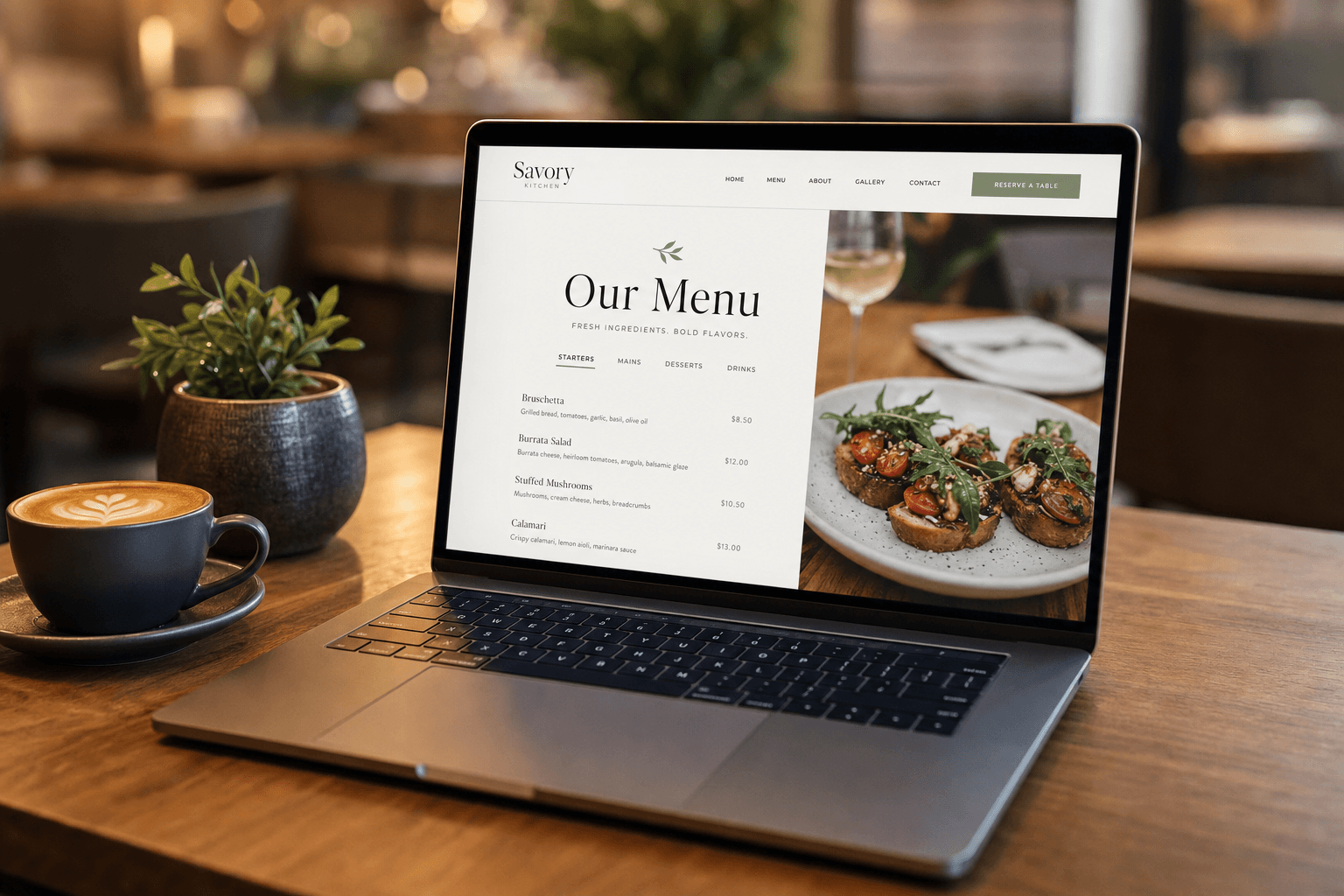
Most restaurant websites bury the menu. It's tucked behind an "About Us" page, hidden inside a PDF that takes ten seconds to load, or crammed into a footer link nobody clicks. Meanwhile, the homepage is dominated by a hero image of an empty dining room and a tagline like "Experience the Difference."
Here's the reality: your menu is the single most important piece of content on your website. It's the reason people visit. It's what converts a curious browser into a paying customer. It's what Google indexes to understand what you serve. And it's what a first-time visitor uses to decide whether to book a table or keep scrolling.
This guide walks you through exactly how to restructure your website — or build one from scratch — so your menu is front and center, working for you 24 hours a day.
Why the Menu Belongs at the Top of Your Website Strategy
Before diving into tactics, it's worth understanding why so many restaurant websites get this wrong — and what the cost is.
The typical restaurant site is built by someone who thinks of it as a branding exercise. The goal becomes "looking professional," which usually means big photography, vague copy, and a navigation structure borrowed from corporate websites. The menu becomes an afterthought.
But your visitors don't behave like corporate clients. They're hungry, they're on their phone, and they want to know two things immediately: What do you serve? and How much does it cost? If they can't find that information in under ten seconds, they leave.
As we've covered in detail in why your menu page matters more than your homepage, the menu page routinely outperforms the homepage in time-on-page, conversion rate, and return visits. That alone should tell you where to invest your design energy.
Step 1: Audit Your Current Menu Presentation
Before you redesign anything, take an honest look at how your menu currently appears online. Ask yourself these questions:
- Is the menu reachable in one click from the homepage? If it takes two or more clicks, you're losing visitors.
- Is it a PDF? PDFs are slow to load on mobile, can't be indexed properly by Google, and offer zero interactivity. They also look terrible on a phone screen.
- Does it load fast? A menu page that takes more than three seconds to load on a mobile connection will be abandoned by a significant portion of visitors.
- Is it current? An outdated menu — with old prices, discontinued items, or last season's specials — actively damages trust.
- Is it readable on a phone? More than 70% of restaurant website traffic comes from mobile devices. If your menu isn't optimized for small screens, most of your visitors are having a bad experience.
If you answered "no" or "I'm not sure" to any of these, you have clear, fixable problems. Let's address them one by one.
Step 2: Make Menu Navigation Impossible to Miss
The menu link should be the most prominent item in your navigation bar — not buried between "Events" and "Contact." On mobile, it should be the first or second item in your hamburger menu.
Go further: put a direct call-to-action button on your homepage hero section that says "View Our Menu" or "See the Menu." Don't make people hunt. This single change — adding a prominent menu button to your homepage — can increase menu page visits by a significant margin.
If your site has a sticky header (one that stays visible as users scroll), make sure the menu link is always visible there. Visitors who scroll down your homepage to read about your story or see your photos should still be one click away from the menu at all times.
Step 3: Ditch the PDF Menu for Good
This is non-negotiable. A PDF menu is the digital equivalent of handing someone a photocopy of a fax. It:
- Doesn't render well on mobile screens
- Can't be read by search engines (so Google can't index your dishes)
- Requires a separate app or browser plugin to open on some devices
- Can't be updated without re-uploading a new file
- Provides no analytics — you have no idea if anyone is reading it
Replace it with a proper digital menu that lives as a real webpage. A well-built digital menu is fast, mobile-friendly, searchable, and easy to update. It's also something you can link to from Google Business Profile, Instagram, and anywhere else you have an online presence.
Step 4: Design the Menu Page Like It's the Star
Once visitors land on your menu page, the design should make it effortless to browse. Here's what a well-designed menu page includes:
Clear Category Navigation
If your menu has multiple sections — starters, mains, desserts, drinks — give visitors a way to jump directly to the section they want. Anchor links or sticky category tabs at the top of the page are ideal. Nobody wants to scroll through 40 items to find the cocktail list.
Readable Typography at Any Size
Item names should be large and bold. Descriptions should be in a smaller but still legible size. Prices should be clearly visible without requiring squinting. Test your menu on an actual phone, not just a browser window resized to mobile dimensions.
Purposeful Use of Images
You don't need a photo of every item. In fact, too many images slow the page down and can make it feel cluttered. Use high-quality images selectively — for signature dishes, specials, or items you want to push. A few great photos are more effective than dozens of mediocre ones. For more on this, see our guide on restaurant menu design tips.
Item Descriptions That Do Work
A dish name alone rarely sells. A brief, well-written description — two sentences at most — can significantly increase the likelihood of that item being ordered. Focus on key ingredients, preparation style, and flavor profile. Skip the adjective soup ("succulent," "mouth-watering," "artisanal") and say something specific instead.
Dietary and Allergen Labels
Gluten-free, vegan, nut-free, spicy — label these clearly. Customers with dietary restrictions will make their dining decision based on whether they can quickly identify safe options. If they have to call or ask, many will simply choose a different restaurant.
Step 5: Connect the Menu Directly to Ordering
A menu that exists only to inform is leaving money on the table. The next logical step after browsing a menu is placing an order — and your website should make that transition seamless.
If you offer online ordering, the "Order Now" button should appear prominently on the menu page itself, not just in the navigation. Ideally, it should be visible without scrolling — either as a sticky button or placed near the top of the menu page.
If you don't yet offer online ordering, this is worth serious consideration. Commission-free ordering systems are now accessible to independent restaurants without significant technical overhead. The key is making the path from "browsing the menu" to "placing an order" as short as possible.
Step 6: Use QR Codes to Bridge Physical and Digital
Your website menu and your in-restaurant experience should be the same thing. A QR code menu placed on tables, at the host stand, and on your takeout packaging all point to the same digital menu on your website. This creates consistency and reinforces your brand at every touchpoint.
QR codes also give you something valuable: data. When you use a properly set-up QR menu system, you can see how many people are scanning, when they're scanning, and which pages they're spending time on. That's information you can use to make smarter decisions about your menu and your marketing.
Beyond tables, think about where else a QR code pointing to your menu makes sense: window stickers for passersby, business cards, receipts, loyalty cards, and even your social media bio link.
Step 7: Optimize Your Menu Page for Search
A menu page that lives as real HTML — not a PDF, not an image — is a powerful SEO asset. Here's how to make the most of it:
- Use descriptive page titles and meta descriptions. "Menu | Joe's Bistro" is fine, but "Italian Dinner Menu | Joe's Bistro — Downtown Austin" is better. It tells Google (and searchers) exactly what the page is about and where you are.
- Include your location naturally in the page copy. "Our seasonal pasta dishes are made fresh daily in our [City] kitchen" is a natural way to reinforce local relevance.
- Use structured data (Schema markup) if possible. Restaurant schema can help Google display your menu items directly in search results. Many modern menu platforms handle this automatically.
- Keep the page updated. Fresh content signals to Google that the page is maintained. Seasonal menu updates, new dishes, and changed prices are all reasons to update the page — which is good for both visitors and search rankings.
Step 8: Build a Process for Keeping the Menu Current
An outdated menu is worse than no menu. If a customer shows up expecting a dish they saw online and it's no longer available, or they're quoted a different price, you've broken trust. Do this enough times and you'll see it show up in your reviews.
The solution is to use a menu platform that makes updates fast and easy — ideally something you can update from your phone in under five minutes. Price change? Update it immediately. Seasonal special ending? Remove it the same day. New item launching? Add it before the first service it's available.
Build a simple habit: every time your printed menu changes, your digital menu changes at the same time. They should always be identical. Using an online menu maker that lets you manage everything in one place makes this dramatically easier than maintaining a separate PDF and a separate webpage.
Bonus: This Applies Beyond Restaurants
Everything in this guide applies equally to cafes, bars, food trucks, and even service businesses like salons that publish a service menu. The principle is the same: the thing your customers most want to see is what you offer and what it costs. Make that information the easiest thing to find on your website, and everything else — trust, conversions, repeat visits — follows naturally.
If you're starting from scratch or looking for a clean foundation, browsing menu templates designed specifically for food and hospitality businesses can save significant time and ensure you're starting with a mobile-optimized, menu-first structure.
Frequently Asked Questions
Should my menu be on its own page or embedded in the homepage?
It should have its own dedicated page. Embedding a full menu on the homepage creates a cluttered, slow-loading experience. Your homepage should introduce your brand and direct visitors to the menu page with a clear call-to-action button. The menu page itself should be clean, focused, and easy to navigate.
Is it okay to still have a PDF version of the menu available?
A downloadable PDF can be a secondary option for customers who want to print the menu or save it offline, but it should never be the primary way your menu is presented online. Always lead with a proper digital menu page. The PDF, if you offer it at all, should be a supplementary download link — not the main event.
How often should I update my online menu?
Every time anything changes — prices, availability, seasonal items, or new additions. There's no such thing as updating too frequently. The goal is for your online menu to always be an accurate reflection of what you're currently serving. Customers who discover discrepancies between your online menu and your actual menu lose trust quickly.
Do I need professional photos on my menu page?
Professional photos help, but they're not strictly required. A few high-quality images of your best dishes are better than many low-quality ones. If you can't afford a professional shoot, a well-lit smartphone photo in natural light is acceptable for most items. Focus on your signature dishes and most-ordered items first.
What's the fastest way to build a menu-first website if I'm starting from scratch?
Use a platform built specifically for restaurant and hospitality menus rather than a general website builder. Purpose-built tools come with menu-optimized templates, mobile-first layouts, QR code generation, and easy update workflows already built in. You can have a professional, functional menu page live in an afternoon — without needing a web developer.
Ready to put your menu where it belongs — front and center? MenuHoster is built specifically for restaurants, cafes, bars, and salons that want a fast, professional digital menu without the complexity of a full website build. Explore MenuHoster's plans and get your menu online today — no developer required.
MenuHoster Team
Helping restaurants go digital