How to Use QR Code Menus to Reduce Order Errors and Improve Accuracy
Updated:
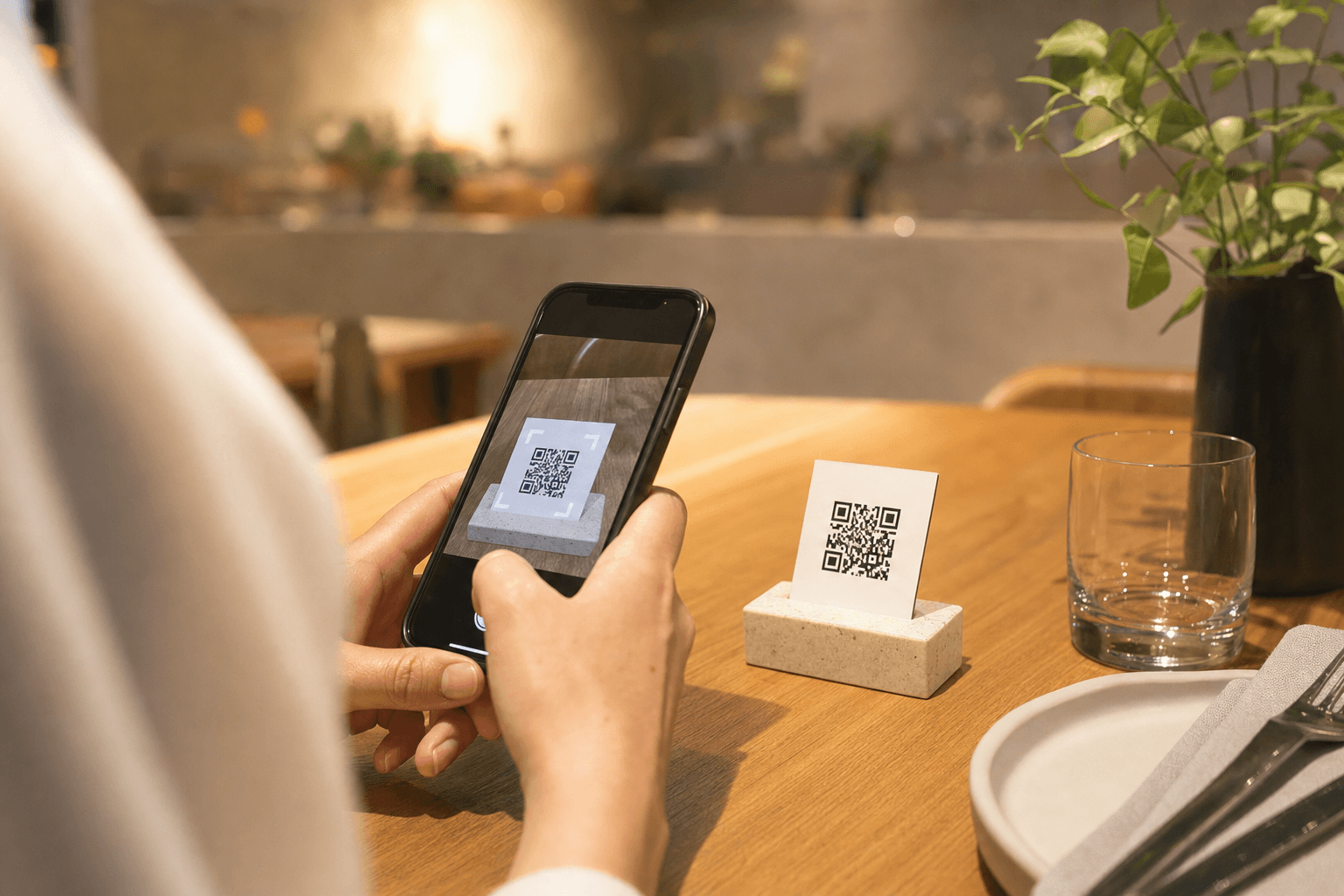
Order errors are expensive. A wrong dish sent back to the kitchen wastes food, slows service, and leaves a guest frustrated enough to think twice about returning. Most restaurateurs accept a certain error rate as unavoidable — but the truth is, a large share of mistakes are structural, not human. They happen because of handwriting that can't be read, verbal orders misheard over noise, or paper menus that haven't been updated since last season.
QR code menus don't just replace a laminated card. When implemented thoughtfully, they remove several of the most common failure points in the ordering chain. This guide explains exactly how that works and what you need to do to get the full benefit.
Why Order Errors Happen in the First Place
Before fixing a problem, it helps to understand where it originates. Restaurant order errors typically fall into a handful of categories:
- Verbal miscommunication: A busy dining room is loud. Guests mumble, servers mishear, and nobody wants to ask for a third repeat.
- Handwriting and transcription: A server's shorthand on a notepad gets misread in the kitchen. "No onion" becomes "add onion."
- Stale menus: A paper menu still lists a dish that was 86'd two weeks ago. The server has to walk back to the table and deliver bad news.
- Modifier confusion: Guests verbally request substitutions that don't get recorded cleanly — or at all.
- Memory gaps: A server takes four tables' worth of orders in their head before punching anything in. Details blur.
A well-configured contactless menu addresses most of these directly.
How QR Code Menus Cut the Error Chain
Guests read the menu themselves — in their own time
When a guest reads their own menu on their own phone, the information travels directly from screen to brain. There's no verbal relay, no interpretation by a third party. They see exactly what the dish contains, how it's priced, and what options are available. That alone eliminates a significant category of "I thought it came with…" complaints.
Modifiers and customizations are captured in writing
Digital menus that connect to an ordering flow let guests select their own modifications — gluten-free, no cilantro, dressing on the side — through structured checkboxes and dropdowns. The kitchen receives a printed or displayed ticket with every modifier spelled out. Compare that to a server trying to remember four separate customizations across a table of six.
The menu is always current
When you update your digital menu, every QR code pointing to it reflects the change instantly. If you run out of the sea bass at 7 p.m., you can mark it unavailable from your phone in under a minute. No guest will order it, no server will have to apologize, and no kitchen will start prepping a dish that can't be completed. This is one of the most underrated operational wins of going digital — see our guide on handling menu item availability in real time for a deeper look.
Allergen and dietary information is visible upfront
Allergen errors are not just costly — they can be dangerous. When allergen icons and ingredient notes are embedded directly in each menu item, guests self-filter before they order. The server doesn't need to be an expert on every dish's composition. Guests with serious allergies can read the details themselves and flag concerns before anything is prepared.
Setting Up Your QR Menu for Maximum Accuracy
Owning a QR code menu is not enough. The way you build and maintain it determines whether it actually reduces errors. Here's what to get right.
Write descriptions that answer the obvious questions
Every item description should preemptively answer what a guest would ask a server: What's in it? How is it cooked? Does it come with a side? Can it be made vegetarian? Short, factual descriptions reduce the need for table-side clarification and the verbal back-and-forth where errors are born.
Avoid vague language like "chef's selection of seasonal ingredients." That sounds elegant but tells the guest nothing and increases the chance of a surprise they didn't want.
Use structured modifiers, not open text fields
If your QR menu supports ordering, build out modifier groups properly. Instead of a free-text "special instructions" box — which is easy to ignore or misread — create explicit options:
- Protein choice: chicken / tofu / shrimp (+$3)
- Spice level: mild / medium / hot
- Extras: add avocado (+$2) / add egg (+$1.50)
- Remove: onions / cilantro / cheese
Structured inputs produce structured tickets. Structured tickets mean fewer kitchen questions and fewer mistakes.
Keep your menu accurate and up to date
A digital menu that still lists discontinued items, wrong prices, or outdated descriptions creates its own category of errors. Assign someone — even if it's you — the responsibility of reviewing the menu weekly. When a supplier changes an ingredient, update the description. When you pull a dish, remove or disable it immediately. The accuracy of your QR menu is only as good as the discipline behind it. For a practical process, read our piece on reducing order errors with a clearer, better-structured menu.
Use photos strategically
A photo of a dish sets a clear expectation. When a guest sees exactly what they're ordering — the portion size, the plating, the color of the sauce — they're less likely to be surprised when it arrives. Surprises, even pleasant ones, sometimes turn into complaints. Use real photos of your actual dishes, not stock images. Misleading visuals create a different kind of error: the gap between expectation and reality.
Organize the menu so items are easy to find
An error sometimes happens simply because a guest ordered the wrong item — they meant the Caesar salad but tapped the Greek salad because the categories were muddled. Clear section headers, logical groupings, and consistent naming reduce navigation mistakes. If your menu is large, consider how you're structuring it; our guide on organizing a large menu so guests don't feel overwhelmed covers this in detail.
Training Your Staff Around QR Menus
QR menus shift some of the ordering work from server to guest, but that doesn't mean your team is off the hook. It means their role changes.
Servers become verifiers, not transcribers
When an order comes through digitally, the server's job is to confirm receipt, check for anything unusual, and make sure the kitchen has what it needs. That's a more reliable role than memorizing and transcribing. Train your team to review incoming orders quickly for anything that looks like a conflict — a guest who selected "no dairy" but also added a cheese topping, for example.
Handle edge cases gracefully
Not every guest will use the QR menu. Older guests, those without smartphones, or those who simply prefer talking to a person should always be accommodated without friction. Your servers should be able to take a verbal order just as well as before — the QR menu is a tool, not a mandate. Make sure staff know how to handle both flows smoothly.
Communicate menu changes in pre-shift briefings
Even with a live digital menu, your team should know about 86'd items, daily specials, and any ingredient substitutions before service starts. The digital menu handles the guest-facing side; your staff briefing handles the kitchen-side context. Both matter.
QR Menu Placement and Scan Reliability
An error that often gets overlooked: guests who can't scan the QR code and then order verbally from memory — or don't order at all. Placement and print quality matter more than most operators realize.
- Size: QR codes should be at least 1.5 inches square on a printed card or table tent. Smaller codes fail to scan reliably, especially in dim lighting.
- Contrast: Black code on white background. Avoid colored or low-contrast designs that look stylish but scan poorly.
- Placement: Put the code where a seated guest naturally looks — center of the table, on a tent card, or affixed to the condiment holder. Don't hide it on the back of a card.
- Backup URL: Every QR code should have a short, typed URL printed beneath it. Guests who can't scan can type the address manually. This is a simple reliability fix that most operators skip.
You can generate well-formatted, reliable QR codes through MenuHoster's QR code menu generator, which handles sizing and linking automatically.
Measuring the Impact on Order Accuracy
If you're going to invest time in setting this up properly, you should be able to tell whether it's working. Here are practical ways to track order accuracy improvement:
- Track remakes: Keep a simple log of dishes sent back or remade each week. Even a tally on a notepad gives you a baseline. Compare before and after QR menu adoption.
- Monitor comps: Comped items due to wrong orders show up in your POS data. Pull that report monthly.
- Ask your kitchen: Line cooks know when tickets are confusing. Ask them directly whether order clarity has improved since switching to digital menus.
- Guest feedback: A short feedback prompt at the end of a digital ordering flow can surface complaints you'd never hear otherwise.
Most operators who track this carefully see a noticeable drop in remakes within the first month of a well-implemented QR menu rollout. The gains compound when you also improve menu structure and modifier setup.
Common Mistakes That Undercut Accuracy Gains
Operators sometimes adopt QR menus but don't see the accuracy improvements they expected. Usually, it traces back to one of these mistakes:
- Linking to a PDF instead of a live menu: A PDF can't be updated in real time, can't show availability, and doesn't support structured ordering. It's better than nothing, but it leaves most of the accuracy gains on the table.
- Skipping modifiers: A menu that shows items but doesn't capture customizations still relies on verbal communication for everything guests want to change.
- Not updating the menu: A stale digital menu is just a stale paper menu with a QR code in front of it. The accuracy benefit comes from the menu being live and current.
- Ignoring staff training: If servers don't understand the new flow, they'll revert to old habits. The system only works if everyone uses it consistently.
Frequently Asked Questions
Do QR code menus actually reduce order errors, or is that just a claim?
The reduction is real, but it's not automatic. It depends on how well the menu is built. A QR menu with accurate descriptions, structured modifiers, and real-time availability updates removes the most common error sources: verbal miscommunication, handwriting, and stale information. Operators who set it up properly and maintain it consistently do see measurable drops in remakes and complaints.
What if a guest has a complex customization that doesn't fit the modifier options?
Build your modifier groups to cover the most common requests — that handles 90% of cases. For unusual requests, guests can still flag a server or use a notes field if you choose to include one. The goal isn't to eliminate server interaction entirely; it's to capture the routine modifications digitally so they don't get lost.
How quickly can I update my QR menu when something runs out?
With a live digital menu platform, updates are immediate. You log in, mark the item as unavailable, and save. Every guest who scans the QR code from that moment on will see the item correctly marked — or hidden entirely, depending on your settings. No reprinting, no table visits, no awkward conversations.
Should I still have a physical menu as a backup?
For most restaurants, yes — at least for the transition period and for guests who prefer it. A small number of printed menus kept behind the host stand handles the edge cases without undermining the digital-first approach. Over time, as your QR adoption rate climbs, you'll find the physical menus are used less and less.
Does a QR menu help with allergen accuracy specifically?
Yes, significantly. When allergen information is embedded in each menu item and visible to the guest before they order, it reduces reliance on server knowledge and verbal communication — both of which are error-prone. Guests with serious allergies should always confirm with staff, but a well-labeled digital menu gives them much better information to start from.
Ready to cut order errors and run a tighter operation? MenuHoster makes it straightforward to build a live, structured digital menu with QR codes you can deploy today. See our pricing and get started — most restaurants have their QR menu live within an hour.
MenuHoster Team
Helping restaurants go digital