Coffee Shop Upselling: Pastries, Sizes, and Add-Ons
Updated:
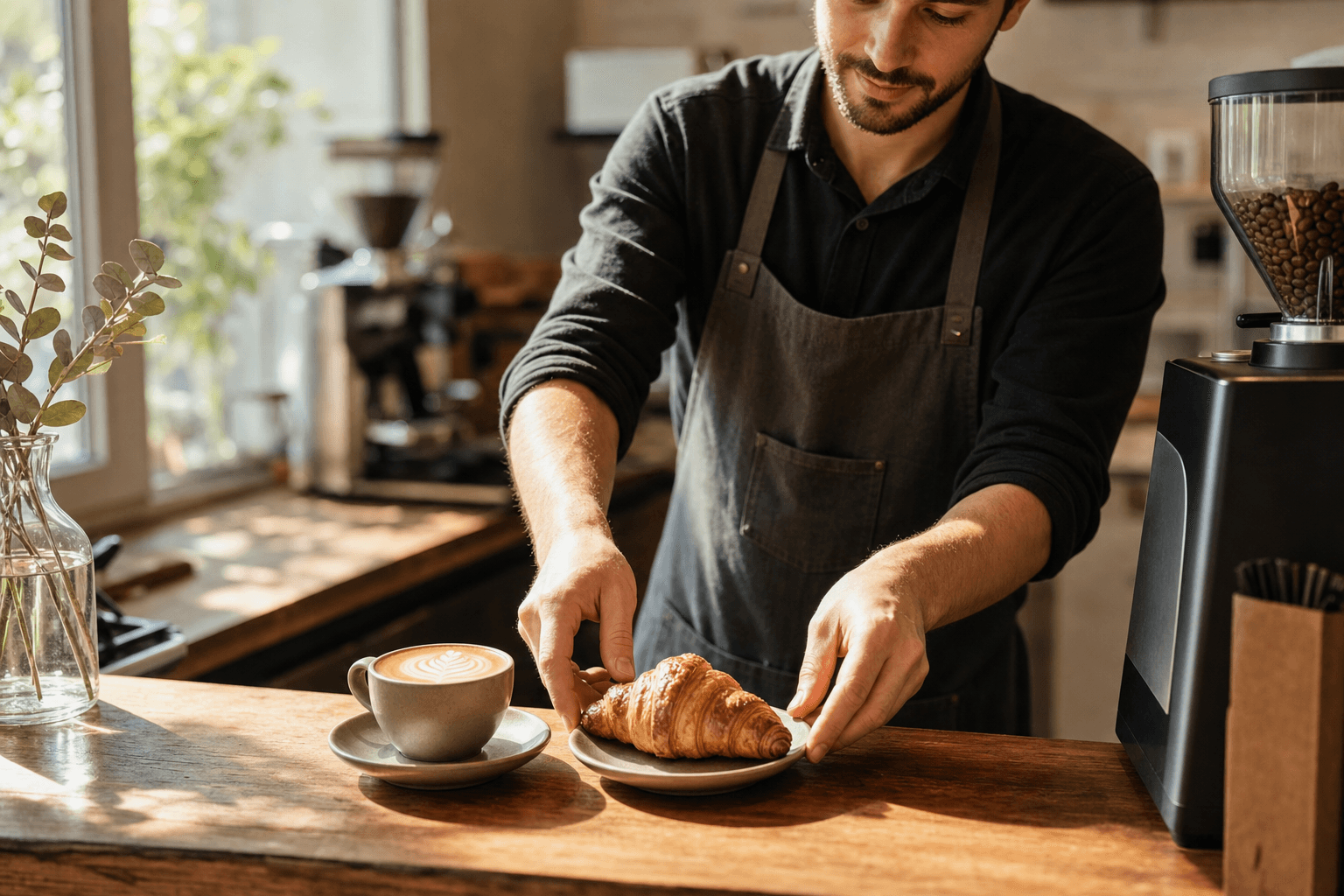
The average independent coffee shop transaction sits somewhere between $5 and $7. A well-executed upsell—one croissant, one size upgrade, one flavor shot—can push that to $9 or $10 without a single extra customer walking through the door. Over a week of 200 daily transactions, that difference compounds into thousands of dollars in additional revenue.
The problem is that most cafe owners think of upselling as pushy or salesy. It doesn't have to be. Done right, it's a form of hospitality—helping customers get more enjoyment from their visit. This guide covers the specific, practical techniques that work in independent coffee shops: the right language, the right menu structure, and the right moments to prompt an upgrade.
Why Upselling Matters More for Independents Than for Chains
Chains have scale. They negotiate ingredient costs down, run national ad campaigns, and absorb thin margins across thousands of locations. You don't have that luxury. Your path to profitability runs through maximizing the value of every customer who already chose you over the chain down the street.
Consider your cost structure: rent is fixed, labor is mostly fixed, and your equipment is paid for regardless of how many drinks you pull. Every incremental dollar from an add-on or an upgrade flows to the bottom line at a much higher margin than your base drinks. A $0.75 flavor syrup add-on costs you maybe $0.08 in product. A size upgrade from 12 oz to 16 oz costs you a few cents more in milk. The economics of upselling are uniquely favorable in a coffee shop context.
The goal isn't to squeeze customers—it's to make sure they leave having gotten everything they wanted, including things they didn't know they wanted until you mentioned them.
The Three Upsell Categories Every Cafe Should Work
1. Size Upgrades
Size upgrades are the easiest upsell in the business because the customer already wants the drink. You're simply offering more of something they like. The key is how you frame the offer.
- Don't ask: "Would you like a large?" (binary yes/no, easy to decline)
- Do ask: "We have a 16-ounce for just 60 cents more—want to go with that?" (specific, low-stakes, feels like a deal)
Train your staff to mention the price difference, not the total price. "60 cents more" lands differently than "the large is $6.25." Anchoring on the delta makes the upgrade feel trivial.
Also consider how your menu presents sizes. If your cafe menu lists sizes in a column with the price difference clearly shown (not just the full price), customers will self-select into upgrades more often—no verbal prompt needed.
2. Pastry and Food Pairings
Food attachment is where independent cafes consistently leave money on the table. The average cafe customer who buys a pastry spends 40–60% more per visit than one who buys a drink alone. Yet most cafes rely on the customer to notice the pastry case and decide on their own.
The most effective pairing technique is the specific suggestion, not the open-ended offer. Compare:
- Weak: "Can I get you anything to eat with that?"
- Strong: "That cortado pairs really well with our almond croissant—it's fresh this morning."
The specific suggestion does three things: it removes the cognitive load of choosing from a full pastry case, it signals expertise (your staff knows what goes together), and it creates a sense of freshness and scarcity ("fresh this morning").
Build a simple pairing cheat sheet for your staff. Match your top 5 drinks to a recommended pastry or food item. Rotate it seasonally. This takes 20 minutes to create and can meaningfully lift your food attachment rate within a week.
3. Add-Ons and Modifications
Flavor syrups, milk alternatives, espresso shots, cold foam, protein powder, collagen—the add-on menu is a high-margin revenue stream that many cafes underpromote. A $0.75–$1.50 add-on is almost pure profit, and customers who customize their drink feel more ownership over it, which builds loyalty.
The prompt should feel like a natural part of the order-taking process, not an afterthought. Try working add-ons into your standard order flow:
- Confirm the drink and size.
- Mention one relevant add-on: "Do you want to add oat milk or any flavors to that?"
- Move to payment.
Don't list every add-on available—that creates decision fatigue. Pick the one most relevant to the drink ordered. Oat milk for espresso drinks. Vanilla or caramel for lattes. An extra shot for Americanos. Keep it focused.
Menu Design as a Silent Upsell Tool
Your menu does upselling even when your staff doesn't say a word. The way items are named, described, grouped, and priced all influence what customers order. This is one of the highest-leverage areas for independent cafes because you set it once and it works every single transaction.
Use Descriptive Language That Justifies the Price
Compare "Latte – $5.50" to "House Latte – double shot, locally sourced whole milk, velvety microfoam – $5.50." The second version doesn't just list a product; it tells a story that makes the price feel earned. Customers who understand what they're getting are more likely to add to their order and less likely to balk at the price.
This principle extends to pastries. "Croissant – $3.75" is forgettable. "Butter Croissant – laminated with French butter, baked in-house daily – $3.75" is a reason to buy. Check out our guide on building a cafe menu that sells for more on this approach.
Anchor High, Then Offer the Upgrade
List your largest or most premium size first on the menu. When customers see the 20-oz option before the 12-oz, the larger size becomes the default reference point. The 12-oz then feels like the "small" option rather than the standard. This is a well-documented principle in menu psychology and it costs you nothing to implement.
Bundle Strategically
Combo pricing ("Any drink + pastry for $X") reduces friction on the pairing decision. The customer doesn't have to do mental math or feel like they're being sold to—they're just choosing a bundle. Set the bundle price so it saves the customer $0.50–$1.00 versus buying separately. You lose a small amount per transaction but you gain the food attachment, which you wouldn't have gotten otherwise.
A digital menu makes it easy to highlight combo deals prominently, update them seasonally, and even show them as featured items—without reprinting anything.
Training Your Staff to Upsell Naturally
The biggest barrier to consistent upselling in independent cafes isn't strategy—it's execution. Staff feel awkward pushing products, customers sense that awkwardness, and the whole thing falls flat. Here's how to train upselling as a hospitality skill, not a sales tactic.
Frame It as Hospitality
Tell your team: "Our job is to make sure every customer leaves with exactly what they wanted—including things they didn't think to ask for." A customer who skips breakfast, orders a black coffee, and leaves hungry didn't have a great experience. A staff member who mentions the fresh scones helped them. That's hospitality, not sales.
Role-Play the Specific Scenarios
Generic training ("always try to upsell") doesn't stick. Specific scripts do. Run a 10-minute role-play session at the start of a shift covering the three scenarios: size upgrade, pastry pairing, and add-on prompt. Rotate the scenarios weekly so they become second nature.
Track and Celebrate the Numbers
Post your average transaction value somewhere visible to staff. Set a weekly goal. When the number goes up, acknowledge it. Staff who understand the connection between their behavior and the business's health become invested in the outcome.
Never Double-Prompt
One upsell attempt per transaction. If the customer says no to a pastry, don't then ask about a size upgrade. Stacking prompts feels aggressive and damages the experience. One offer, gracefully made, is enough.
Using Your Digital Menu and QR Code to Prompt Upgrades
If you're running a QR code menu—or considering one—you have a powerful, always-on upsell tool that works without any staff involvement. Digital menus can be structured to surface add-ons, highlight popular pairings, and show combo deals in ways that a chalkboard or laminated menu simply can't.
Here's what to do with your digital menu specifically for upselling:
- Feature a "Popular Pairings" section near the top of your menu, showing two or three drink-plus-food combos with photos.
- List add-ons prominently under each drink category, not buried in a separate section. If a customer is reading about lattes, show them the syrup options right there.
- Use photos strategically. A high-quality image of a croissant next to a cortado does more selling than any description. Not every item needs a photo—just your highest-margin upsell targets.
- Show size pricing as a difference, not just the full price: "Medium $5.50 / Large +$0.60" rather than "Medium $5.50 / Large $6.10."
With a QR code menu generator, you can update these sections in real time—swap in a seasonal pastry pairing, promote a new syrup flavor, or test different combo bundles without touching your physical signage.
If you also take orders online, the same logic applies to your online ordering flow. Build in modifier prompts ("Add a flavor?" / "Make it a large?") at the item level so every digital order gets the same upsell opportunity as an in-person transaction.
Seasonal and Limited-Time Upsells
Scarcity is one of the most reliable drivers of purchase decisions. A "seasonal" or "limited-time" label on a pastry or drink add-on creates urgency that a permanent menu item can't. Customers who might skip the add-on on a Tuesday will grab the pumpkin cream cold foam when they know it's only available for six weeks.
Build a rhythm of seasonal upsell items—one per quarter minimum. Tie them to real seasonal ingredients when possible (strawberry compote in spring, spiced syrups in fall) to reinforce the scarcity narrative. Train staff to mention the limited-time nature as part of the suggestion: "We have a brown sugar oat latte on special this month—it's really popular right now."
The word "popular" is doing real work in that sentence. Social proof embedded in a verbal suggestion is more persuasive than a sign on the wall.
What Not to Do
A few upselling mistakes that actively hurt the customer experience and your reputation:
- Upselling during a rush. When there's a line out the door, customers want speed. A pairing suggestion at the wrong moment reads as an obstacle, not hospitality. Train staff to read the room.
- Upselling items you're out of. Nothing is more frustrating than being talked into a croissant and then told there are none left. Keep your staff updated on what's available, especially late in the day.
- Pushing premium milk alternatives aggressively. Oat milk upcharges are a sensitive topic for price-conscious customers. Mention the option; don't push it.
- Inconsistent execution. If some staff upsell and others don't, you get inconsistent results and customers notice the difference in their experience. Make it a standard part of your service protocol, not a personality trait of individual baristas.
Measuring Whether It's Working
You can't manage what you don't measure. Track these three numbers weekly:
- Average transaction value (ATV): Total revenue divided by total transactions. Your baseline and your primary upsell KPI.
- Food attachment rate: Percentage of transactions that include a food item. Most cafes run 15–25%; a well-executed upsell program can push this to 35–40%.
- Add-on attach rate: Percentage of drink orders that include at least one modification or add-on beyond the base drink.
Most POS systems can generate these reports. If yours can't, a simple tally sheet for a week will give you a baseline. Set a 90-day goal for each metric, review weekly, and adjust your scripts and menu accordingly.
Frequently Asked Questions
How much can upselling realistically increase my coffee shop's revenue?
It depends on your current baseline and transaction volume, but even a $1.00 increase in average transaction value across 150 daily transactions adds up to $54,750 in additional annual revenue. Most cafes that implement a structured upsell program see a 10–20% lift in average transaction value within the first 60 days.
Should I upsell to every single customer?
Aim for consistency, but use judgment. A customer who's clearly in a rush, visibly frustrated, or a regular who always orders the same thing without variation may not be the right moment for a pairing suggestion. The goal is to make every customer feel taken care of—not to hit a quota.
What's the best way to upsell on a digital or QR code menu?
Structure your menu so add-ons appear directly beneath the relevant drink category, use high-quality photos for your top upsell items, and consider a "Popular Pairings" section near the top. Price size differences as a delta ("+$0.60") rather than a full price to make upgrades feel low-stakes.
How do I upsell without my staff feeling like they're being pushy?
Frame upselling as hospitality rather than sales. Train staff with specific, natural-sounding scripts rather than generic directives. Practice in role-play sessions. When staff see customers genuinely appreciating a good pairing recommendation, the discomfort goes away quickly.
Does offering combos or bundles actually increase revenue, or does it just discount sales I'd have made anyway?
Bundles increase revenue when they drive food attachment that wouldn't have happened otherwise. If your food attachment rate is currently 20% and a bundle offer lifts it to 32%, the incremental transactions more than offset the small discount on customers who would have bought both items anyway. Track your attachment rate before and after introducing a bundle to measure the real impact.
Ready to put these upselling strategies into practice? Start by making sure your menu is doing the heavy lifting. Explore MenuHoster's cafe menu templates to build a digital menu that highlights your best pairings, surfaces add-ons at the right moment, and makes every transaction more valuable—without a single awkward sales pitch from your staff. See our pricing and get started today.
MenuHoster Team
Helping restaurants go digital