How to Use a QR Menu to Speed Up Your Morning Rush
Updated:
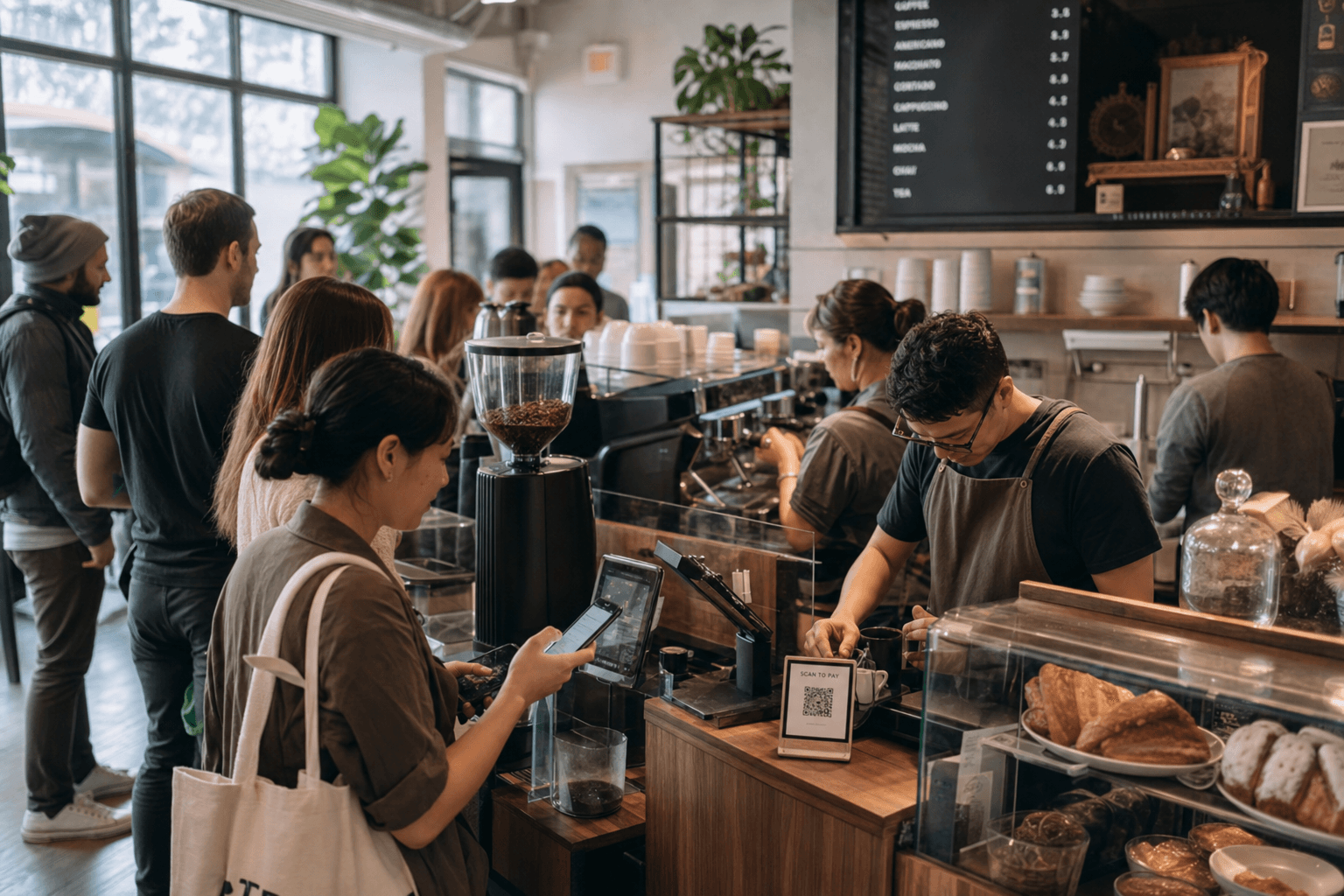
The morning rush is the most important 90 minutes of your cafe's day. Between 7:00 and 8:30 a.m., you're competing directly with the drive-through down the street, the chain with the app, and the bodega with the pre-made drip. Speed wins. If a customer waits more than three minutes in your line and sees a shorter line somewhere else, you've lost them — possibly for good.
A QR code menu won't replace a skilled barista or a well-designed workflow. But used correctly, it removes several of the friction points that slow down the morning rush: indecision at the counter, mispronounced orders, repeated questions about ingredients, and staff having to recite specials out loud. This guide walks through exactly how to set up and deploy a QR menu to make your busiest hour run smoother.
Why the Morning Rush Is Different
Morning customers behave differently from afternoon or weekend visitors. They are:
- Time-pressured. Most are on their way somewhere. Every extra minute matters.
- Habitual. Many want the same thing every day, but new customers — or regulars trying something different — can freeze at the counter.
- Less conversational. They're not in "browse and explore" mode. They want to decide quickly and get moving.
The bottleneck in most cafe morning rushes isn't the espresso machine — it's the decision point. A customer steps up to the counter, glances at the menu board, and takes 30–45 seconds to decide. Multiply that by 40 customers and you've added 20–30 minutes of dead time to your queue. A QR menu moves that decision point out of the line and into the wait before the customer even reaches the counter.
Set Up Your QR Menu for Speed
Not all digital menus are built equally for high-volume mornings. Here's what to prioritize when you're configuring yours.
Keep the morning menu lean
Your full menu might have 40 items. Your morning customers need to see 10–15. Consider creating a dedicated "Morning Menu" view that surfaces only your espresso drinks, drip options, grab-and-go pastries, and a couple of breakfast items. Fewer choices mean faster decisions. You can always link to the full menu for customers who want to explore.
With a platform like MenuHoster's cafe menu tool, you can create multiple menu sections and control which ones appear at the top — so your morning staples are the first thing customers see when they scan.
Load speed matters more than you think
A QR menu that takes five seconds to load is worse than no QR menu at all. Customers scanning in line are impatient. Test your menu on a real phone on a cellular connection (not your cafe's Wi-Fi). If it doesn't load in under two seconds, something needs to change — either your platform, your image sizes, or both. This is a non-negotiable for morning rush use.
Use clear categories and item names
Clever names are fun, but during the morning rush they slow people down. "The Fog Cutter" is charming; "Iced Oat Latte with Vanilla" is faster to process. If you use creative names, always include a one-line description. Customers should never have to ask what something is — that question costs you 20 seconds per person.
Include dietary and allergen labels
One of the most common counter delays is the allergen question: "Does this have dairy? Is this gluten-free?" Embedding dietary icons or short labels directly into your digital menu eliminates these questions before customers reach the counter. A small "V," "GF," or "Contains Nuts" label next to each item handles this silently and efficiently.
Where to Place QR Codes for Maximum Impact
Placement determines whether your QR menu actually gets used or gets ignored. For the morning rush specifically, you want customers scanning before they reach the front of the line.
At the back of the queue
Put a QR code stand or table tent at the point where customers join the line — not at the counter. A small sign that says "Scan to see the menu while you wait" gives people something productive to do and means they arrive at the register ready to order. This single change can cut average transaction time by 30–40 seconds per customer.
On the counter and at the register
Some customers won't scan until they're at the front. Having a code at the register still helps — it lets them quickly pull up a specific item they're unsure about, check a price, or show the barista exactly what they want (useful for complex customizations).
On your front door or window
Customers who spot the QR code as they approach the door can start browsing before they even walk in. This is especially effective for regular commuters who pass your cafe daily but haven't come in yet.
In your Google Business Profile
Linking your QR menu to your Google listing means customers can preview your menu on their phone during their commute and walk in already knowing what they want. This pre-decision happens entirely off-site and costs you nothing at the counter.
For a deeper look at placement strategy, see our guide on generating and deploying QR code menus for different cafe environments.
Train Your Staff to Use It as a Tool
A QR menu only speeds things up if your team actively uses it as part of the service flow — not as an afterthought.
Make the handoff natural
When the line backs up, a staff member or even a posted sign can prompt customers: "Grab your order from the QR menu and we'll be with you in a moment." This is friendlier than a blank stare and more efficient than having customers wait in silence.
Use it to handle customization questions
When a customer is unsure about a modification — "Can I get oat milk in that?" or "What size is the medium?" — pointing to the digital menu keeps the conversation short. If your menu includes modifier options and size descriptions, customers can self-serve that information.
Reference it for specials and seasonal items
Rather than having staff recite the day's specials (which takes time and varies by staff member), put specials prominently at the top of the digital menu. Update it the night before or first thing in the morning. Customers scan and see the special immediately. No verbal recitation required.
Pair Your QR Menu with Online Ordering
If you want to go beyond displaying the menu and actually reduce counter time to near-zero for some customers, add pre-ordering. A customer scans your QR code, places their order directly, and picks it up without waiting in line. This is the same mechanic that makes chain app ordering so effective — and independent cafes can do it too.
The key is making the ordering experience fast and friction-free. A clunky checkout process will lose customers. Look for a platform that lets customers order in three taps or fewer. MenuHoster's online ordering is built for exactly this — zero commission, simple checkout, and a menu that matches your brand.
Even if only 20–30% of your morning customers pre-order, that's a meaningful reduction in queue length and counter congestion. The customers who do pre-order free up counter time for those who prefer to order in person.
Upselling Without Slowing Things Down
Here's a counterintuitive benefit of QR menus during the rush: they can increase your average ticket size without adding any time to the transaction.
When a barista tries to upsell verbally — "Would you like to add a pastry?" — it takes time and often feels awkward during a busy rush. When your digital menu shows a "Pairs well with" suggestion or places a featured pastry directly below the espresso section, the upsell happens visually and silently. The customer decides on their own, and the add-on is already part of their order when they reach the counter.
Structure your morning menu so high-margin add-ons (extra shots, flavor syrups, pastries) are visible and easy to mentally add. Position them near the items customers are most likely to order. This is menu engineering applied to a digital format — and it works.
Keep Your QR Menu Accurate and Up to Date
Nothing destroys trust faster than a customer scanning your menu, deciding on an item, reaching the counter, and being told it's sold out or the price is different. During the morning rush, this creates friction, delays, and frustration.
- Update sold-out items in real time. If you run out of croissants at 8:15, mark them as unavailable immediately. Most digital menu platforms let you do this from your phone in under 30 seconds.
- Keep prices current. If you've adjusted pricing, update the digital menu the same day. Discrepancies between the QR menu and the register are confusing and erode confidence.
- Refresh seasonal items promptly. When a seasonal drink ends, remove it. When a new one launches, add it before you start promoting it verbally.
One major advantage of a QR menu over a printed menu board is that updates are instant and free. You're not waiting for a reprinted board or a chalkboard artist. Change it from your phone, and every customer who scans sees the updated version immediately.
Measure Whether It's Working
Gut feel is not enough. If you're going to invest time in setting up and maintaining a QR menu, track whether it's actually improving your morning flow.
Metrics to watch
- Average transaction time: Time from when a customer reaches the register to when they step away. Track this for a week before and after deploying your QR menu strategy.
- Customers served per hour: A simple count during the 7–9 a.m. window. If your QR menu is working, this number should increase.
- QR scan rate: Most QR menu platforms show you how many scans your code receives. Track this daily for the morning window to see adoption trends.
- Average order value: If your digital menu is surfacing upsells effectively, this should tick up slightly over time.
Use this data to iterate. If scan rates are low, your QR code placement might be wrong. If transaction time isn't improving, your menu might need to be simplified. Treat it as a system you're refining, not a one-time setup.
Frequently Asked Questions
Do customers actually scan QR menus during a busy morning?
Yes — if the QR code is placed where they're waiting and there's a clear prompt. Customers standing in a line for two minutes will almost always pull out their phone. The key is making the code visible and the prompt obvious. A sign that says "See today's menu" or "Order ahead" gives them a reason to scan.
What if some customers don't have smartphones or don't want to scan?
QR menus should complement your existing service, not replace it. Keep a simple printed menu or menu board available. The goal is to speed up the majority of customers who are comfortable with their phones, not to force everyone into a digital flow. In practice, most morning commuters are phone-first.
How do I make my QR menu load fast enough for impatient morning customers?
Choose a platform that hosts lightweight, mobile-optimized menu pages. Avoid heavy image files — use compressed images or no images at all for the morning menu view. Test load time on a 4G connection, not just your cafe's Wi-Fi. Two seconds or less is the target.
Can I have a different QR menu for morning versus afternoon?
Yes. Many platforms let you create multiple menus or sections. You can have a "Morning Menu" QR code that links to a streamlined view of espresso drinks and breakfast items, and a separate "Full Menu" code for the rest of the day. Alternatively, use one menu and simply reorder sections so morning items appear at the top.
Is a QR menu worth it if I already have a menu board?
Absolutely. A menu board is static and requires customers to be close enough to read it. A QR menu is personal — it's on their phone, in their hand, before they reach the counter. The two work together: the board gives a quick visual overview, and the QR menu provides the detail that helps customers decide faster and with fewer questions.
Ready to cut your morning wait times and serve more customers before 9 a.m.? Browse MenuHoster's cafe menu templates and get your QR menu live today — no developer needed, no monthly fees eating into your margins. It takes less than 30 minutes to set up, and your busiest hour will never be the same.
MenuHoster Team
Helping restaurants go digital